# Master Your Next.js Conventions with a Bulletproof .cursorrules File
> simplify your Next.js projects with a comprehensive .cursorrules file that enforces your directory structure, import rules, and coding standards.
> By Dave · 2026-08-28
> Source: https://otf-kit.dev/blog/cursor-rules-nextjs
Your agent forgets your conventions the moment the context window rolls. Every Cursor session starts blank. You spend an hour telling it where things live, what's banned, which patterns you hate. Then you compact, switch branches, or open a new chat. The next session reinvents `app/components/Button.tsx` from scratch because it doesn't know you put components in `components/ui/`, that you use `cn()` from `lib/utils`, and that you never want a raw `![]() ` tag.
`.cursorrules` fixes this. It's a file Cursor reads on every interaction — a persistent constitution for the model. Most files I've seen are vague ("write clean code"), a wall of prose no model parses well, or a flat list of bans without context. They fail for the same reason: the model needs structure, examples, and explicit allowed/denied pairs.
Here are the six sections a `.cursorrules` actually needs for a Next.js project, drawn from the configs we ship with our kits. The whole thing fits in one file. Copy the bits that match your stack, throw out the rest.
## 1. Project map — answer "where does X go" before the model guesses
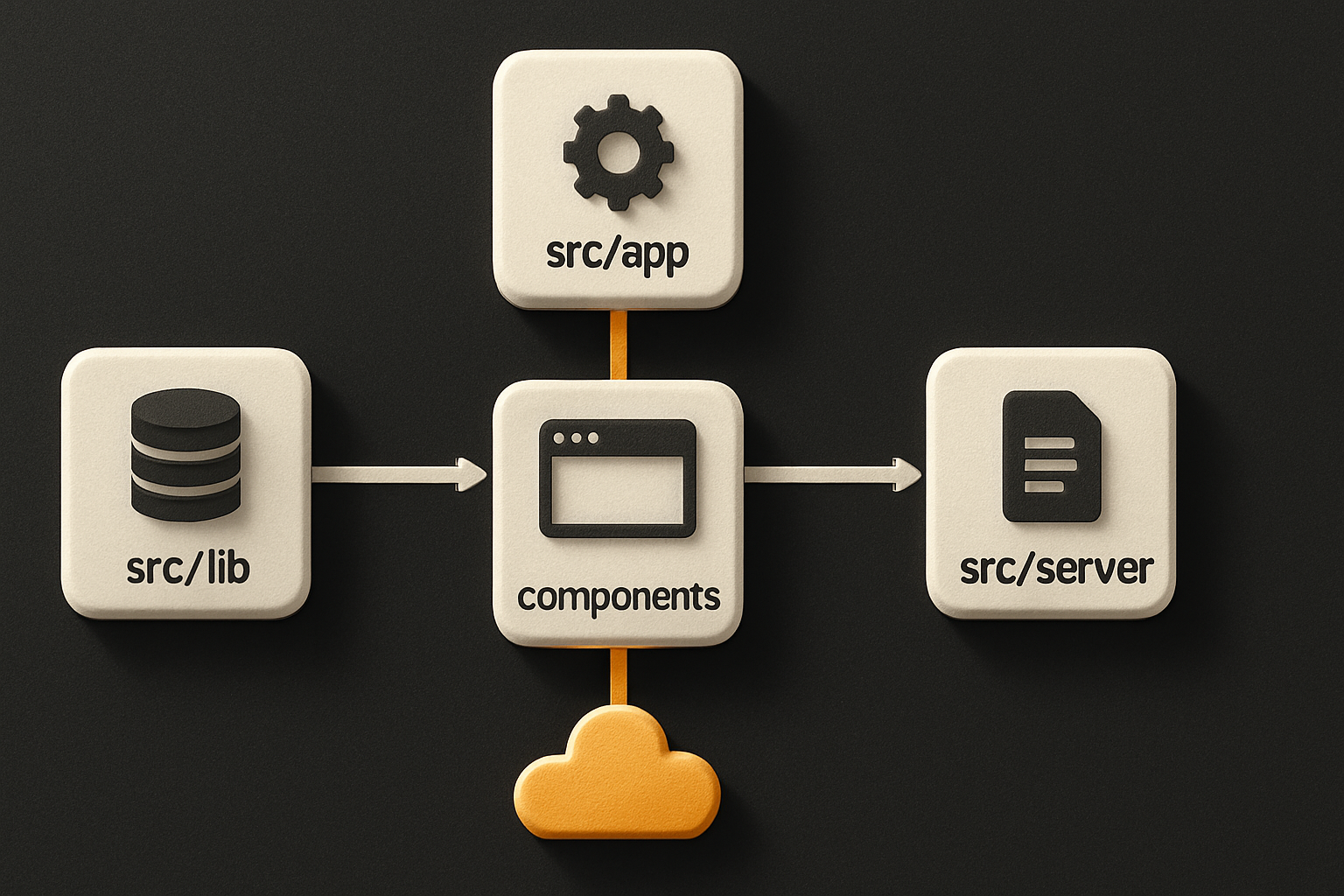
The single most useful block is the directory map. A model that knows your layout won't invent `app/_components/` or stash a hook inside `app/api/`.
```md
## Project layout
src/
app/ # Next.js App Router (routes only, no components)
(marketing)/ # Route group: public pages
(app)/ # Route group: authenticated app
dashboard/
@analytics/ # parallel route slot
@feed/
page.tsx
layout.tsx
api/ # Route handlers (route.ts)
components/
ui/ # primitives — Button, Card, Dialog (no business logic)
forms/ # composable forms, one per feature
lib/
db/ # schema + queries
auth/ # session helpers
utils.ts # cn(), formatters, no React imports
server/ # server-only modules — never import from a client component
actions/ # 'use server' actions
styles/ # global styles + tokens
public/
tests/ # mirrors src/ structure
```
This block does three things: it tells the model the **shape** (App Router, `src/` root, route groups), the **rules** (`components/ui/` is for primitives only), and the **forbidden zones** (no components in `app/`). A vague "this is a Next.js app" line gives the model nothing. A directory tree gives it a map.
## 2. Import rules — paths, aliases, and what counts as a barrel
The model loves barrel files because they look tidy. They also break tree-shaking, hide cycles, and turn a refactor into a 30-file edit. Say so, explicitly.
```md
## Imports
- Path alias: `@/*` → `src/*`. Always `@/components/ui/button`, never long relatives.
- Named exports only. No default exports. (Easier refactor, no `React.lazy` surprises.)
- No barrel files (`index.ts`) inside `components/` or `lib/`. Import from the leaf: `@/components/ui/button`.
- Group imports in this order, blank line between: (1) React/Next, (2) third-party, (3) `@/` aliased, (4) relative. No exceptions.
- Server-only modules: `import 'server-only'` at the top of every file under `src/server/`.
- Do not import from `src/server/**` inside any file under `components/` or any `'use client'` file.
```
The `server-only` rule alone saves you a 90-minute debug. The model will happily import a DB query into a form component if you let it.
## 3. The "never do" list — explicit bans with the reason
A "never" line without a reason gets ignored the first time the model thinks it has a good reason. Pair every ban with the line of code it replaces or the bug it prevents.
```md
## Never
- Never `
` tag.
`.cursorrules` fixes this. It's a file Cursor reads on every interaction — a persistent constitution for the model. Most files I've seen are vague ("write clean code"), a wall of prose no model parses well, or a flat list of bans without context. They fail for the same reason: the model needs structure, examples, and explicit allowed/denied pairs.
Here are the six sections a `.cursorrules` actually needs for a Next.js project, drawn from the configs we ship with our kits. The whole thing fits in one file. Copy the bits that match your stack, throw out the rest.
## 1. Project map — answer "where does X go" before the model guesses
The single most useful block is the directory map. A model that knows your layout won't invent `app/_components/` or stash a hook inside `app/api/`.
```md
## Project layout
src/
app/ # Next.js App Router (routes only, no components)
(marketing)/ # Route group: public pages
(app)/ # Route group: authenticated app
dashboard/
@analytics/ # parallel route slot
@feed/
page.tsx
layout.tsx
api/ # Route handlers (route.ts)
components/
ui/ # primitives — Button, Card, Dialog (no business logic)
forms/ # composable forms, one per feature
lib/
db/ # schema + queries
auth/ # session helpers
utils.ts # cn(), formatters, no React imports
server/ # server-only modules — never import from a client component
actions/ # 'use server' actions
styles/ # global styles + tokens
public/
tests/ # mirrors src/ structure
```
This block does three things: it tells the model the **shape** (App Router, `src/` root, route groups), the **rules** (`components/ui/` is for primitives only), and the **forbidden zones** (no components in `app/`). A vague "this is a Next.js app" line gives the model nothing. A directory tree gives it a map.

## 2. Import rules — paths, aliases, and what counts as a barrel
The model loves barrel files because they look tidy. They also break tree-shaking, hide cycles, and turn a refactor into a 30-file edit. Say so, explicitly.
```md
## Imports
- Path alias: `@/*` → `src/*`. Always `@/components/ui/button`, never long relatives.
- Named exports only. No default exports. (Easier refactor, no `React.lazy` surprises.)
- No barrel files (`index.ts`) inside `components/` or `lib/`. Import from the leaf: `@/components/ui/button`.
- Group imports in this order, blank line between: (1) React/Next, (2) third-party, (3) `@/` aliased, (4) relative. No exceptions.
- Server-only modules: `import 'server-only'` at the top of every file under `src/server/`.
- Do not import from `src/server/**` inside any file under `components/` or any `'use client'` file.
```
The `server-only` rule alone saves you a 90-minute debug. The model will happily import a DB query into a form component if you let it.
## 3. The "never do" list — explicit bans with the reason
A "never" line without a reason gets ignored the first time the model thinks it has a good reason. Pair every ban with the line of code it replaces or the bug it prevents.
```md
## Never
- Never `![]() ` — use `next/image` with `width`/`height` or `fill`. (LCP, CLS, AVIF.)
- Never `useEffect` to fetch on mount — fetch in a Server Component, then pass data down or use a Server Action.
- Never `useState` for derived values — compute inline, wrap in `useMemo` only if the computation is genuinely expensive.
- Never `'use client'` at the top of a layout or a page — it forces every child to be a client component and ships the whole tree.
- Never `any`. Use `unknown` and narrow. If you reach for `any`, write a one-line comment explaining why and pick a more specific type.
- Never `dangerouslySetInnerHTML` without a sanitiser. If you must, wrap the input through one before inserting.
- Never edit generated files under `.next/` or `next-env.d.ts`.
- Never add a dependency without saying so in the response and asking first.
```
The "ask before adding a dep" rule is the difference between a `.cursorrules` that produces a 400MB `node_modules` and one that doesn't.
## 4. App Router conventions — the file-naming rules
The App Router is a convention machine. The model knows the conventions. What it doesn't know are **your** conventions: where parallel routes live, how you name a loading state, whether you colocate page-specific components.
```md
## App Router
- Routes only in `src/app/**/page.tsx`. Co-located helpers (a small chart for one page) go in `_components/` with a leading underscore so the router ignores the folder.
- `loading.tsx` for any route segment that does real work. Skeleton, not spinner.
- `error.tsx` must be `'use client'` and accept `{ error, reset }`. Wrap the tree above it in a Suspense boundary if you can.
- `not-found.tsx` at every meaningful segment. Don't rely on the root one.
- Route handlers in `src/app/api/**/route.ts`. Export named HTTP methods (`export async function POST`, never `export default`).
- Metadata: export a `metadata` const or `generateMetadata`. Never `` from `next/head`.
- Parallel routes (`@slot`) declared in `layout.tsx` must have a matching `default.tsx` per slot, or the build warns.
```
The `_components/` underscore trick is the most-copy-pasted line in our shipped configs. It stops the model from inventing `components/` next to a page and accidentally breaking routing.
## 5. Server/client component boundaries — the rule the model gets wrong most
The default in the App Router is a server component. `'use client'` is an escape hatch. The model inverts this. It sprinkles `'use client'` on every file that uses `useState`, which is fine, but it also sprinkles it on layouts and pages — which is how a 2KB page becomes a 200KB client bundle.
```md
## Server vs client components
Default: server. Add `'use client'` only when the file uses any of:
- hooks (`useState`, `useEffect`, `useRef`, custom hooks)
- event handlers attached to a DOM element
- browser-only APIs (`window`, `document`, `localStorage`)
Layouts and pages stay server. If a child needs to be interactive, mark the leaf component — not the layout.
Server Actions: any function passed to a `
` — use `next/image` with `width`/`height` or `fill`. (LCP, CLS, AVIF.)
- Never `useEffect` to fetch on mount — fetch in a Server Component, then pass data down or use a Server Action.
- Never `useState` for derived values — compute inline, wrap in `useMemo` only if the computation is genuinely expensive.
- Never `'use client'` at the top of a layout or a page — it forces every child to be a client component and ships the whole tree.
- Never `any`. Use `unknown` and narrow. If you reach for `any`, write a one-line comment explaining why and pick a more specific type.
- Never `dangerouslySetInnerHTML` without a sanitiser. If you must, wrap the input through one before inserting.
- Never edit generated files under `.next/` or `next-env.d.ts`.
- Never add a dependency without saying so in the response and asking first.
```
The "ask before adding a dep" rule is the difference between a `.cursorrules` that produces a 400MB `node_modules` and one that doesn't.
## 4. App Router conventions — the file-naming rules
The App Router is a convention machine. The model knows the conventions. What it doesn't know are **your** conventions: where parallel routes live, how you name a loading state, whether you colocate page-specific components.
```md
## App Router
- Routes only in `src/app/**/page.tsx`. Co-located helpers (a small chart for one page) go in `_components/` with a leading underscore so the router ignores the folder.
- `loading.tsx` for any route segment that does real work. Skeleton, not spinner.
- `error.tsx` must be `'use client'` and accept `{ error, reset }`. Wrap the tree above it in a Suspense boundary if you can.
- `not-found.tsx` at every meaningful segment. Don't rely on the root one.
- Route handlers in `src/app/api/**/route.ts`. Export named HTTP methods (`export async function POST`, never `export default`).
- Metadata: export a `metadata` const or `generateMetadata`. Never `` from `next/head`.
- Parallel routes (`@slot`) declared in `layout.tsx` must have a matching `default.tsx` per slot, or the build warns.
```
The `_components/` underscore trick is the most-copy-pasted line in our shipped configs. It stops the model from inventing `components/` next to a page and accidentally breaking routing.
## 5. Server/client component boundaries — the rule the model gets wrong most
The default in the App Router is a server component. `'use client'` is an escape hatch. The model inverts this. It sprinkles `'use client'` on every file that uses `useState`, which is fine, but it also sprinkles it on layouts and pages — which is how a 2KB page becomes a 200KB client bundle.
```md
## Server vs client components
Default: server. Add `'use client'` only when the file uses any of:
- hooks (`useState`, `useEffect`, `useRef`, custom hooks)
- event handlers attached to a DOM element
- browser-only APIs (`window`, `document`, `localStorage`)
Layouts and pages stay server. If a child needs to be interactive, mark the leaf component — not the layout.
Server Actions: any function passed to a `