
Cursor cloud agent subscriptions turn PRs and Slack threads into active work queues

Cursor cloud agent subscriptions change a coding agent from a session you start into a worker that can wake when an event arrives. Cursor says Cloud Agents can monitor pull requests, watch a Slack thread, or run scheduled tasks, then continue a goal through long-running work. The feature is available for cloud agents only, which makes the surrounding environment, permissions, and review process part of the design.
This is useful for production teams because many coding tasks already begin with an event: a failed check, a review comment, a handoff in Slack, or a scheduled maintenance window. The hard part is not making the agent wake up. It is defining what the agent may do after waking, what counts as complete, and when a human must take over.
What are Cursor cloud agent subscriptions?
A subscription connects a cloud agent to an event source. Cursor’s official Cloud Agents and harness changelog says the source can be a pull request, a Slack thread, or a schedule. When something happens, the agent wakes and continues the associated work.
Cursor also says cloud agents automatically subscribe to pull requests they create, so they can address CI failures and bot comments. In Slack, the documented interaction is conversational: ask @cursor to check back in an hour and keep going until the feedback is available.
The useful distinction is between a trigger and a goal:
- A trigger wakes the agent.
- A goal defines the work it is trying to finish.
- A check determines whether the goal is met.
- A review decides whether the result can merge or ship.
Use a `
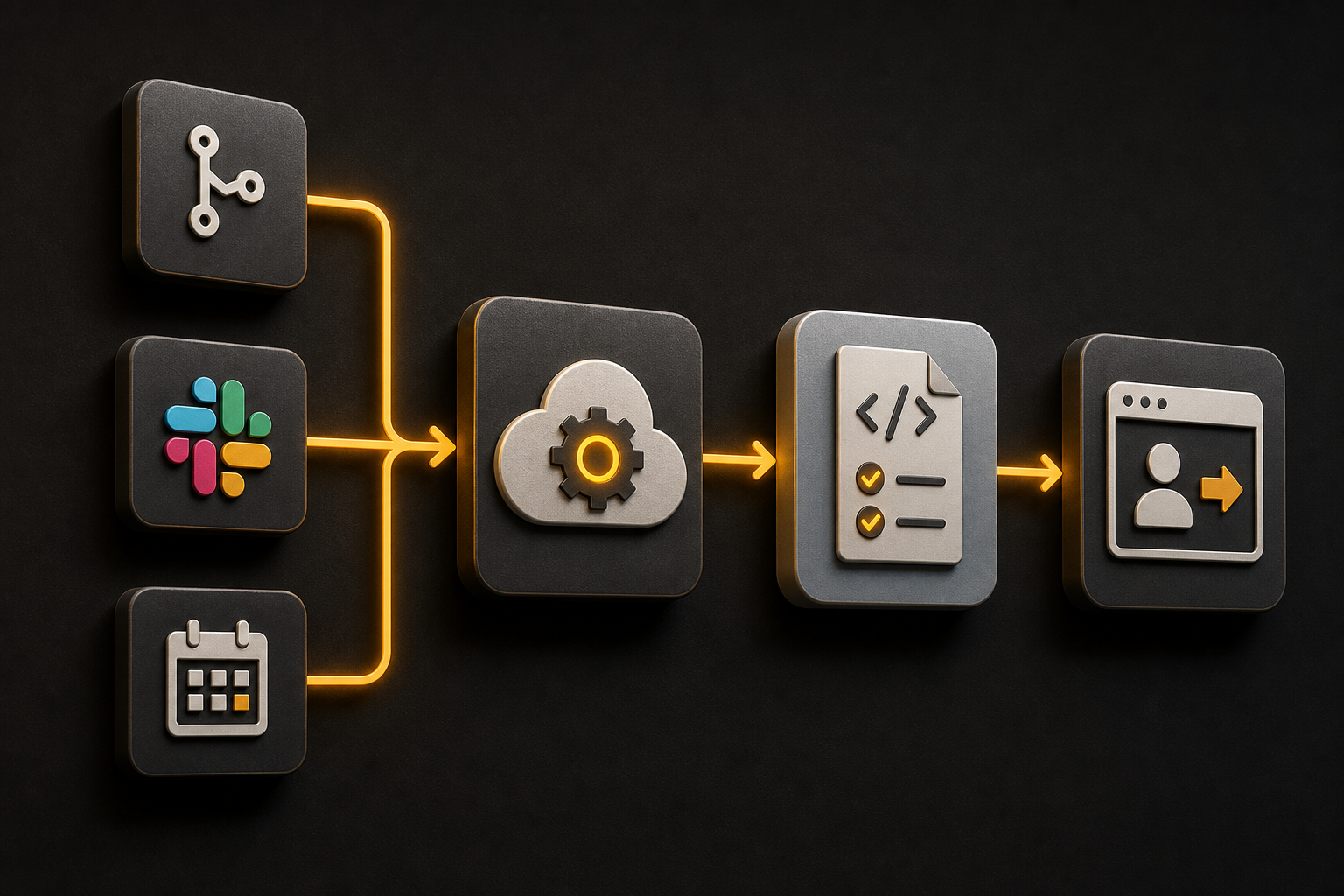
` marker for this lifecycle instead of drawing it as text. The agent is active because a defined event occurred, not because someone left a chat window open.
Which tasks fit subscriptions first?
Start with work that is repetitive, observable, and reversible. Good first tasks include investigating a failing check, responding to a review comment with a small diff, updating a generated artifact, or preparing a scheduled report. Avoid starting with broad refactors or changes that affect billing, authentication, deployment, or customer data.
A useful task contract looks like this:
## Subscription task: repair the failing check

Trigger: new CI failure on a pull request created by the agent

Allowed:
- inspect the failure log
- change files under `src/` and `tests/`
- run the focused test command
- update the pull request with a summary

Not allowed:
- change dependencies
- edit secrets or deployment settings
- merge the pull request
- modify database data

Done when:
- the focused test passes
- the original failure is explained
- the diff is limited to the task
- a human reviewer has the evidence
The paths and commands must match your repository. The point is to define a stop condition before the event arrives. If you cannot say what the agent should do after a failure, do not subscribe it yet.
11 production screens. Login and database wired.
The SaaS Dashboard Kit includes login, a database, and a working dashboard. Live demo at saas.otf-kit.dev.
How do you use a goal with a waking agent?
Cursor’s changelog documents /goal for a long-lived objective and /loop for recurring check-ins. It gives “fix all flaky tests and make CI green in a new chat” as an example of a goal. Use a goal that can be evaluated by a command or a clear repository state.
/goal keep this pull request moving until the focused checks pass

Constraints:
- inspect the current failure before editing
- change only files related to the failure
- run the focused check after each meaningful change
- report uncertainty instead of guessing
- stop before merge or deployment
This is a prompt pattern using the documented goal command, not a guarantee that every repository failure can be resolved automatically. A goal should not mean “keep trying forever.” Add a retry limit or a time window in the surrounding team process, and require the agent to leave a failure record when it cannot make progress.
Use custom modes when a task needs the same repository-specific instructions repeatedly. Cursor says a skill can be pinned as a Custom Mode from the slash menu, with ⌥⏎ on Mac or Alt+Enter on Windows. Keep the mode focused: one mode for test repair, another for documentation updates, rather than one instruction file that tries to cover every kind of work.
How should a PR subscription handle review comments?
Treat review comments as new input, not as permission to rewrite the whole change. An agent can inspect the comment, locate the affected code, and prepare a narrow update. It should return the revised diff and checks for review.
A reviewer commented on this pull request.

Before editing:
- quote the requested behavior in your own words
- identify the smallest affected file set
- check whether the comment conflicts with an existing repository rule
- state the test you will run

After editing:
- run the focused check
- show the changed lines
- explain any comment you did not implement
- do not merge or change unrelated files
If the agent created the pull request, Cursor says it can automatically subscribe to that PR and address CI or bot comments. That is a useful loop for mechanical fixes, but your branch protections should remain the final merge gate. Do not use the agent’s own “completed” message as evidence that the reviewer’s concern is resolved.
Record the event, commit, check result, and reviewer response. A subscription that wakes correctly but loses the link between the comment and the resulting commit is difficult to audit.
How do Slack-triggered tasks avoid hidden scope?
Slack is good for conversational handoffs and bad as the only task specification. A thread contains context, edits, and implied assumptions that can be hard for an agent to distinguish from authorization.
Use a structured first message:
@cursor inspect the checkout error in this thread.

Scope:
- repository: the linked project only
- read logs and code; do not change files yet
- report likely cause, affected files, and one verification command
- stop for approval before editing
After the report, approve one bounded action in the same thread. Name the files, test, and forbidden systems. If the task crosses into production, create a formal change record rather than relying on a casual Slack reply.
Do not paste credentials, customer data, or raw production logs into the thread. Redact identifiers and link to an access-controlled record when detailed evidence is required. The agent’s context is part of your data-flow review.
What do scheduled agent tasks need?
A scheduled task needs a time window, an input snapshot, a concurrency rule, and a result destination. “Run every day” is not enough. Decide whether the task should skip when the previous run is still active, whether it may retry, and what happens when the repository has changed since the last run.
type ScheduledAgentRun = {
  scheduleId: string;
  taskName: string;
  inputRevision: string;
  startedAt: string;
  finishedAt?: string;
  status: 'queued' | 'running' | 'waiting_review' | 'completed' | 'failed';
  attempt: number;
  outputUrl?: string;
};

function canStartNext(run: ScheduledAgentRun | undefined) {
  return !run || ['completed', 'failed'].includes(run.status);
}
This is an application-side record shape, not a Cursor API response. The state prevents overlapping runs from editing the same work item without an explicit policy. If the task produces a pull request, store the branch and commit with the run record. If it produces a report, store the destination and validation result.
For asynchronous AI work, background jobs for AI features covers queues, retries, cancellation, and idempotency. A cloud agent subscription can wake the worker; your system still owns durable state and duplicate prevention.
How do builds and subscriptions work together?
Subscriptions make the agent wake more often, so the environment must start predictably. Cursor’s Cloud Agent Builds documentation says new agents, automations, and code reviews start from the active successful build. It records the environment version and repository commit, and a failed build does not replace the active one.
Put repeatable dependency installation and code generation in install. Put databases, Docker containers, tunnels, and other session-specific processes in start or terminals. That keeps the prepared environment reusable while allowing each subscription-triggered run to start the services it needs.
Before enabling a subscription, run the task from a clean environment and verify:
- the agent sees the expected repository revision;
- the required services start without manual shell state;
- the focused test command is available;
- secrets are supplied at runtime rather than baked into a shared snapshot;
- the resulting diff can be tied to the build and event that produced it.
The same repository discipline appears in Cursor prompts for focused agent sessions: make the task, stop conditions, and evidence explicit before the agent takes the next tool call.
What should you measure after enabling subscriptions?
Measure accepted work, not wakeups. Track how many events produced useful diffs, how many required human correction, how often a run repeated, and how many changes were rejected for scope or policy reasons.
subscription metrics
- events received
- runs started
- runs stopped for clarification
- checks passed
- pull requests updated
- human review edits
- duplicate or conflicting runs
- merge-ready outcomes
Keep the logs redacted and retain enough provenance to reconstruct the decision: event, goal, build, commit, checks, reviewer, result. If a subscription is noisy, narrow the event source or task scope instead of adding more retries.
OTF’s templates are a complementary starting point for builders who want owned application code, shared web and native components, and pre-tuned AI configs for Cursor and Claude. The value is a clearer project for an agent to extend; subscriptions still need your permissions, state model, and review gates.
Cursor cloud agent subscriptions are useful when they turn an existing engineering event into a bounded, observable task. Start with one PR or schedule, define the goal and no-touch list, verify the prepared environment, and keep merge and deployment decisions human-owned. The agent can keep a loop moving; your task contract decides whether that movement is safe.
Sources
Originally published at otf-kit.dev — full-stack app templates for web and mobile. See the templates →
Ship the product, not the setup.
- 11 production screens — auth, team, analytics, and settings
- Login and a real database are wired in
- AI configs pre-tuned so your agent extends instead of regenerates