
Fitness app onboarding: first-session flow

A fitness app can lose a new user before they finish one useful session. What should its first two minutes help them do before the team adds more features?
A practical answer: choose one clear first-session outcome, put the shortest path to it on screen, and measure whether a new user reaches it without coaching. This is a product-flow question, not a request for a longer feature list.
If you are building that flow, start with the Fitness Kit to inspect the workout, onboarding, and activity screens, then try the live demo. If you need several starting points, compare the Everything Bundle after those two.
Define “useful” before you design the welcome screen
“Complete onboarding” is not an outcome. It is a sequence of screens. Decide what a person should be able to do or understand by the end of the first visit.
For a workout product, a useful first session might mean selecting a short activity and reaching the start of a workout. For a training planner, it might mean seeing a plan that fits the time the person has today. For a progress tracker, it might mean recording one activity and seeing where it appears. Pick one. Do not ask the first visit to explain every future feature.
Write the outcome as a sentence a new user could confirm: “I chose a workout and know how to begin it.” That sentence becomes a test. A screen can look finished while the user still cannot tell what to do next.
The Reddit discussion that prompted this guide described a fitness app with calendar-aware training and asked what would make people bounce in the first two minutes. That is a useful reminder to test the opening experience before treating a feature roadmap as the answer. It does not prove which screen or feature will work for your users; only observation of your own target users can do that.
Map the first session as a short path
Sketch the path from opening the app to the first useful result. Keep it to the decisions required for the first outcome.
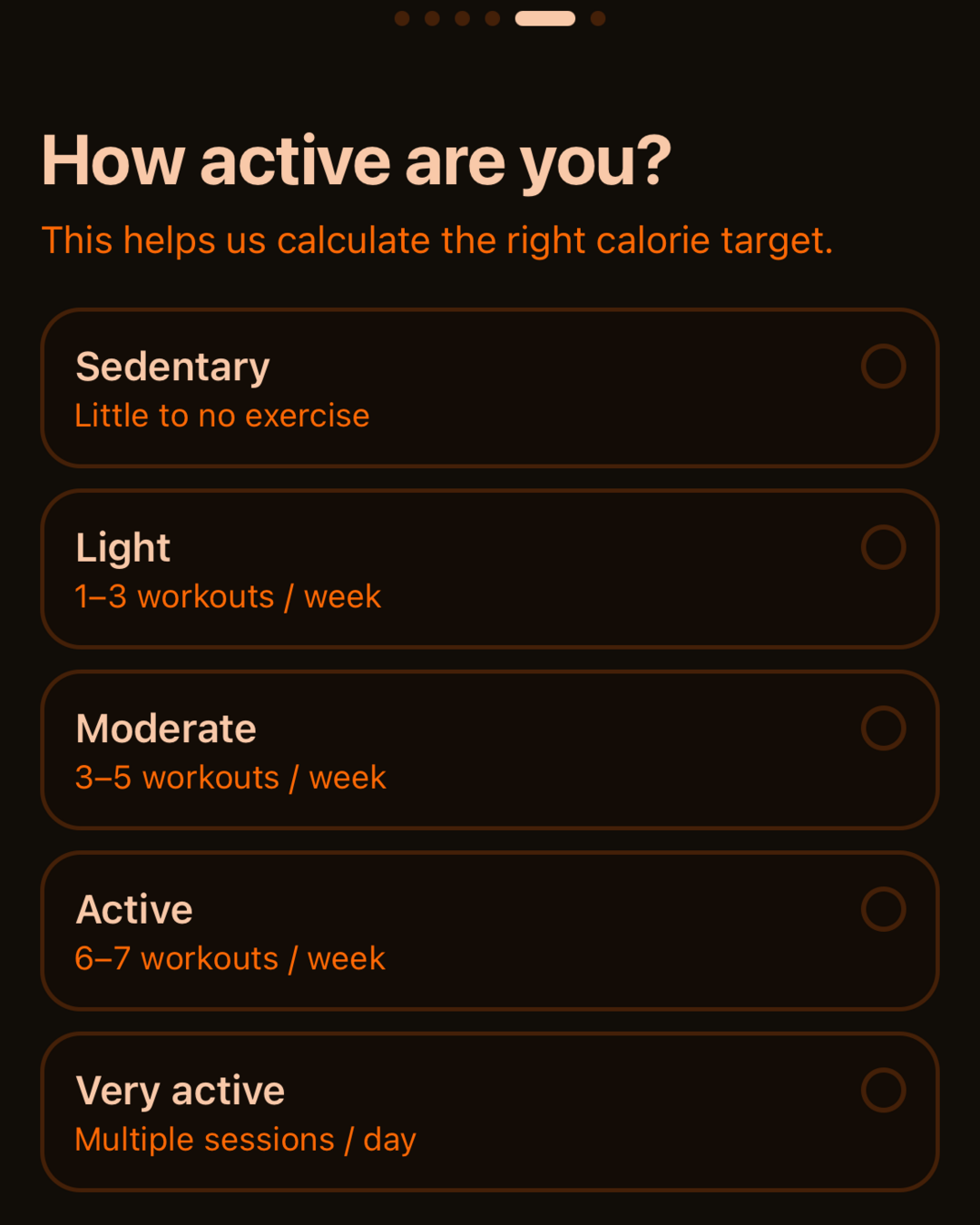
- Orient. State who the app is for and what the person can do now. A short, concrete promise is easier to act on than a tour of every tab.
- Choose one route. Offer the smallest meaningful choice, such as selecting a goal or picking a workout category, only when that choice changes what happens next.
- Begin. Make the action visible and specific. “Start a 10-minute session” is clearer than a generic “Continue” when the destination is a workout.
- Show progress. Confirm that the action worked. A started session, saved activity, or visible next step gives the person evidence that the app responded.
- Explain what comes later. Introduce optional setup after the first outcome unless the app genuinely needs it to deliver that outcome.
This is a sequence to test, not a universal design law. The right path depends on the promise of the product. A workout logger, a coached program, and a calendar-based planner may need different first actions.
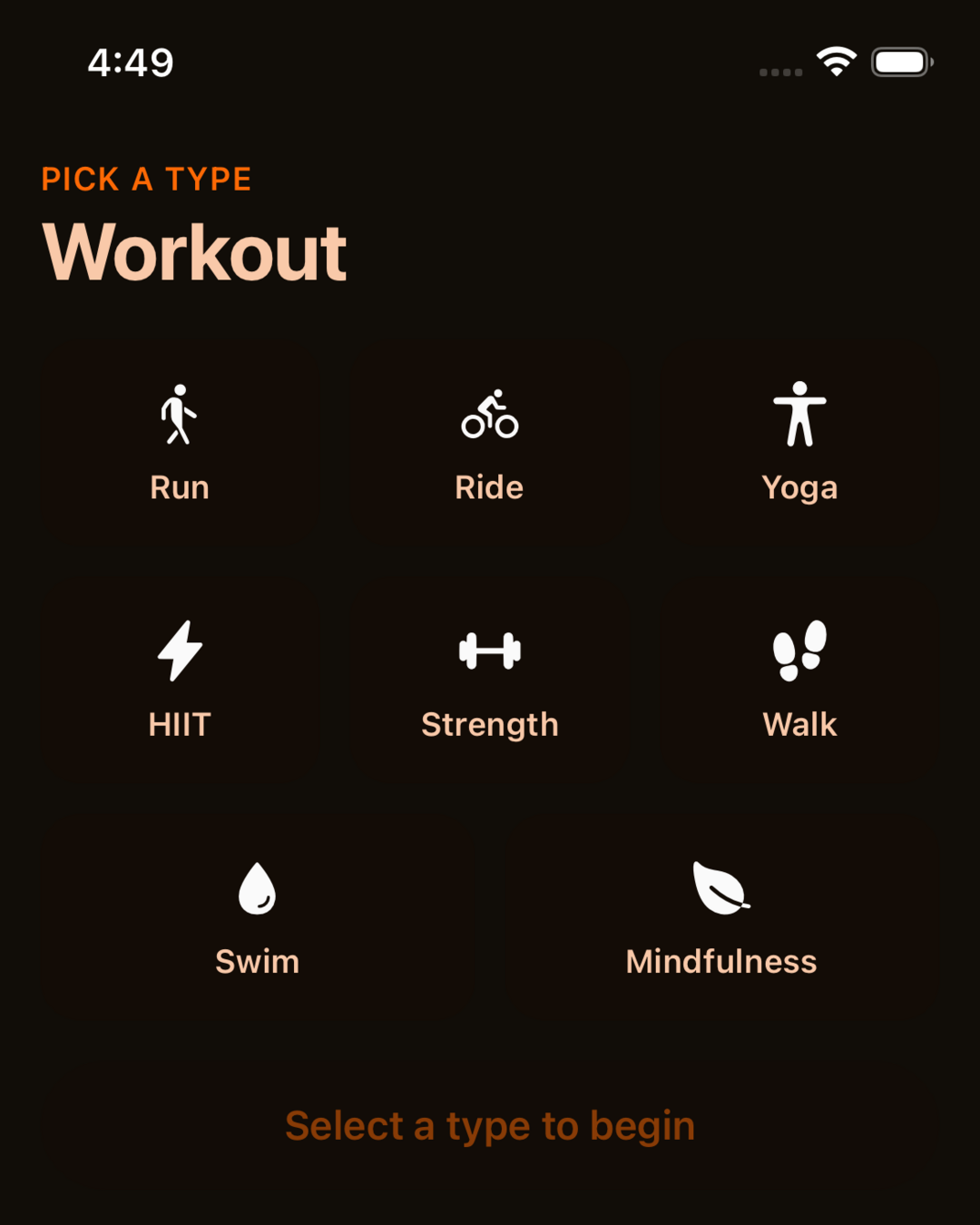
One codebase. iOS, Android, and web.
The Fitness Kit is a mobile starter with its own API, with sign-in and a database. Live demo at fitness-preview.otf-kit.dev.
Remove choices that do not help the first outcome
New users often meet choices that are important eventually but not yet. Profile details, notification settings, integrations, advanced preferences, and a complete goal questionnaire can all add work. For each one, ask: does the user need this answer to reach the outcome we chose?
If not, defer it or make it optional. If the answer changes the first session, ask only the minimum needed and explain why. Do not collect a full profile just because the database has fields for one.
This is not a rule to remove every account screen. Account creation and the first-session path are separate decisions. If saving or syncing is necessary, tell users what the account enables. If a first activity can work without a durable account, test whether letting people try first improves the experience. The narrower question of whether to require sign-in before a workout is covered in this guide to a fitness app’s first workout and account gate.
Permissions deserve the same test. Ask for access at the moment the user tries a feature that needs it, and explain the connection in plain language. Do not request calendar, health, or notification access simply because a future feature might use it. If the core first session does not need the permission, it probably does not belong at the entrance.
Make the next action obvious
A first-session screen should answer three questions quickly: what is this, what can I do here, and what happens when I tap the main action? A single primary button helps, but its label must name the action. Avoid presenting several equally prominent destinations before the user has a reason to choose among them.
Use the words your users use. If they say “start a workout,” do not make them interpret “activate your journey.” Keep supporting text close to the action, especially when the session has a time requirement, equipment choice, or safety consideration. Do not promise adaptive coaching or personalized plans unless the product actually provides them.
For the first release, a small number of clear paths is easier to observe than a broad menu. You can add other routes after you learn which first outcome users seek and what blocks it.
Test with a stopwatch and a note sheet
Ask a few people who match your intended audience to try the first session on a clean install. Give them the same short task without explaining where to tap. Observe where they pause, what they expect, and whether they reach the outcome.
Record:
- time from opening to the first meaningful action;
- whether the person completes the chosen outcome;
- the step where they hesitate, backtrack, or stop;
- what they thought the next button would do;
- any setup request that felt unrelated to the task.
Treat a small usability check as diagnostic, not as a market-wide conversion estimate. A handful of sessions can expose confusing labels and missing steps; it cannot establish a reliable retention rate or prove that one onboarding design is best. Repeat with new participants after changing the flow, and keep the task and starting conditions consistent enough to compare observations.
Do not optimize for the shortest timer at any cost. A fast path that skips a needed explanation can create confusion later. The goal is a clear first result with enough context for a person to decide what to do next.
Separate the product flow from the starter kit
A starter can save implementation time by providing screens and a base structure. It cannot decide the promise, first-session outcome, order of questions, or which setup is essential for your users. Those are product decisions.
The Fitness Kit page lists onboarding, goal-setting, activity-level, workout, and progress screens. The live demo lets you inspect the running app. Use those as material to evaluate and adapt; do not assume that the starter already implements your exact two-minute path, research findings, or coaching logic.
A sensible build order is to define the one outcome, sketch the shortest path, implement that path, and test it with a new user. Then decide which screens belong in the next iteration. This gives you a concrete question to answer before you expand the feature set.
A two-minute review checklist
Before calling onboarding ready, verify:
- the first screen states a clear product promise;
- the first meaningful action is visible without a tour;
- every required question changes the first session;
- account creation and permissions are explained at the point they matter;
- the main action confirms what happened and suggests a next step;
- a new person can finish the chosen task without you narrating;
- your notes separate observed friction from guesses about why it happened.
The first two minutes are a small product surface with a large job: help someone understand the promise, try the core action, and decide whether to continue. Make that job explicit, watch a new user attempt it, and let the evidence guide the next feature.
Sources
- Reddit, “I built a fitness app that plans your training around your actual calendar, then moves it when your week blows up,” discussion and first-two-minutes question, viewed 20 October 2026: https://www.reddit.com/r/SideProject/comments/1w3xcmq/i_built_a_fitness_app_that-plans-your-training/
Stop wiring. Start shipping.
- Sign-in and a database wired in, with its own API
- iOS + Android + web from one codebase
- AI configs pre-tuned + 20+ task prompts per kit included
Ship your first screen tonight — free starter in your inbox
The quickstart, the SDK repo and the live kit demos, on this screen and in your inbox.
No spam. Unsubscribe any time.