Landing templates kit: ship pages you own with agent docs

Sandboxed AI page generators are excellent at one job: turn a chat prompt into a hosted preview before the week ends. That is a real speed win for a waitlist sketch, a product teaser, or a changelog mock. The failure mode starts later — when Cursor or Claude Code need a durable marketing repository, and the only memory of the page lives inside a vendor workspace with a credit meter on every edit.
The landing-templates kit answers a narrower question. You already use a filesystem agent. You need waitlist, product, or launch pages that look finished on day one, and you want those pages to stay ordinary source in a repo you own. This post is a product how-to for that kit: what you get, how agent docs work inside the tree, and when to prefer the kit over chat-to-preview tools. It is not a general CLAUDE.md craft essay, and it is not another sandbox-versus-monorepo shootout — for that system-of-record decision see Lovable credit-metered MVP versus owning the monorepo agents extend.
What the landing-templates kit actually ships
OTF sells fifteen single-page marketing templates as a low entry product, listed on https://otf-kit.dev/templates and priced on https://otf-kit.dev/pricing. Each template is $9 standalone. All fifteen are also included in the Everything Bundle. Live previews exist before checkout — for example https://volt.otf-kit.dev, https://gallery.otf-kit.dev, https://tempo.otf-kit.dev, and the rest of the lineup on the storefront.
Public product claims that matter for buyers:
- A complete, polished marketing site per template, not a blank section kit
- Animated hero treatment plus multiple color themes
- Imagery that holds up on phone and desktop
- CLAUDE.md and .cursorrules, for Cursor and Claude Code, plus four task prompts
- Commercial use for one client project on the individual template SKU
- One-time payment; you keep editable source after purchase
The purchase path matches the rest of OTF: Stripe checkout, license email with a private GitHub invite, then clone and run locally. Templates overview documents that pattern for OTF kits generally — accept the invite, clone the repo, install dependencies, start the local server, then deploy with the included ship scripts when you are ready. Landing templates are the marketing-site lane of that same ownership model: static launch pages you can put on a domain you control, without keeping the system of record inside a sandboxed builder.

When to use the kit versus a sandboxed page generator
Stay on a sandboxed generator when the artifact you need this week is a hosted preview URL, the team's daily loop is chat inside that product, and export or Git sync is enough for review. Prefer the landing-templates kit when most of these flip true:
- Maintenance will happen in Cursor or Claude Code on disk, not in a browser IDE
- The page is a buyer-facing waitlist, product, changelog, or launch surface you intend to keep for months
- You want project memory (rules, prompts, section map) versioned with the source
- You refuse to pay a credit meter for every copy tweak after the first draft
- Commercial ownership must mean a repository you control, not a project you might export later
That decision is orthogonal to whether sandboxes are good. They are. The kit purchase is for the moment the marketing page becomes part of your product tree — the same thesis as the Lovable comparison post, applied specifically to landing pages instead of full apps.
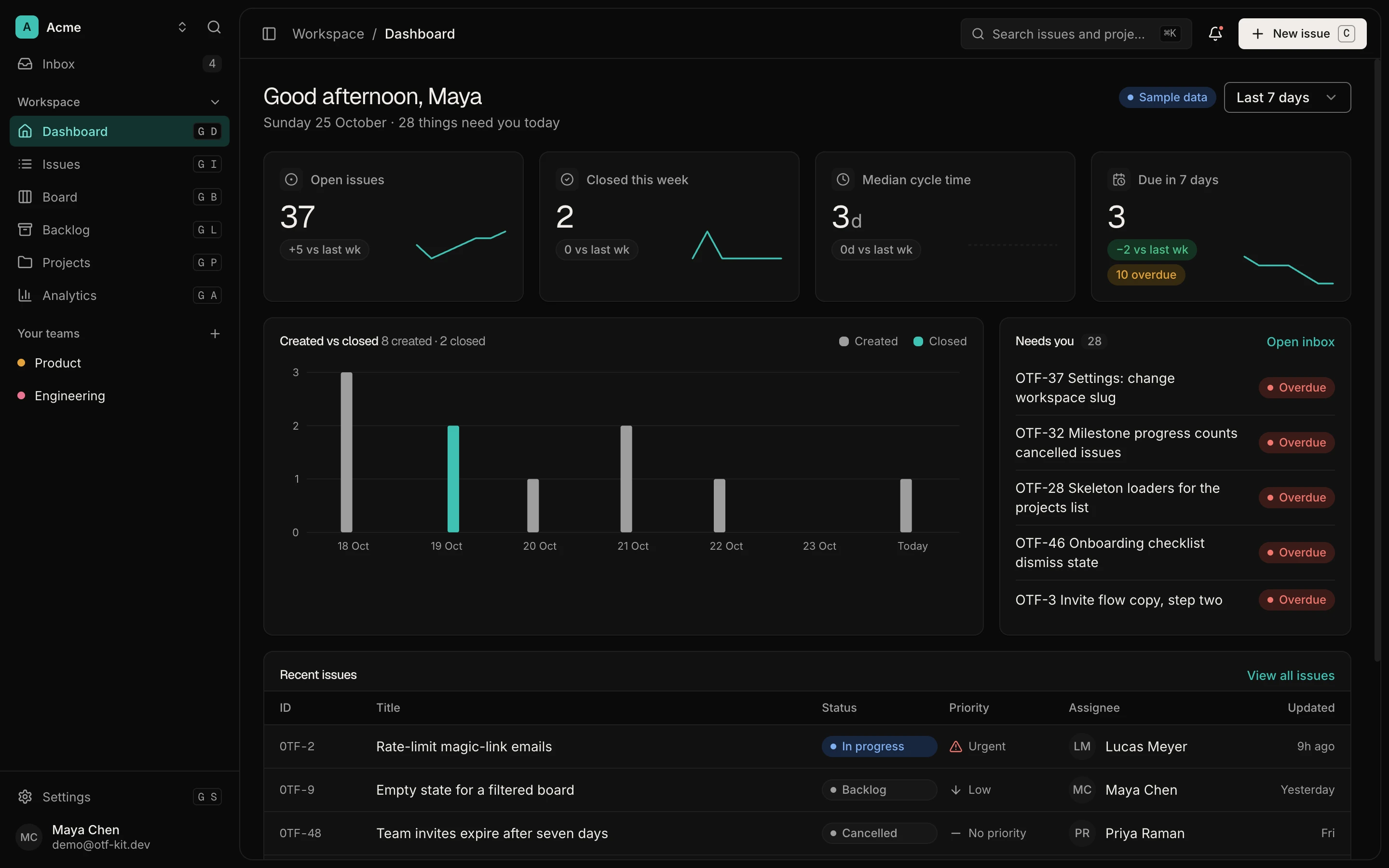
12 production screens. Login and database wired.
The SaaS Dashboard Kit includes login, a database, and a working dashboard. Live demo at saas.otf-kit.dev.
Agent docs as the handoff layer inside the kit
Anthropic's Claude Code docs state the constraint plainly: each session starts with a fresh context window, and project CLAUDE.md files are how you give the agent persistent architecture, commands, and conventions. OTF's AI tool overview documents the same pattern across kits: every landing kit ships CLAUDE.md and .cursorrules, plus four task prompts (add-section, recolor-theme, swap-copy, swap-imagery), so opening the repo in Cursor or Claude Code does not require re-explaining the stack.
For landing templates, that handoff layer is the product surface. The agent docs sit beside the page sections. They are not a separate tutorial you paste into chat. A practical mental model:
landing-template/
  src/
    sections/          # Hero, features, pricing, CTA, footer
    components/        # Template-local pieces
  CLAUDE.md            # What this page is; how to customize
  .cursorrules         # Cursor-facing mirror of conventions
  ai/prompts/          # Task prompts: swap copy, add section, recolor
  README.md            # Setup, customize, deploy
That layout is the kit's answer to "where does the agent learn the house style?" — in files that travel with git clone, not in a vendor chat history. The free SDK at https://github.com/otf-kit/sdk is the shared component layer those pages build on; the paid template is the finished marketing tree plus the agent configs that keep edits on-pattern.

A concrete first session after purchase
After you accept the GitHub invite from checkout, the first hour should look boring on purpose:
git clone <your-private-template-repo>
cd <template>
# install dependencies with the package manager the README names
bun install   # or npm install / pnpm install per README
bun dev       # local preview
Open the repo in Cursor or Claude Code. Do not start with a blank "rebuild this page" prompt. Point the agent at the shipped docs:
Read CLAUDE.md and ai/prompts/. Then:
1) Replace hero headline and primary CTA for our waitlist
2) Keep section order and spacing conventions
3) Swap product imagery paths only where marked
4) Do not invent a new design system
That prompt works because the kit already encodes the section map and the "how we customize" rules. You are extending a page, not interviewing the model about typography. Storefront copy notes AI configs and task prompts across kits; treat those prompts as recipes for swap-copy, add-section, and recolor jobs rather than as a license to redesign from scratch.
When the local preview matches the story you want, ship static output to the host you control. OTF's templates page documents a custom-domain helper for kits that use the included ship path:
bash scripts/setup-custom-domain.sh \
  --domain your-launch.com
Use the README's deploy section for the exact host path your template ships with. The outcome that matters is the same either way: the live URL points at files in your repository, and the next edit is another agent session on the same tree — no credit balance required to change a headline.
What "own the repo" means for marketing pages
Ownership here is not a slogan. It means:
- Source of record — the marketing page lives in Git under your org, not as a side effect of a chat project.
- Agent continuity —
CLAUDE.mdand companion files reload every session, so Cursor and Claude Code reopen the same conventions after a weekend. - Commercial rights — the individual template SKU includes commercial use for one client project; the Bundle includes all fifteen. Confirm seat and client limits on https://otf-kit.dev/pricing before you scale a studio workflow.
- Host choice — static marketing output can sit on the domain and DNS you already operate. You are not locked to a builder's publish target.
- Tool switching — because context is in the repo, swapping Cursor for Claude Code (or the reverse) does not require rebuilding project memory in a new vendor UI.
Compare that to the sandboxed loop: chat → preview → publish → pay credits for the next pass → maybe sync Git when engineering asks. Export can move files. It does not automatically move a durable agent house style. The kit inverts the order: house style and sections arrive first; agents edit second.
How this fits the rest of OTF without confusing the SKUs
Landing templates are not full-stack product kits. They are the $9 marketing lane — waitlist and launch surfaces that pair with the free SDK and, when needed, with SaaS Dashboard or Fitness for authentication and data foundations. Arcade is a client-side showcase with a local demo session and no backend sign-in by default. Product billing is a separate integration to add. The storefront keeps those lanes separate on purpose: inspect a live template preview, buy the page you need, keep editing with the agent you already use.
If you are still deciding whether a sandboxed web MVP should become the long-lived system of record for an entire app, read https://otf-kit.dev/blog/otf-vs-lovable. If you already know you need owned marketing pages your agents can extend without a meter, start on https://otf-kit.dev/templates, click a live demo, and buy the template that matches the story you are shipping.
Sources
OTF templates catalog (landing templates lineup and live demos): https://otf-kit.dev/templates
OTF pricing (Landing Template $9 SKU, Bundle inclusion, commercial notes): https://otf-kit.dev/pricing
OTF AI tool integration (kit agent configs: CLAUDE.md, .cursorrules, AGENTS.md, lovable.md): https://otf-kit.dev/docs/ai-tools/overview
OTF templates overview (purchase → GitHub invite → clone → deploy path): https://otf-kit.dev/docs/templates/overview
Anthropic Claude Code memory (CLAUDE.md as persistent project instructions across sessions): https://docs.anthropic.com/en/docs/claude-code/memory
OTF free SDK: https://github.com/otf-kit/sdk
OTF site: https://otf-kit.dev
Live landing template example (Volt): https://volt.otf-kit.dev
Ship the product, not the setup.
- 12 production screens — auth, team, analytics, and settings
- Login and a real database are wired in
- AI configs pre-tuned so your agent extends instead of regenerates
Ship your first screen tonight — free starter in your inbox
The quickstart, the SDK repo and the live kit demos, on this screen and in your inbox.
No spam. Unsubscribe any time.