Which subscription states should a SaaS admin dashboard show?

If your billing provider says a customer has paid but your admin screen still shows an old plan, the useful view is not a second source of truth. It is a clear operational summary: current subscription status, the period it applies to, the next relevant date, and whether your app’s access decision agrees with the provider.
A builder on Reddit described having three paid plans and wanting to see active subscribers by plan, while asking whether admin access should be separate. That is a good product question, but the answer starts with a boundary: keep billing state in the billing system, and build an operator view that helps you inspect and reconcile it.
Start with the state that controls access
Do not reduce a subscription to a single “paid” boolean. A subscription can be active, trialing, past due, unpaid, canceled, incomplete, or in another provider-defined state. Those states do not all mean the same thing for access, and some change as invoices are retried or a billing period ends.
Choose an explicit entitlement rule for each state before designing the table. For example, decide whether a past-due customer keeps access during a grace period, whether a cancellation remains active through the paid-through date, and what happens when an initial payment has not completed. The exact policy belongs to the product and its terms; it should not be guessed from a color or label in an admin UI.
Treat the provider’s current subscription record and event history as the billing authority. Your application can keep a local projection to make authorization fast, but it needs a defined update path and a way to detect when that projection is stale. An event arriving late should not automatically overwrite a newer state. Compare provider identifiers and effective timestamps, and make updates idempotent so retries do not create a different result.
Give operators a compact, useful row
For each customer or subscription, show enough context to answer “what is the state now, and why?” A practical row usually includes:
- Customer identifier and a link to the internal customer record.
- Plan name or price identifier, with a clear distinction between product plan and billing interval.
- Provider subscription status, shown as text as well as color.
- Current period start and end, plus the next renewal or scheduled end date when available.
- Cancellation or pause timing, if the provider reports it.
- Last provider event processed and last successful synchronization time.
- A reconciliation marker when local access state and provider state disagree.
Avoid showing only a plan total such as “12 active.” A count is useful for a summary, but an operator investigating one account needs the underlying subscription and the date range that explains it. Make the count drill into the same filtered rows so the number is auditable.
Be careful with terms such as “expired.” It may be an internal label, not a provider status. Define whether it means the subscription ended, a grace period elapsed, or access was removed. Keep the original provider status available to support staff so the internal summary does not hide the reason for a decision.

11 production screens. Login and database wired.
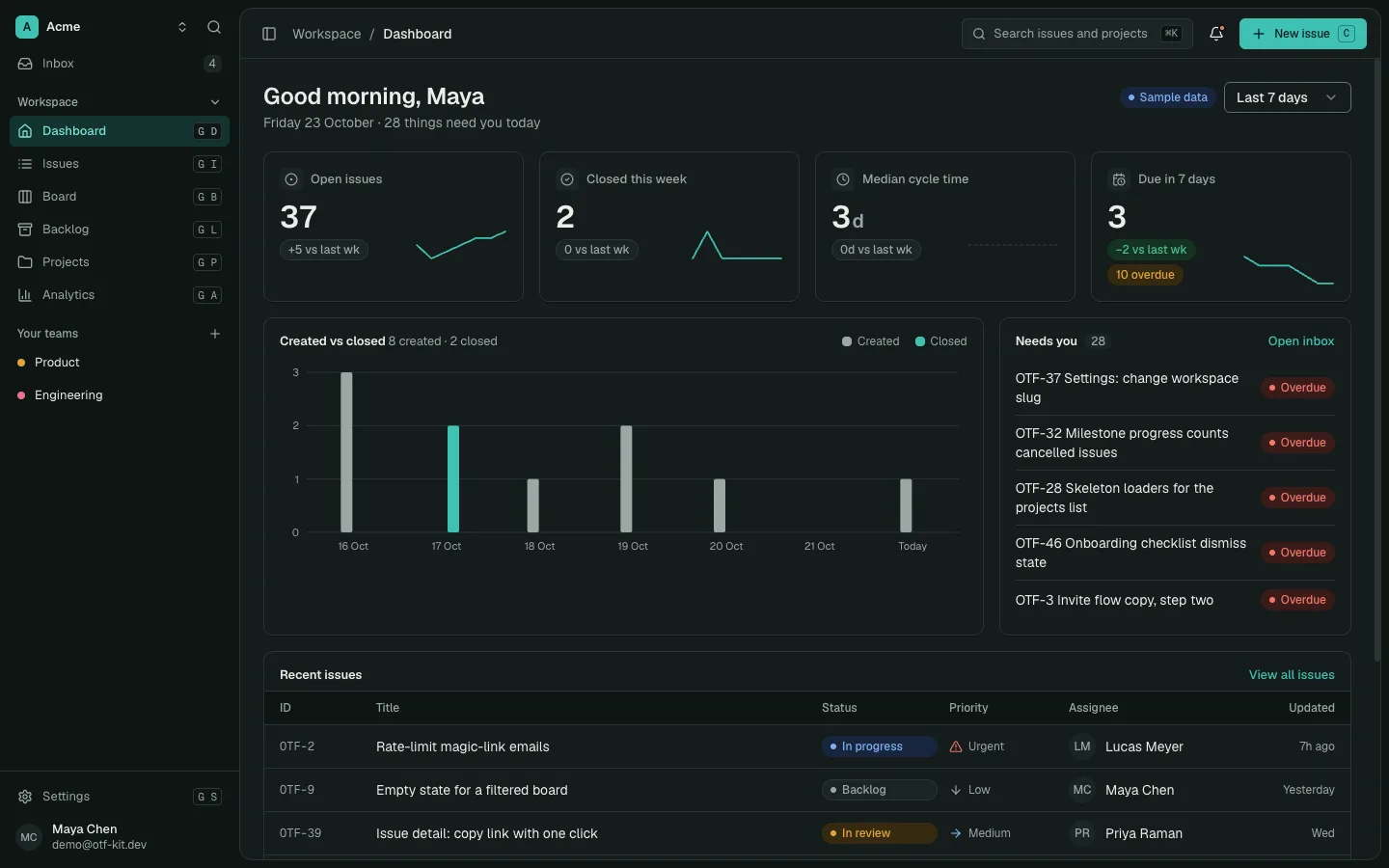
The SaaS Dashboard Kit includes login, a database, and a working dashboard. Live demo at saas.otf-kit.dev.
Keep admin access separate from customer access
A customer-facing account page and an operator dashboard serve different jobs. Customers should be able to understand their own plan and find the supported self-service route. Staff may need to investigate a customer’s state across systems. Do not make an internal dashboard public just because the app already has sign-in.
Use an explicit authorization check for operator routes and actions. A hidden navigation link is not access control. Keep customer data scoped so a normal user can only see their own records, and grant administrative capabilities through a separate role or permission that is checked on the server. Log sensitive operator actions, especially changes that affect access or billing support.
If your product has no staff team yet, you can still design the boundary early: separate the operator route, define which role can reach it, and keep destructive or billing-changing actions out of a read-only status view. Prefer linking to the billing provider’s supported management tools over recreating payment controls in an internal table.
Make mismatches visible without silently changing billing
A status dashboard should help someone investigate; it should not quietly “fix” a disagreement by editing local state. Show the provider’s last update time, the local projection’s update time, and a clear mismatch indicator. Give the operator a next step such as refreshing provider data or opening the event history.
For a manual reconciliation workflow, record what was compared, when it was checked, and who performed any follow-up. If the provider remains authoritative, a support action should request a refresh or reprocess a valid event rather than directly changing a paid plan in the UI. If manual overrides are truly required, make them explicit, time-bounded, permissioned, and auditable.

Test the edge cases before trusting the totals
Create a small test matrix that includes a new subscription whose first payment is incomplete, an active customer renewing successfully, a failed renewal, a cancellation scheduled for period end, an immediate cancellation, and an older event delivered after a newer one. Confirm what the operator sees and what the application allows in each case.
Also test the failure modes around your synchronization process: duplicate event delivery, an event that cannot be processed, a delayed webhook, and a temporary provider outage. The admin view should make stale data apparent rather than presenting an old local value as current. Use provider test mode or controlled fixtures for these checks; do not experiment against real customer subscriptions.
Finally, verify the three-plan view itself. Filter by plan and status, check that counts match the rows, and make sure dates use a consistent timezone. Search should find a customer without exposing another customer’s details. On a narrow screen, prioritize status, plan, and the next relevant date; keep secondary identifiers available without forcing the operator to scan a cramped table.
A starter can provide the shell, not the billing policy
A SaaS dashboard starter can save time on the surrounding application: authentication, database-backed screens, navigation, and an editable admin surface. It cannot decide your entitlement rules or supply a billing integration that it does not include. The OTF SaaS Dashboard Kit provides an editable app/API foundation with auth, Postgres, and dashboard screens; it does not include Stripe subscription lifecycle handling, billing webhooks, or plan gating. Treat the billing provider and your own tested authorization logic as separate work.
If you are comparing the broader admin foundation, see how to build an admin panel with AI. For the starter itself, review the SaaS Dashboard Kit, then inspect the live demo and the Everything Bundle if you need more than one starter.
Sources
- Stripe, “Subscriptions”: https://docs.stripe.com/billing/subscriptions/overview (provider documentation for subscription lifecycle and status handling; accessed 25 Oct 2026).
- Reddit, r/micro_saas, “Beginner building a Lovable SaaS: how should I…?”, 12 Sep 2026 (source of the individual builder question; the post is not evidence of a general billing failure).
Ship the product, not the setup.
- 11 production screens — auth, team, analytics, and settings
- Login and a real database are wired in
- AI configs pre-tuned so your agent extends instead of regenerates
Ship your first screen tonight — free starter in your inbox
The quickstart, the SDK repo and the live kit demos, on this screen and in your inbox.
No spam. Unsubscribe any time.