Audit SaaS starter dependencies before buying: auth, payments, and bundle size

A SaaS starter can look complete in a feature list and still leave you with a cleanup project. Before paying, check whether its authentication, billing assumptions, and dependencies match the product you plan to build. The aim is not to find a starter with the fewest packages; it is to understand what you will inherit and what you will need to replace.
One r/SaaS post about a boilerplate audit describes a client project with unused authentication providers, a Stripe handler built around the wrong subscription model, and a large JavaScript payload. That is one developer’s account, not evidence that most starters have those problems. It is still a useful checklist of assumptions to inspect before purchase.
Start with the product you will actually ship
Write down the first version of your product in concrete terms. Which people can sign in? Is there one account per user, or do users belong to organizations? Will customers pay once, subscribe monthly, or use a free product? What should happen when a payment fails or a plan changes? Which page must load quickly on the first visit?
Keep the list short. A starter’s feature count is not a proxy for fit. A billing integration that assumes subscriptions may be extra work for a one-time purchase product. An organization role system may be useful for a team product and unnecessary for a single-user tool. A second authentication provider can be an asset if you need it, or another configuration surface if you do not.
For each requirement, mark it as needed now, maybe later, or out of scope. Use that list to judge the code rather than the sales page alone.
Inspect authentication as a dependency chain
Ask for access to the repository or a representative source tree before buying. Find the authentication package and the code that calls it. Check how sign-in, sign-out, password recovery, session persistence, and protected routes connect to the rest of the app.
Then answer a few specific questions:
- Which identity providers are configured, and which are only examples?
- Where is the authenticated user read by pages and API handlers?
- Does the app store its own user record, and how is that record linked to the identity provider?
- Which environment variables and callback URLs are required for a local run?
- Can you remove an unused provider without editing unrelated application flows?
Do not assume that deleting a provider from a settings screen removes its packages, callbacks, or code paths. Trace one complete user flow from the login button through session creation to a protected request. If the starter relies on an abstraction you cannot follow, ask for the relevant file map or a short walkthrough before purchase.
A source package list is only a starting point. The important question is whether the dependencies are connected in a way your team can maintain. Read the lockfile and search the code for imports and configuration references before deciding that a package is unused. A package may be loaded dynamically or referenced in a build script rather than imported from a screen.

Check whether billing matches your model
Treat “payments included” as an implementation claim to verify, not a complete answer. Identify the provider SDK, server-side handlers, webhook routes, database records, and the event types the code processes. Then compare them with the billing model you intend to use.
If you plan to sell subscriptions, look for how the app handles subscription creation, renewal, cancellation, grace periods, failed payments, and plan changes. If you plan one-time payments, check that the code does not assume an active subscription is the source of access. Ask how webhook signatures are verified and how duplicate or delayed events are handled. A sample checkout button is not proof that those lifecycle cases are implemented.
If the billing path does not match, estimate the work as a separate integration. Do not count a payment screen or provider package as a finished billing system. Also check whether the project’s license and provider terms permit the way you plan to use the code; get qualified advice for legal or tax questions rather than inferring an answer from a starter’s configuration.
Measure the shipped JavaScript yourself
A dependency list does not tell you how much code reaches a browser. If the starter can be run, install it from a clean checkout using the documented package manager, build the production app, and inspect the generated assets. With a Vite project whose build script writes to dist, for example:
npm ci
npm run build
du -ah dist | sort -h | tail -20
The command shows file sizes on disk, not compressed transfer size or the cost a visitor experiences. Use your browser’s Network panel or a bundle analyzer supported by the project to inspect transferred JavaScript and identify large chunks. Repeat the measurement on the same route and build mode you expect to ship; do not compare a development server with another project’s production build.
Look for libraries included in the initial route that are only used on rarely visited screens, duplicate packages, and large assets imported into JavaScript. Ask whether the app splits routes or defers optional features. Record the baseline and the route tested so your comparison is reproducible. A single “bundle size” number without the command, build, and route is not a meaningful comparison.
If you cannot run the project before buying, ask the seller for the build command, a reproducible sample route, and the exact output or analyzer report. Treat an unrepeatable screenshot of a size number as an unanswered question.
Make a keep, remove, or replace list
Turn the inspection into a small decision table. For every important dependency, record why it exists, where it is used, and what happens if you remove or replace it.

| Area | Evidence to request | Decision |
|---|---|---|
| Authentication | Provider configuration, session flow, protected API path | Keep, simplify, or replace |
| Billing | Server routes, webhook handling, data model, event cases | Keep only if it matches your model; otherwise scope a separate integration |
| Browser payload | Production build and route-level asset report | Keep, split, or remove after checking actual usage |
| Setup | Clean install, environment variable list, working local run | Accept only when another developer can reproduce it |
Do not promise yourself that removal will be easy just because a package appears unused. Search for imports, scripts, environment variables, database fields, and tests. If removing one integration requires rewriting unrelated flows, include that coupling in your cost estimate.
A practical go/no-go test is simple: can you name the pieces you will use in the first release, reproduce the starter locally, and explain the cost of each mismatch? If not, ask for more evidence or keep comparing options. For a wider selection framework, see how to choose a starter kit without planning a rewrite. That guide covers the broader purchase decision; this checklist focuses on auth, payment assumptions, and dependency footprint.
Where the SaaS Dashboard Kit fits
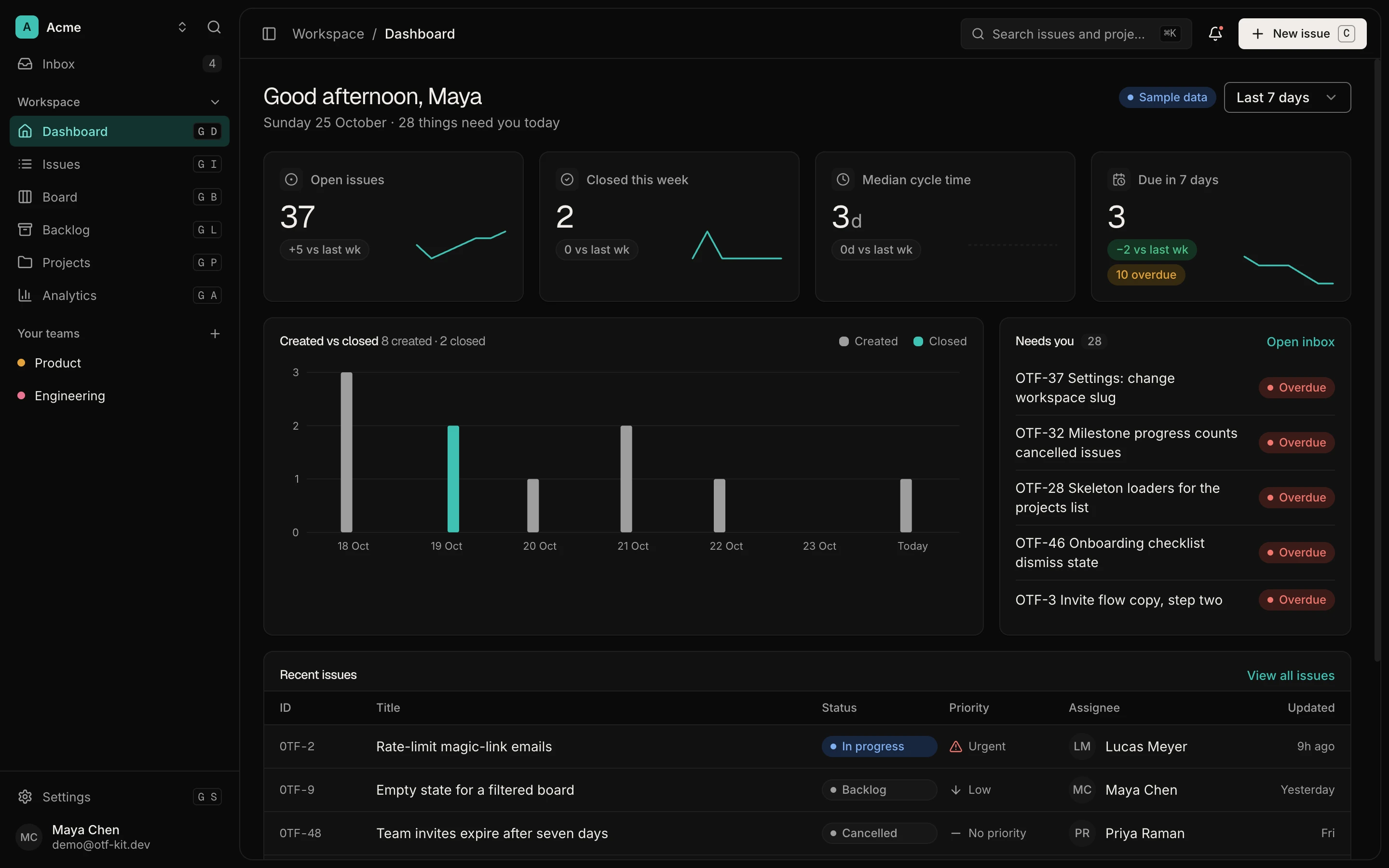
The OTF SaaS Dashboard Kit is an editable Vite and React 19 app with email/password authentication, dashboard screens, its own API, and a PostgreSQL database. The product page lists it at $99 once. It does not include Stripe subscription billing or webhook integration. If either is required for your first release, plan and verify that integration separately; do not treat the kit as having solved it.
Its live demo can help you inspect the included screens, while the source and setup guide are the evidence to use for stack and implementation details. Compare those facts against your requirements using the same checks above. A kit is a starting point, not a guarantee that your billing model, dependency choices, or production measurements will match your app.
Sources
- Reddit: “90% of the ‘SaaS Boilerplates’ you buy are scamming you with technical debt” — an individual developer’s account of an audit; its percentage claim is not treated here as a measured industry statistic.
- OTF SaaS Dashboard Kit — current product description, price, stack, and included authentication/dashboard surfaces.
- OTF SaaS Dashboard live demo — representative interactive demo.
Ship your first screen tonight — free starter in your inbox
The quickstart, the SDK repo and the live kit demos, on this screen and in your inbox.
No spam. Unsubscribe any time.