The hidden mobile deploy gap from Expo Go to the App Store solved with one kit

A working app in Expo Go deceives you. You see your components rendered on your phone, the state syncs, navigation feels native, images load — and you think you are done. Ship it, right? Every first-time builder hits the same unspoken wall: what shows up in Expo Go is not a real app in the App Store or Play Store. That last stretch — the actual mobile deploy — is where side projects go to die. Most templates punt entirely or leave you stitching together deploy guides full of missing steps and platform traps. Here is what you actually face, and why offloading that last mile matters more than any demo.
Local preview is not a shipped app
Developers new to cross-platform React see the Expo Go QR code as the finish line. Not even close. Running this:
npx create-expo-app my-workout
cd my-workout
npx expo start
puts your app inside Expo Go, a generic host that sidesteps half of real deployment. Critical things work there that break in production:
- No code signing — any JS bundle runs, no review exists
- No native build — Expo Go is a prebuilt container, not your binary
- No App Store assets — your icon, splash, name, and permissions are absent
- No device install — nobody taps your app from a homescreen
- No store distribution or review — no TestFlight, no Play tracks
You can show a working build to yourself in minutes, but it is a shadow — not a real, installable app. The moment you cross toward production, every step turns manual. This is where "ships on Expo" templates stall, and it is also why sharing one codebase across web and mobile only pays off when the deploy path is real — see one codebase, three platforms for the architecture that makes the sharing worth it.
EAS Build: what actual deployment takes
The transformation from "runs in Expo Go" to "binary on a phone" is not automatic. Expo's EAS Build is the hosted service that performs it: it "builds app binaries (also called standalone apps) for your Expo and React Native projects," with defaults that work out of the box and optional handling of your signing credentials (EAS Build introduction). But you still have to speak the production language:
- An EAS account — no anonymous builds
- iOS and Android credentials — signing keys, provisioning profiles, App Store Connect API keys
- A manifest with permissions claimed, store assets, and platform-specific config
- Uploaded icons, splash screens, and app.json fields (names, identifiers, categories)
- Push notification config (Apple .p8 key, Firebase sender ID)
- Store-ready assets (screenshots, review notes)
Running a real build:
npx eas build --platform ios
npx eas build --platform android
fails if any config is missing or invalid. Then you are copy-pasting stack traces into a search engine and yak-shaving Apple Developer docs. Real apps face real CI friction: one device build per platform with no universal bundle, Apple review on TestFlight pushes, Play Console requirements, expiring test builds, gated OTA updates, and secrets that leak without care.
One codebase. iOS, Android, and web.
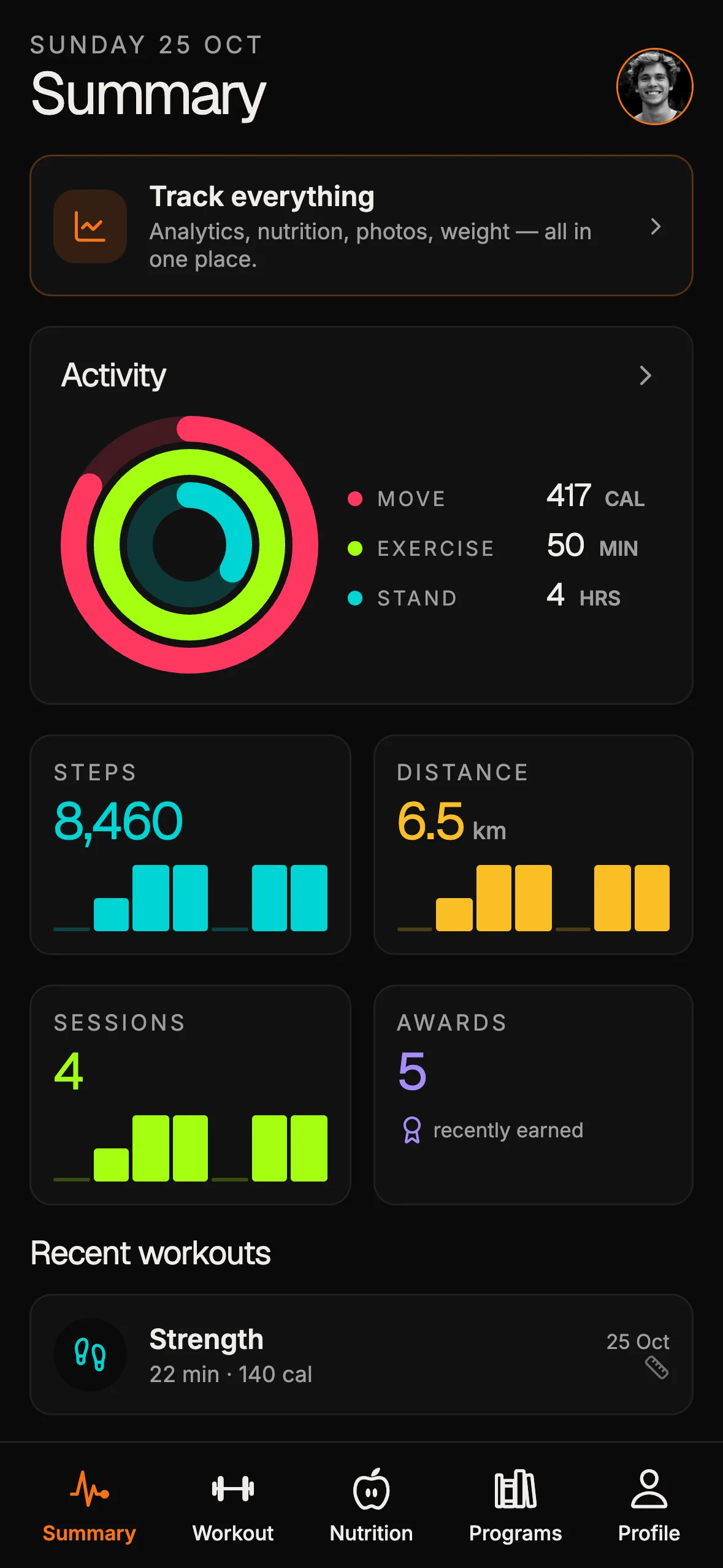
The Fitness Kit is a mobile starter with its own API, with sign-in and a database. Live demo at fitness-preview.otf-kit.dev.
The signing gauntlet: why code signing crushes momentum
Code signing is not optional. Every iOS app must be cryptographically signed under an Apple Developer account, with device provisioning, team memberships, and revocable keys. Android is one step kinder — you own the key, but lose it once and you cannot update your app ever again.
For iOS, the checklist is:
- Apple Developer account ($99/year)
- App ID in App Store Connect
- Provisioning profile per app
- Team and bundle identifier setup
- App-specific passwords and App Store Connect API keys
If any field is off — bundle ID mismatch, expired profile, revoked certificate — the build fails with cryptic output, and you lose hours in the Mac-only esoteric world of headless Xcode. Android asks for its own parallel list: Play Developer account ($25 one-time), keystore setup, package ID with a signed AAB, Play Console listing config, and Play integrity attestation.
No single guide gets all of this right, and many template repos do not even mention the gap. A cross-platform shipping template is only real if it closes the gap with scripts, not hand-wavy TODOs. The component-level discipline matters here too — same component, web and mobile shows how shared UI stays shippable on both targets.
TestFlight and the Play Console: the real review pipeline
Anyone can sideload a local IPA or APK. Actual users — and store review — require the full pipeline: releasing means "uploading a signed binary (.aab for Android, .ipa for iOS) to Google Play Console or App Store Connect," where "Google and Apple manage review, testing tracks, and production rollout," and "EAS Submit is the recommended path" since it works from any OS and integrates with EAS Build (submit to app stores). You can also upload manually through each store's own tools, which is useful when you are not on EAS.
Either way, the pipeline demands metadata (app privacy, age ratings, review notes, demo credentials), beta tester invites, and surviving review turnaround plus failure cycles. Half of all first deploys fail here — stuck on "waiting for review," "missing privacy manifest," or "reviewers cannot sign in." Painful, but real: production deploys blow up on invisible requirements.
Kits that only demo: the land of abandoned build guides
Most cross-platform templates show a pretty screen — maybe an Expo snack, maybe a raw repo you clone and expo start. Real-world deploys are left as an exercise:
# TODO: setup signing
# TODO: add EAS config
# TODO: push to App Store Connect
Worse, many ship placeholders that break at build time: dummy bundle IDs like com.example.app, lorem-ipsum assets that fail size and content checks, no privacy manifest (flagged at upload), missing push keys and required fields. New builders lose a week to docs, then abandon at the first provisioning error. The rest never see the App Store. Our ship-to-production checklist exists precisely because this last mile — not the demo — is where launches are decided.
Closing the deploy gap: the build is part of the kit
The blunt standard: if you cannot build and ship a real app to your phone, it does not count. A kit that meets that bar includes deploy scripts for iOS and Android wired for EAS and native release builds, store-ready app.json and eas.json with required fields pre-filled (icons, splash, permissions, bundle and package IDs), placeholder secrets and environments wired to expect overrides rather than fail, and a one-line mobile setup:
pnpm otf-kit setup:mobile
pnpm otf-kit build:mobile
You supply Apple and Play developer credentials plus team IDs (or pull them from local env). The setup wires eas.json with your team and bundle IDs, pulls store icons and splash from your assets folder, configures the privacy manifest and push keys, and replaces dummy secrets with your per-platform env files. Build artifacts come out ready for direct upload — an IPA for TestFlight with an install guide, an AAB for Play Console with a rollout checklist. Failsafe hooks block the build and tell you exactly what to fix before burning a broken binary, instead of failing cryptically after twenty minutes.
The goal: kill ghost builds. An app you can tap, on your device, from day one — not just a preview in a sandbox.
What this enables: idea to TestFlight in one day
The deploy wall is where most indie and side-project efforts die, because the brain cost of thread-hopping between permissions, keys, Apple docs, and Expo errors is unrecoverable. Baking deploy scripts and assets into the kit means shipping a real product, not a toy: iterate on your app instead of your config, launch on TestFlight same-day for real feedback and device installs, onboard users on Android without leaking APIs, and show up in the App Store instead of only in Expo Go.
The real lesson: a template's value is the production script, not the demo
Code that runs in a simulated shell is easy. The measure of a cross-platform template is whether it gets you all the way — signed, reviewed, tap-to-install, on real devices. If you are evaluating starters, start with the ones that treat the last mile as the product: browse production-ready kits at OTF templates. The only template that counts is one that ships, out of the box.
Sources
- EAS Build introduction — hosted service building standalone app binaries; handles signing credentials; integrates with EAS Submit
- Submit to app stores — signed .aab/.ipa uploads; EAS Submit recommended path; manual upload option
- One codebase, three platforms — shared-architecture payoff
- Same component, web and mobile — shared UI discipline
- Ship to production checklist — the last-mile launch standard
Originally published at otf-kit.dev — full-stack kits your AI coding agent can actually ship to production. See the kits →
Stop wiring. Start shipping.
- Sign-in and a database wired in, with its own API
- iOS + Android + web from one codebase
- AI configs pre-tuned + 20+ task prompts per kit included
Ship your first screen tonight — free starter in your inbox
The quickstart, the SDK repo and the live kit demos, on this screen and in your inbox.
No spam. Unsubscribe any time.