What belongs under a SaaS signup button: price, card, and setup time

The signup button is where a visitor has to decide whether the next click is worth the commitment. A sentence beside it can answer the questions the button leaves open: what will this cost, will I need a payment card, and how much work is involved before I can try the product?
Those answers matter because uncertainty is part of the interaction. They are not a conversion trick, and adding them does not guarantee more signups. The useful standard is simpler: state the facts a buyer needs to make an informed click, and make sure the next screen behaves the way the copy says it will.
One founder’s audit of 24 large SaaS homepages said 21 left at least one of those questions unanswered near the signup action. The author also said they could not see those companies’ analytics and was not claiming the missing line caused lost conversions. Treat that post as a useful prompt for your own page review, not a representative benchmark or a measured result.
Answer the three questions directly
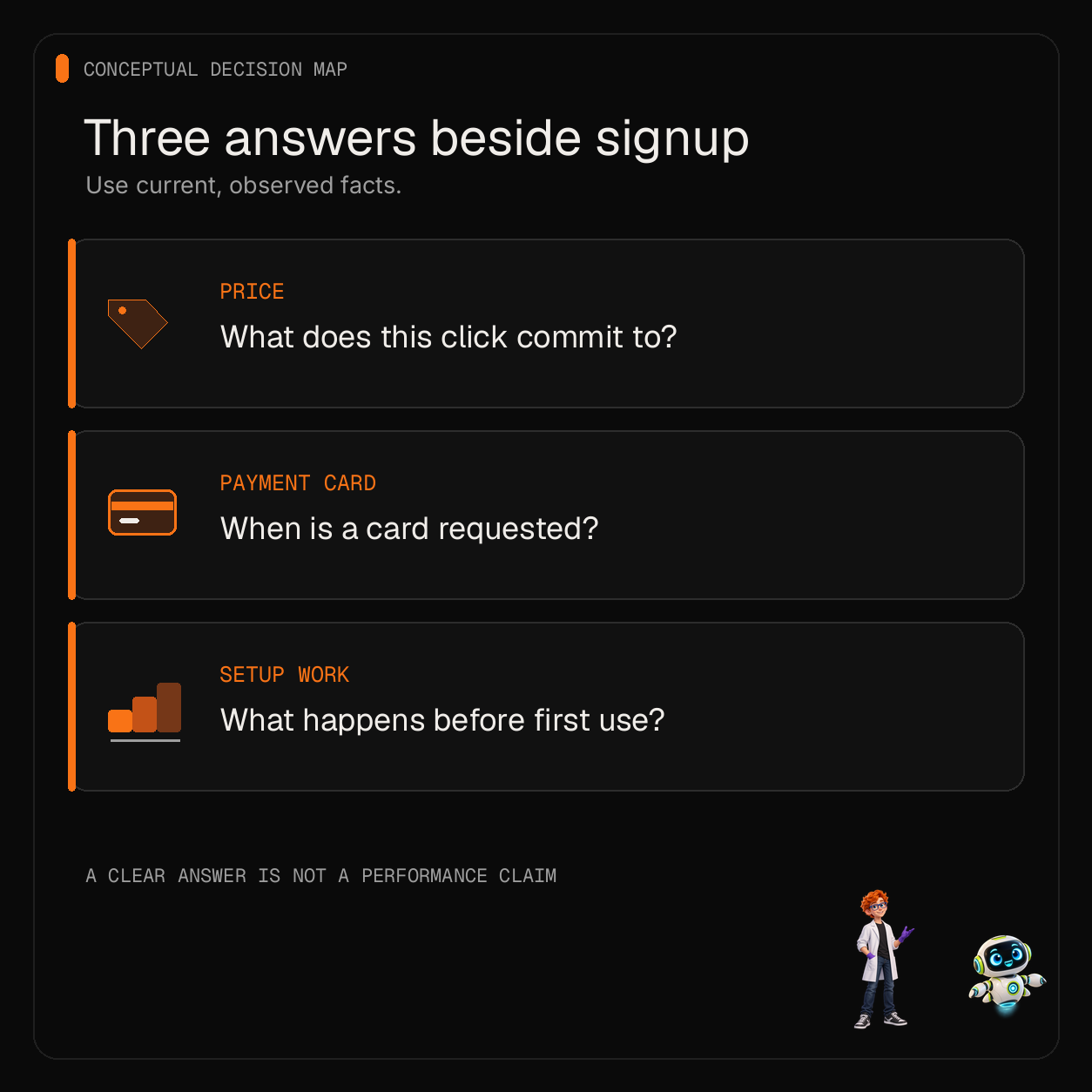
Price: say what the click commits to
If signup is free, say whether it is free to create an account, free for a trial period, or free only on a limited plan. Those are different offers. If the next step starts a paid subscription, a one-time purchase, or a usage charge, put the relevant price or pricing method where a visitor can see it before committing.
When the amount depends on seats, usage, or a sales conversation, do not invent a single price to make the page feel simpler. Give the starting point only if it is current and representative, and link the visitor to the rules that determine the final amount. If a price is not public, explain what happens after the click instead of implying the product is free.
The goal is to remove a surprise, not to squeeze every billing detail into a line under the button. Put the decision-changing detail beside the action. Put exceptions, plan comparisons, and billing mechanics on a nearby pricing page that the visitor can reach without losing the signup path.
Payment card: specify when it is requested
“No credit card required” is useful only when it describes the entire step the visitor is being asked to take. If a card is requested after account creation, before a trial begins, or to enable a feature, say so plainly and say when. If a card is required at the first click, do not hide that behind “start free.”
Check the actual flow before publishing the line. Follow the button in a clean session and note each point where the product asks for payment details. Do not rely on an old screenshot, a prior plan design, or a teammate’s memory. If the payment step changes, update the nearby copy at the same time.
Avoid broad reassurance that the flow cannot support. “Cancel anytime,” “no commitment,” and “no card” each make a specific promise. Use one only when the current signup and billing behavior make it true for the visitor’s path.
Setup time: describe the work you have observed
“Set up in two minutes” sounds clear, but it is a measurable claim. Define what counts as setup: account creation, connecting a data source, importing a project, or reaching the first useful result. Then observe the steps with a fresh account and representative data. If the time varies, report a range only when you have evidence for that range and explain the conditions that affect it.
If you have not measured the task, do not guess. Name the steps instead: “Create an account, choose a workspace, then import a project.” That gives the visitor a better expectation without presenting an estimate as a fact. Keep the wording aligned with the product’s current onboarding; a short flow in a demo may not match a production workspace with real data and permissions.
Put the answer where the decision happens
Start with the primary signup action and inspect the area around it at phone and desktop widths. The visitor should be able to see the action and its most important condition together. A useful pattern is one short line below the button, such as “Free workspace; card requested only if you upgrade.” Use that example only if it matches your real billing path.
Do not put three paragraphs under the button. Give the visitor the one or two facts that change the decision, then make the details easy to inspect. A “See plans” link can answer a pricing question. A short “What happens next” note can describe the onboarding steps. Keep those links close enough to the action that the visitor does not have to hunt for them.
Keep the claim and the next screen consistent. If the button says “Try the demo,” it should open a demo. If it says “Create a free account,” the first screen should not require payment information unless the copy says that it will. If signup creates a workspace but does not configure integrations, do not describe the click as a finished setup.
Check the whole path before editing the copy
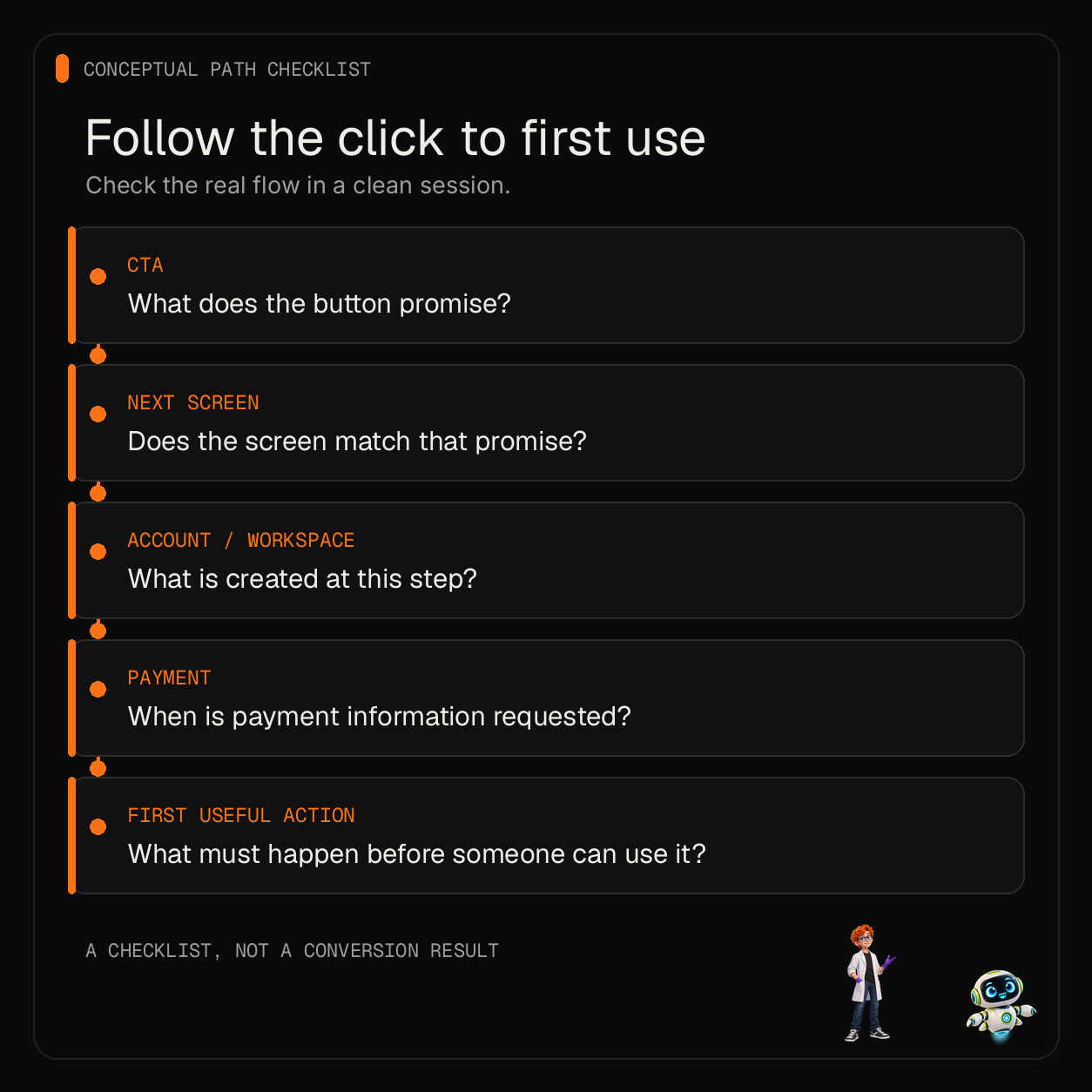
Write down the path a new visitor takes from the landing page to the first useful product action. Include account creation, email verification, workspace creation, payment prompts, imports, and required integrations. Mark the point where each step occurs. This often reveals that “signup” is being used to describe several different outcomes.
Then choose the event that represents the outcome you care about. A button click is not an account, an account is not an activated workspace, and a workspace is not a paid customer. Keep those stages separate in your analytics so a page change is not judged by clicks alone. If the tracking is not reliable, fix that before interpreting a small change in signup counts.
For a first review, ask a few people who resemble your intended buyer to read the page and explain what they expect after clicking. Listen for mismatches: they think the trial is free but expect a card, assume setup is automatic, or do not understand whether the displayed amount is monthly or one-time. This is a comprehension check, not proof of a conversion lift.
If you have enough qualified traffic to run a controlled test, change one thing at a time. Keep the audience and traffic source comparable, choose the outcome before the test starts, and account for the full funnel rather than stopping at button clicks. Do not declare a winner from a handful of visitors. When traffic is limited, use interviews and observed task completion to find confusion, then treat the next copy as a hypothesis to revisit when you have enough data.
Use a short pre-publish checklist
- Does the page say whether signup is free, paid, or a time-limited trial?
- Is the card requirement accurate for the complete path, including any later payment step?
- Is any setup-time estimate based on a defined task and observed sessions?
- Does the button label match the next screen and the result it actually creates?
- Can a new visitor find the price, terms, and setup steps without abandoning the flow?
- Are signup, workspace activation, checkout, and payment measured as distinct events?
- Does the page still communicate those details at phone width?
If an answer is unknown, make the unknown visible in your work before you write confident copy. A transparent “See plans” link is better than an invented starting price. A concrete list of onboarding steps is better than an unmeasured time promise. Clear copy helps a visitor decide; it does not remove the need to test whether the offer and the product are right for them.
For a related first-screen review, see how to prove an AI landing page before sending traffic. A page template can provide an editable layout starting point, but it cannot supply your offer terms, onboarding facts, or conversion evidence. The Bundle pricing page is one example of a product offer to inspect; its product terms do not show that a particular signup line improves results.
Sources
- r/SaaS discussion: “I read 24 big SaaS homepages line by line” — one author’s homepage review and caveat that it did not establish conversion impact.
Ship your first screen tonight — free starter in your inbox
The quickstart, the SDK repo and the live kit demos, on this screen and in your inbox.
No spam. Unsubscribe any time.