Free SDK vs paid kit: when buying actually pays for itself at checkout

You already run the free SDK. The components work, and your product direction is clear. At checkout, the real question is whether a paid kit replaces enough unfinished product work to justify its price. On the pricing page verified 3 Oct 2026, the free SDK is $0 and each LIVE kit is $99, so the decision can start with real dollars instead of a vague comparison.
Treat the kit as a purchase of time and structure, not another component catalog. Count the days you would spend building its screens, schema, authentication foundations, and agent spine; product billing remains a separate integration. If the work you still need to do costs more than $99 in your team’s time, the individual kit can pay for itself; if those pieces already exist, keep using the free SDK. For current options, check OTF pricing (verified 3 Oct 2026).
This is a checkout payback test for someone already using the free SDK. It is not a guide to choosing license seats or comparing unrelated bundles. If you are deciding how to price a product after its foundation is built, see Price your first paid tier like a promise you can keep shipping.

What checkout hesitation usually means
Hesitation usually means two different product shapes are being compared as if they were the same. The free SDK gives you the UI and design-system layer: components, themes, and source you own and edit. A paid kit adds a vertical product spine: domain screens, a real schema, authentication foundations, and agent guidance for where new work belongs. Product billing is not included in the SaaS Dashboard kit.
If you need buttons, sheets, and charts, stay with the free SDK. A kit starts to make financial sense when you are about to spend a sprint building the product foundation it already includes.
What a paid kit changes in the repo
Think in four deltas: actual files and flows you would otherwise create by hand.
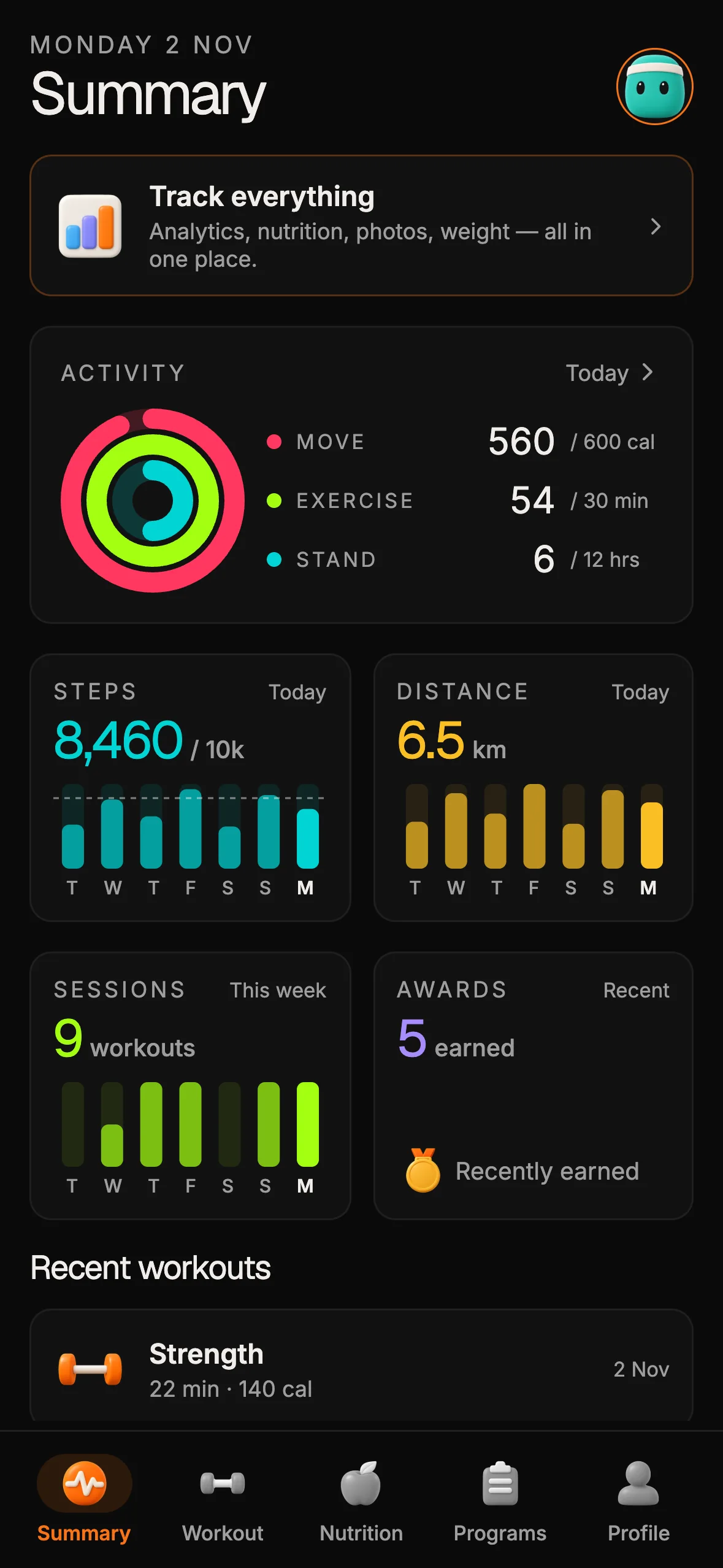
Screens. A product flow is more than a blank navigation shell. It needs domain screens for onboarding, the main job, settings, empty states, and the errors a user encounters. The Fitness Kit is a concrete example, with workout, nutrition, and progress surfaces connected to the rest of the stack. You still adapt the copy and brand; you do not begin by creating each screen and hoping the navigation model holds.
Schema. A working product needs a database shape, migrations, and seed data, rather than demo JSON. Tables represent users, domain entities, and relationships that the screens already assume. A known model gives engineers and coding agents a place to extend the product without inventing its data structure feature by feature.
Auth and billing. Sign-in, persistent sessions, and a payment path need to fit the same codebase as the UI. You still configure providers and keys for your product. The time question is how much wiring and integration work remains before a real user can sign in and reach the intended purchase path.
Agent spine. Repository instructions and conventions help coding agents add features in the existing structure. Without them, an agent can guess where files belong and create a second pattern. This is about reducing setup and review work; it is not a claim that an agent will build or ship the product for you.
These are the four changes that matter to the checkout calculation. Component count and theming overlap more with the free SDK, so do not count them as new value if you already have that layer.


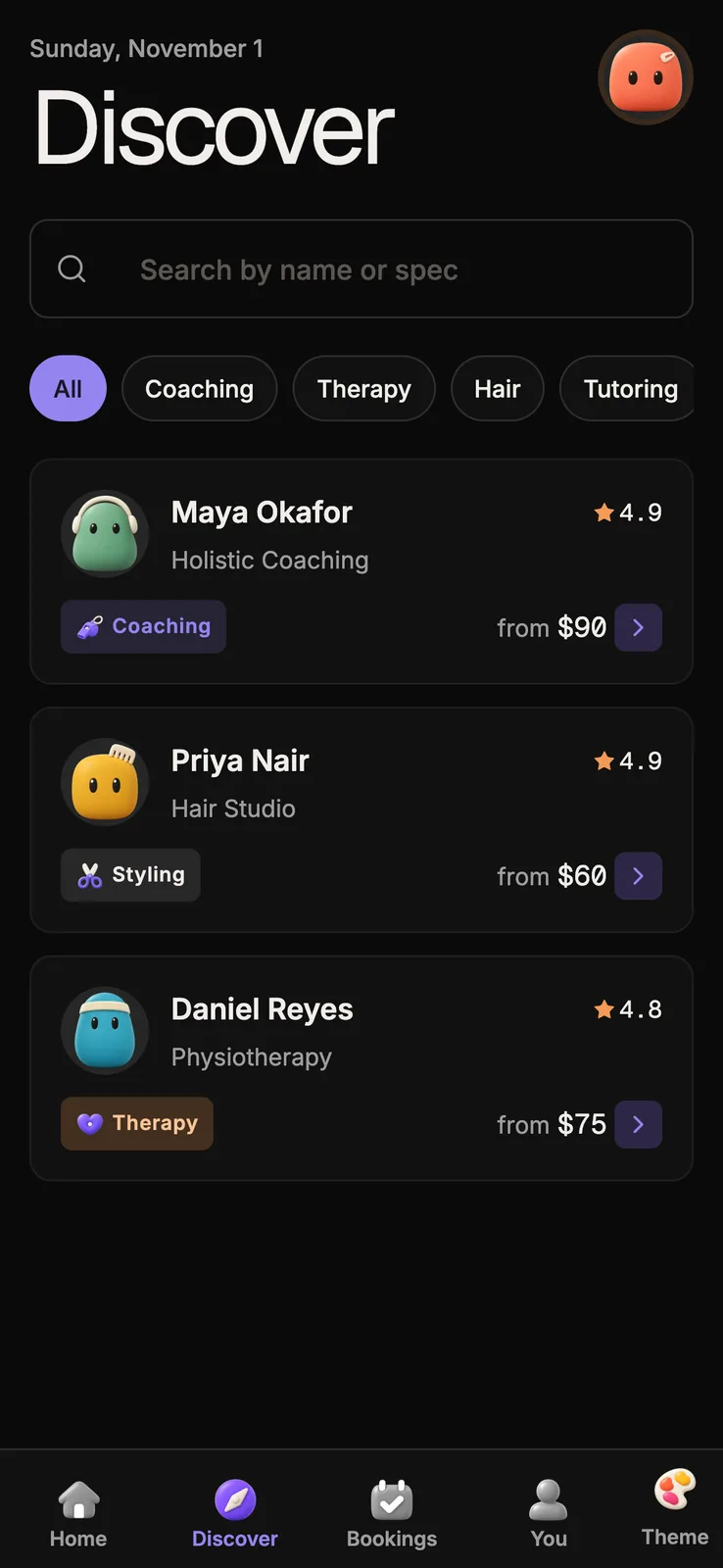
12 production screens. Login and database wired.
The SaaS Dashboard Kit includes login, a database, and a working dashboard. Live demo at saas.otf-kit.dev.
A payback test using the real price
Write down the remaining work in four lines, one for each delta:
- Screens: How many domain flows must exist before a user can complete one valuable job?
- Schema: Are migrations, seed data, and the queries those flows need already in place?
- Auth and billing: Can a user sign in and follow the real payment path, or is it still a prototype?
- Agent spine: Can a coding agent make a feature change using your repository’s existing instructions?
Estimate the calendar days your team needs for the work that is not already done. Then multiply those days by the cost of a working day for the people doing it. The individual LIVE kit price is $99, verified on /pricing 28 Sep 2026. If the remaining work costs more than $99 and the kit covers that work, it can pay for itself at checkout. For example, at a team’s own $200 daily cost, half a day of avoided work equals $100.
Count only unfinished, relevant work. If the schema and auth are already production-ready, do not charge their imagined replacement cost to the kit. If three of the four pieces are complete, the $99 purchase may not earn its place. If screens and the agent spine remain, and you are still about to build both, compare those remaining days with the $99 price before deciding.
When staying on the free SDK is right
Stay with the free SDK when you are still exploring components, design tokens, or navigation, or building a marketing site without accounts. Stay free when your production schema, auth provider, billing path, and product screens already exist and you only need a shared UI layer across web and native. Buying a kit to get more components is a weak reason when components are the part you already have. For a related SKU comparison, see the kit comparison guide; this article tests whether a kit’s remaining work repays its checkout price.
When the paid kit pays for itself
A kit is worth considering when your next milestone is a user completing a real job, and screens, schema, auth or billing, or repository conventions are blocking that milestone. The $99 LIVE kit price gives you a checkout threshold: estimate the remaining work with your actual team cost, then compare it with $99.
For a fitness product, you might need onboarding, workout logging, nutrition, and progress charts across your target clients, backed by a data model and API. Inspect the Fitness Kit, then count only the flows and integration work you still lack. If your own estimate puts that work above $99 and the kit supplies the missing pieces, the purchase can be justified. If you already own the spine and need only OTF components, stay on the free SDK. See the SaaS Dashboard kit if that is closer to your product.
How to decide in one sitting
Open your current repo, the relevant kit preview, and pricing. List the missing work under screens, schema, auth and billing, and agent spine. Estimate the days from your recent experience, not an optimistic guess. Compare the cost of those days with the $99 full-stack kit price listed on pricing, verified 3 Oct 2026.
Free fits when components are enough; buy when it removes product-spine work you would fund yourself.
FAQ
Is the free SDK actually free?
As of 3 Oct 2026, yes: OTF lists the Free SDK at $0 forever on pricing. The public SDK README says “free forever for every SDK package” and identifies the SDK as MIT licensed; the LICENSE grants use, copying, modification, distribution, sublicensing, and sale subject to its terms. That applies to the SDK packages. A full-stack kit is a separate purchase: the pricing page lists the full-stack Kit at $99 and describes authentication and database foundations. Product billing and Stripe are not included in the SaaS Dashboard kit. You can try the live demo before buying. Check the live pricing page for the current offer and decide whether the free UI layer covers your project or whether you need the wired full-stack starting point.
Sources
- OTF SDK README — identifies the SDK license and states that all SDK packages are free forever.
- OTF SDK MIT license — license terms for the public SDK repository.
- OTF pricing — ladder verified 3 Oct 2026; prices and availability descriptions cited above.
- OTF Fitness Kit — fitness worked example.
- OTF SaaS Dashboard kit — qualified buyer kit page.
- Price your first paid tier like a promise you can keep shipping — adjacent first-tier pricing angle.
- Kit comparison guide — adjacent SKU comparison angle.
- Choose a starter kit without a rewrite — broader kit selection guidance.
Qualified buyers can inspect the SaaS Dashboard kit and compare the listed options on OTF pricing.

Ship the product, not the setup.
- 12 production screens — auth, team, analytics, and settings
- Login and a real database are wired in
- AI configs pre-tuned so your agent extends instead of regenerates
Ship your first screen tonight — free starter in your inbox
The quickstart, the SDK repo and the live kit demos, on this screen and in your inbox.
No spam. Unsubscribe any time.