When should a SaaS move from Vercel and Supabase to AWS?

The right time to move is not “when you reach 1,000 subscribers.” It is when your current stack creates a measured constraint that the new one can solve at an acceptable operating cost.
A founder asked whether to launch on Vercel and Supabase or move to AWS before charging customers. The useful answer was not a universal threshold. It was to avoid designing around imaginary future traffic and instead identify the concrete requirement that would make a move worthwhile. That question is a good starting point for a decision you can revisit with evidence.
Before changing providers, check whether the real problem is a service dependency or a starter's included assumptions. This SaaS starter dependency audit gives a separate pre-purchase checklist for that question.
If you are also assembling the application’s dashboard and account screens, the SaaS Dashboard Kit is an editable starter to inspect. It has its own API and Postgres-backed data and documents Cloudflare Workers or Docker-host deployment. It does not migrate an existing app, provision Vercel, Supabase, or AWS, or promise that a particular stack will scale for your workload.
Start with the constraint, not the destination
“Move to AWS” is not a diagnosis. Write down what is wrong today in a sentence that can be checked:
- A service limit blocks a specific request or background task.
- A reliability requirement is not met, and incidents point to a platform capability you cannot configure on the current plan.
- A customer or regulator requires a control that your current architecture cannot provide.
- An integration needs network access or placement you cannot get from the existing setup.
- The current monthly bill or its growth is material to the business, and a tested alternative has a credible lower total cost.
These are hypotheses until you collect evidence. A slow endpoint may be an application problem, not a hosting-provider problem. A high invoice may come from an unoptimized query, excessive logs, or an accidental retry loop. “More control” may mean a network boundary, deploy process, audit trail, or support commitment. Name the requirement before choosing a cloud.
Measure the system you have
Collect measurements that relate to the alleged constraint. Keep the data at the service and workload level instead of averaging the whole account.
For a performance or capacity issue, record latency percentiles, error rates, concurrency, queue age, database utilization, and the point at which user-facing behavior degrades. Compare normal periods with the actual incident or load test. If the platform documents a limit relevant to your use case, record your observed usage against that limit and verify which plan and configuration apply. Vercel’s function limits, for example, vary by runtime, plan, and configuration; current limits should be checked in its documentation rather than copied from an old comparison chart.
For cost, separate the bill into the services and usage items that drive it. Supabase exposes usage and invoice estimates, and its spend-cap documentation describes which usage items are covered and which are not. Do not assume that moving to AWS makes a bill predictable: estimate the resources you would run there, then include backups, logs, network transfer, support, and the engineering time needed to operate them.
For reliability, define required availability, recovery time, recovery point, and failure modes. Compare them with a tested recovery plan; changing provider does not create one.
Compare the whole operating model
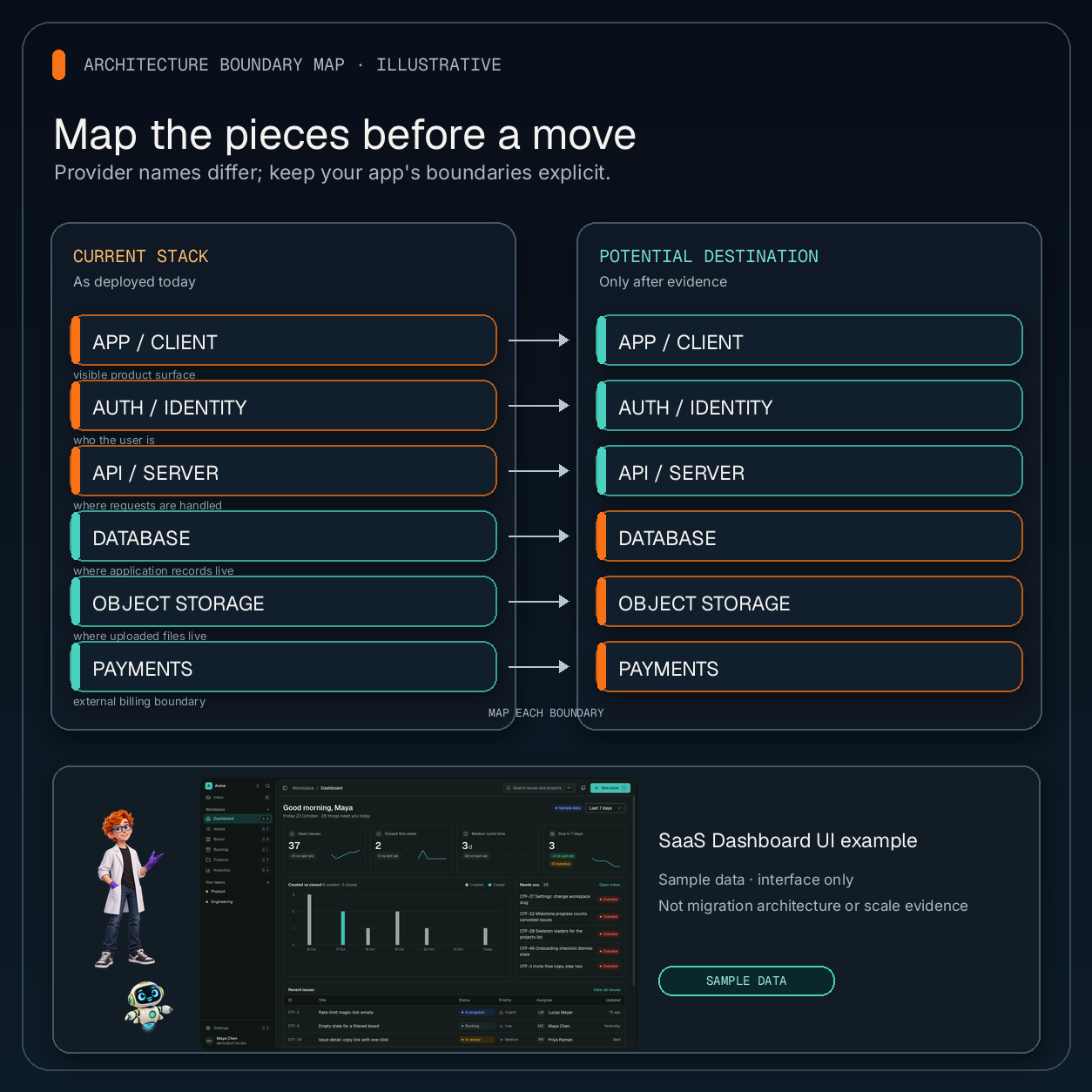
A useful comparison has at least four columns: current service, current measured pain, AWS alternative, and work or risk introduced by the change. Fill it in for the components you may move, not just the web host.
| Area | Evidence to gather before deciding |
|---|---|
| Web and API | Runtime and function limits that affect a measured workload; deployment and rollback steps |
| Database | Capacity, connection behavior, backup and restore process, migration and rollback plan |
| Authentication | Providers, user data, callback URLs, session behavior, account recovery and migration path |
| Storage and jobs | Object size and egress, processing schedule, retries, queue behavior and failure handling |
| Operations | Alerts, logs, on-call ownership, access controls, patching and incident response |
| Cost | Current invoices plus estimated infrastructure, transfer, support and staff time after migration |
Use current vendor documentation and a small AWS proof of concept. Compare the current bill with a realistic estimate that includes operating labor and duplicated services during migration; treat estimates as ranges until workload, region, traffic, and storage lifecycle are known.
AWS’s migration guidance begins with the business reason for the journey, then calls for defining scope, understanding dependencies and requirements, and breaking work into smaller migration units that can be tested and validated. That is a safer frame than moving the whole application because another founder chose a different provider.
Decide with explicit triggers
Before you build a migration project, write down the trigger that would cause you to revisit the decision. It should be observable and tied to a user, business, or operating requirement.
Examples of useful triggers include:
- A documented service limit is repeatedly reached in production, and configuration or code changes cannot reasonably address it.
- A customer requirement is contractual, and the current architecture cannot meet it after a focused review.
- A recurring reliability failure has a known platform dependency, and a tested alternative changes that failure mode.
- The current cost has stayed above a business-defined threshold for several billing periods, and a comparable AWS design reduces total cost after labor and transition costs.
- A team needs a specific operational capability and has an owner with the time and skill to run it.
Avoid making “subscriber count” the trigger by itself. Two products with the same number of subscribers can have different request patterns, data sizes, job workloads, service limits, and operational requirements. The number becomes meaningful only when you connect it to measured resource use or a product promise.
“We may need enterprise later” is not a migration plan. Identify the customer requirement, supporting evidence, deadline, and smallest change that meets it. Without a customer, contract, or security review requiring it, record an assumption and keep shipping.
Run a reversible test before a full move
If a trigger is real, test the smallest useful slice. Pick one workload that exercises the reason for moving, such as a background job, a read-heavy endpoint, or a file-processing path. Define success before implementation: the latency or error target, cost boundary, recovery behavior, and operational steps that must work.
Keep the test separate from the production cutover. Use representative but safe data, verify secrets and permissions, test failure and retry behavior, and document how you would return to the current path. If the experiment requires copying production data, design the security and retention controls first. Do not make a migration irreversible just to get a benchmark.
Then test the migration itself: schema and data movement, authentication continuity, background work, email or webhook side effects, observability, backups, and rollback. The relevant question is not only “does the new service run?” It is “can the team operate this path on an ordinary day and recover when it fails?”
For a larger move, split the work into small migration waves. Verify each wave against its success criteria before moving the next. Keep the old path available for the period your rollback plan requires, and decide how writes stay consistent during the transition. If you cannot explain how to restore the old behavior, you are not ready for a production cutover.
Make the decision—and write down when to revisit it
A short decision record prevents the conversation from restarting every time someone reads a cloud thread. Include:
- The specific constraint or requirement.
- The measurements and date range that demonstrate it.
- The alternatives considered, including staying on the current stack.
- The expected benefit and full operating cost of each option.
- The smallest proof of concept and how success will be judged.
- The migration owner, rollback condition, and next review date.
If the evidence says the current stack meets your launch needs, staying is a decision. Keep monitoring the trigger and revisit it when the requirement changes. If the evidence says a move is justified, migrate the affected part first and measure whether the promised improvement actually appeared.
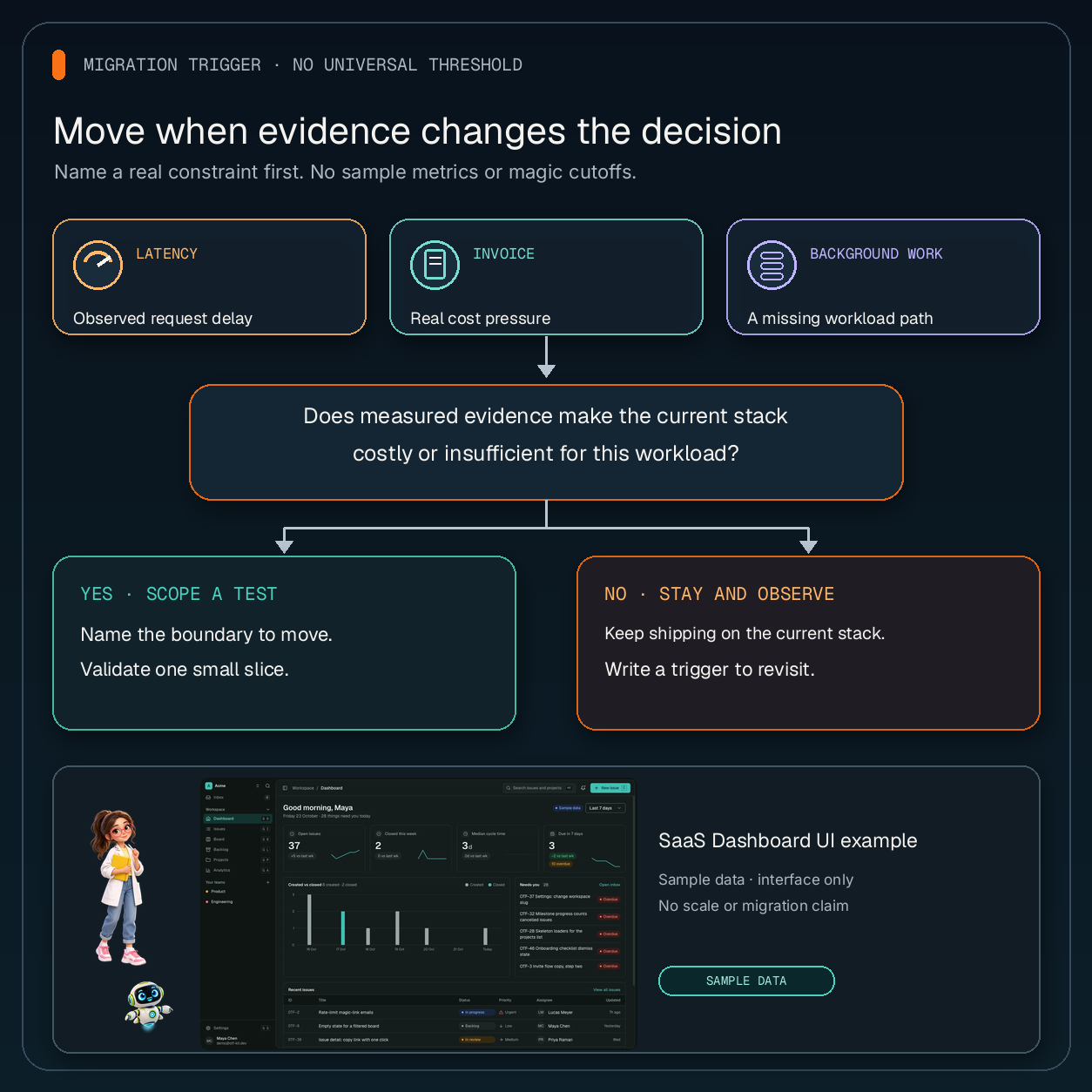
The SaaS Dashboard Kit can provide editable dashboard and account UI for a new application, but it does not implement this migration or select infrastructure for you. Use its live demo and current setup guide only to assess that starter’s screens and deployment path; make the hosting decision from your own workload measurements and operating requirements.
If you are still comparing the starter itself, use the SaaS boilerplate reuse checklist to inspect flows, source, and update terms before purchase.
Sources
- Reddit discussion: “How is everyone deploying SaaS apps?” — one founder’s launch-stack question, used as an example rather than a survey.
- Vercel Functions limits — current runtime, plan and configuration limits.
- Supabase: Control your costs — usage monitoring and spend-cap behavior.
- AWS Well-Architected Migration Lens: Design principles — migration rationale, scope, dependencies, requirements and phased validation.
- OTF SaaS Dashboard Kit — current product scope and documented deployment options.
Ship your first screen tonight — free starter in your inbox
The quickstart, the SDK repo and the live kit demos, on this screen and in your inbox.
No spam. Unsubscribe any time.