Unify Your Codebase: AI Agents Meet Cross-Platform Consistency with OTF Kits

How AI coding agents are getting impressive. Ask for a button, get a button. Ask for a form, get a form. The thing they're still bad at — sometimes catastrophically — is writing the same button on three platforms. That gap is where cross-platform codebases quietly fragment. Shared component names for the overlapping set and shared design tokens can reduce drift, but props remain platform-specific. OTF's web and React Native packages expose separate implementations; a team should check each platform's API instead of assuming one call signature.
The cross-platform premise underneath is proven: React Native ships iOS and Android from one JavaScript codebase, and Expo runs one JS/TS project natively across phones, tablets, and the web. The platforms agree on one codebase — the agent just needs a contract that says the same.
The three-button problem
You asked your coding agent for a primary button. It wrote one. Then you asked for the same button on the home screen of your iOS app. It wrote a different one. Then Android. A third one. None of them match. None of them behave the same when the label is too long. None of them announce the same thing to a screen reader.
This isn't a failure of the model. It's a failure of the contract. The agent had no shared specification to write against — just three separate platforms with three separate idioms, and its job was to satisfy each one locally. Local optima all the way down.
Add a fourth surface (a watch app, a TV app, a PWA shell) and the divergence compounds. What shipped as a <Button> on day one is now a PrimaryButton, an IOSButton, a MaterialButton, and a BigScreenButton. The codebase has traded one source of truth for twelve.
Why agents amplify this, not fix it
A human developer who has shipped cross-platform for a decade will write the button once and import the same component everywhere — not because they're clever, but because they've been burned by the alternative. They have scar tissue. An agent has no scar tissue. It has a context window and a tendency to treat every request as a fresh problem.
Concretely: when you prompt an agent with "add a button to sign in", it has to choose between dozens of valid implementations on each platform. Without a constraint, it picks the locally-conventional one. Conventional on the web means a styled <button> with focus rings. Conventional on iOS means a configuration-backed UIButton. Conventional on Android means a MaterialButton with a ShapeAppearanceOverlay. Same word, three different mechanical objects, three different accessibility stories, three different long-text behaviors.
The agent isn't wrong. The platforms genuinely don't agree. But the user-facing question — "does this look and behave the same?" — has a single answer, and the agent is producing three.


One codebase. iOS, Android, and web.
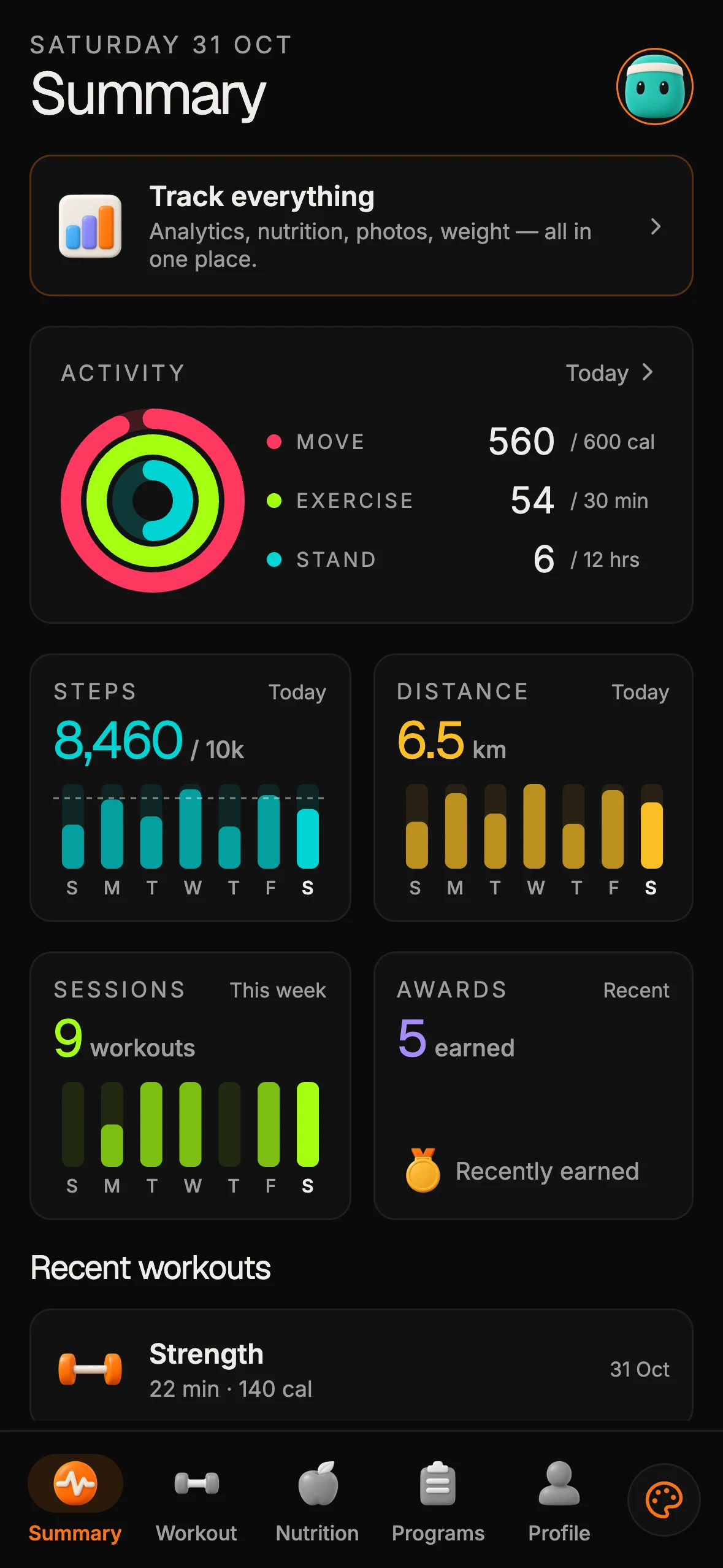
The Fitness Kit is a mobile starter with its own API, with sign-in and a database. Live demo at fitness-preview.otf-kit.dev.
The contract has to come from the codebase, not the prompt
You can't prompt-engineer your way out of this. Agents don't fail because they misunderstand the task; they fail because the repository gives them three different definitions of "button" to satisfy. The fix is to make the repository answer the question, not the prompt.
That means keeping a deliberate map of the shared components and design tokens while respecting each platform's API. OTF offers web components from @otfdashkit/ui and native components from @otfdashkit/ui-native. Names overlap for the shared set, but available props and variants differ by platform; verify the relevant package before copying a call site.
import { Button } from "@otfdashkit/ui";

export function SignInCTA() {
  return (
    <Button
      intent="primary"
      size="md"
      onPress={() => signIn()}
      accessibilityLabel="Sign in to your account"
    >
      Sign in
    </Button>
  );
}
The component name can stay familiar across the shared set, while each platform uses its own package and supported props. The platform implementation and API are not interchangeable details: verify accessibility, interaction, and variant behavior against the web or native package you are shipping.

Tokens are the half that's actually portable
Components alone aren't enough. Visual consistency across platforms requires a single source of truth for color, spacing, radius, typography, motion. Hard-coding #3B82F6 in three places is the same bug in three places. An agent will happily help you write all three.
The tokens ship as a single package:
npm install @otfdashkit/tokensThen every component reads from it. A theme flip — dark mode, or a rebrand from blue to green — is one file change:
// theme.ts
export const theme = {
  color: {
    primary: "#10B981", // was #3B82F6
    surface: "#0B0F19",
    onSurface: "#F8FAFC",
  },
  radius: { md: 8, lg: 12 },
  space: { 4: 16, 6: 24 },
};
The web bundle, the iOS bundle, and the Android bundle all read this same export. The agent never sees a hex code; it sees theme.color.primary. When you change the theme, every button on every platform tracks. The half-portable thing (the component) and the fully-portable thing (the token) compose into a system that behaves like one codebase.
The agent config that keeps it this way
A consistent codebase doesn't survive contact with a coding agent if the agent's instructions don't reinforce it. By default, an agent asked to "add a card" will invent a card. The patterns it picks will be plausible, local, and quietly different from the rest of the app.
OTF kits ship with the agent config inline:
<!-- CLAUDE.md (excerpt) -->
UI components: import from @otfdashkit/ui on web, @otfdashkit/ui-native on iOS/Android.
Never create a new component if an existing one in the kit covers the case.
Tokens come from @otfdashkit/tokens. Never hard-code color, spacing, or radius.
<!-- .cursorrules (excerpt) -->
- Use kit components before reaching for raw primitives.
- Use semantic token names (color.primary) not hex values.
- One component name across platforms. No IfIosButton, IfAndroidButton.Plus a set of task prompts in ai/prompts/ that walk an agent through the common tasks: adding a screen, wiring a form, building a navigation shell. The agent extends the kit instead of regenerating it.
This is the part that makes the consistency durable. The contract isn't just in the code; it's in the rules the agent reads before it touches the code.
What you actually ship
A concrete example: a sign-in form that lives in one file and renders on web, iOS, and Android.
import { Button, TextField, Card, Stack } from "@otfdashkit/ui";
import { useState } from "react";

export function SignInForm({ onSubmit }: { onSubmit: (email: string) => void }) {
  const [email, setEmail] = useState("");
  const valid = /\S+@\S+\.\S+/.test(email);

  return (
    <Card padding="lg">
      <Stack gap="md">
        <TextField
          label="Email"
          value={email}
          onChange={setEmail}
          keyboardType="email-address"
          autoComplete="email"
        />
        <Button
          intent="primary"
          size="md"
          disabled={!valid}
          onPress={() => onSubmit(email)}
          accessibilityLabel="Continue with email"
        >
          Continue
        </Button>
      </Stack>
    </Card>
  );
}
Treat this as an illustration of the implementation work, not an OTF API contract: the web and native packages have platform-specific props and rendering. Keep shared names where the components overlap, use the common design tokens, and adapt each call site to the package's documented API. Validate focus and keyboard behavior on web and VoiceOver or TalkBack behavior on-device.
Constraint beats instruction
The temptation, when an agent starts drifting, is to add more instructions. "Don't use MaterialButton directly. Don't use raw hex. Don't create platform-specific files." Each rule is correct. The aggregate is a long preamble the agent reads once and forgets by turn four.
The actual fix is structural: remove the ability to drift. If there is no platform-specific button in the codebase — because the only button is the one the kit exports — the agent cannot import a different one. Constraint beats instruction. The codebase is the spec.
What this enables
A team that has shipped a cross-platform surface this way can ask their agent for a feature and trust the output. The agent writes a button, the button is the same on every platform, the tokens carry the brand, the rules keep the agent within the system. Iteration speed is bounded by the model's latency, not by the human review needed to fix eleven different divergences.
The free SDK is MIT-licensed on npm as @otfdashkit/ui, @otfdashkit/ui-native, and @otfdashkit/tokens. Install one, build with the platform package and verify its behavior on the target platform. The purchasable kits provide authentication, database, and deployment foundations. Product billing and Stripe are not included in the SaaS Dashboard or Fitness kits; add those integrations separately. Same principle, more surface. Start from the OTF templates.
AI agents are going to write more of our code, not less. The repository that scales with that trend is the one that gives the agent a single answer to every question it would otherwise be free to invent. One shared component name where available, shared design tokens, and platform-specific props across web and native. For the companion patterns, read same-component web mobile architecture, one codebase three platforms, and design system is agent context.
Sources
- React Native — Getting Started — cross-platform primitives: one JavaScript codebase shipping iOS and Android.
- Expo Docs — one JS/TS project running natively; Expo Router, EAS and TestFlight deploy path.

Stop wiring. Start shipping.
- Sign-in and a database wired in, with its own API
- iOS + Android + web from one codebase
- AI configs pre-tuned + 20+ task prompts per kit included
Ship your first screen tonight — free starter in your inbox
The quickstart, the SDK repo and the live kit demos, on this screen and in your inbox.
No spam. Unsubscribe any time.