Manual deployment vs. OTF kits: what ships, and what you still configure

The fastest way to ship an app today is to describe it. Cursor, Lovable, Bolt, v0, Rork — they'll scaffold a working UI in an afternoon, and that loop has changed what a solo builder can produce in a week. The model writes 400 lines of JSX, you see it in the preview, you iterate by prompting. Genuinely new, and worth taking seriously.
Then you click "deploy" and the velocity stalls.
This isn't the AI tools' fault. It's the gap between "runs on localhost" and "exists on a real domain with a real certificate, in the App Store and Play Store, with auth, billing, and a database the agent doesn't touch again." Agents are great at the first 80%. The last 20% — the part that actually puts the app in front of a paying user — is a different job, and no amount of better prompting makes it faster.
OTF kits provide a codebase foundation, but they do not automate that last 20%: hosting, domains, DNS, TLS, and app-store submissions still require separate setup.
Two very different jobs
Scaffolding is generative. You describe a screen, the model writes the markup, you see it in the preview. The loop is fast because the feedback is fast — a screenshot, a hover, a click.
Deployment is operational. You can't iterate on a TLS certificate by clicking around. You can't "vibe-check" whether your DNS A record points to the right load balancer. The work is checklist-shaped: register the domain, point the records, wait for propagation, request the cert, install the cert, configure the redirect, set the env vars, build the mobile binary, sign it, upload it, fill in the store metadata forms, submit for review.
No model is going to make that fast by writing more code. The speed limit is set by certificate authorities, app store reviewers, and DNS TTLs. Apple's App Store review, for example, remains an explicitly human-gated step that no agent can shortcut (Apple App Store review guidelines).
So you have a choice. Either you do it manually every time, or you pre-wire a script that does it once and runs identically for every project. If you want the full sequence in checklist form, see the ship AI MVP to production checklist.
What manual deploy actually costs
I watched a friend ship a SaaS last month. Three platforms, two weekends of evenings. The manual path looked roughly like this:
# web — register domain, set DNS, request cert
vercel link
vercel env add STRIPE_SECRET_KEY production
vercel domains add "$APP_DOMAIN"
vercel dns add "$APP_DOMAIN" CNAME cname.vercel-dns.com
# wait for propagation
curl -I "$APP_URL"  # hope for 200

# ios — open Xcode, archive, sign, upload, fill metadata
# wait for App Store review

# android — build AAB with release keystore, sign, upload
# fill content rating, data safety, target audience forms
# wait for Play review
This mirrors the standard web-deploy loop Vercel documents — link, configure env, add domains, push (Vercel docs). Multiply that by the number of side projects you actually finish. Most don't get finished because the deploy step eats the will to continue.

One codebase. iOS, Android, and web.
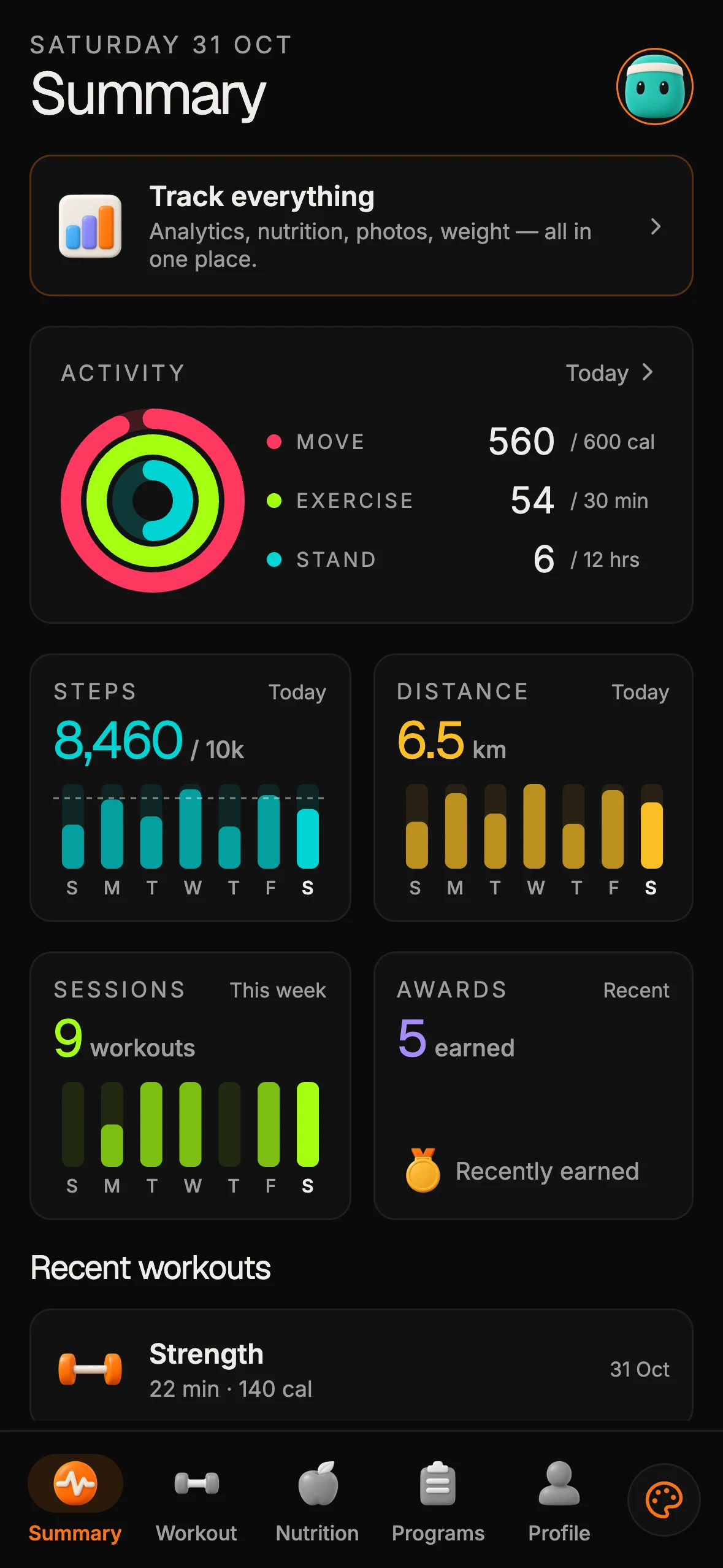
The Fitness Kit is a mobile starter with its own API, with sign-in and a database. Live demo at fitness-preview.otf-kit.dev.
What the OTF kits provide for deployment
SaaS Dashboard and Fitness ship a Cloudflare Workers deploy script (scripts/deploy-worker.sh, which can attach a custom domain on your Cloudflare zone), a Dockerfile for any container host and a deployment guide. Fitness also includes eas.json for its EAS build profiles; its Worker and Docker paths serve the static web demo. These are starting points for configuring a deployment in the hosting and build services you choose; you still supply the accounts, secrets and DNS zone.
A practical review is to inspect the files and guide, set up the accounts and environment variables your host requires, and then follow that provider's deployment process. Domain registration, DNS records, certificates, mobile builds, and store submissions remain separate tasks to configure and verify.
The mobile half is where most agents bail
Web deployment is almost solved. A model can hand you a vercel.json and you're ten minutes from a live URL.
Mobile is not solved. The build chain alone — Xcode workspace, provisioning profile, signing certificate, push notification entitlement, App Store Connect API key — has more failure modes than a typical agent has seen in training. So the agent cheerfully scaffolds a "run on simulator" path and stops. You discover the gaps when you try to upload.
Expo documents its own native build and submission workflow (Expo docs). Fitness includes eas.json with EAS build profiles, but it does not run those builds or submit an app for you. A coding agent can read the configuration and help follow the documented process; you still configure credentials, review the build, and submit through the relevant services. For the architecture behind sharing one component API across web and native, see one codebase three platforms and same component web mobile architecture.
AI agents extend the kit instead of regenerating it
This is the part that actually compounds. Most AI tools regenerate — you describe the app, they rewrite the whole codebase, your custom code lives nowhere stable. Next time you prompt, it might still be there, might not.
An OTF kit ships with the config an agent needs to extend:
# CLAUDE.md (excerpt)
This project is an OTF kit. The components in @otfdashkit/ui and
@otfdashkit/ui-native are the source of truth — do not regenerate them.

To add a screen, scaffold the route file and import existing components.
To change the theme, edit tokens.css. The same change ships to web and
native automatically.

For deployment, inspect the kit's deploy script, Dockerfile and deployment guide, then follow your hosting provider's documented steps. The Worker script can attach a custom domain on a Cloudflare zone you already control; it does not create accounts or credentials for you.
# .cursorrules (excerpt)
- Never modify files inside src/components/ui/ — those are owned by the kit.
- New screens go in the screens directory with matching web and native entries.
- Mobile and web share the same component API. Write once.
- Theme tokens live in src/tokens/. Change once, ship everywhere.A library of task prompts lives in ai/prompts/ — the agent knows how to add a Stripe webhook, how to add a new screen, how to swap auth providers, without you re-explaining the project every session.
So when Cursor or Claude Code scaffolds the next feature for you, it scaffolds it inside a deployable system, not on top of one you'll have to wire up yourself.
What this actually enables
Three concrete outcomes that matter when you're shipping AI-assisted:
1. Side projects have a clearer starting point. A Cloudflare Workers deploy script, a Dockerfile and a deployment guide show where to begin for SaaS Dashboard and Fitness. You still configure the host, domain, credentials and release steps, but those files live beside the code you own.
2. The agent stays useful across sessions. Because the kit's CLAUDE.md and .cursorrules describe the architecture instead of forcing the agent to rediscover it, your second prompt is as cheap as your first. The agent doesn't have to re-read 200 files to figure out where the button lives — it imports the component and moves on.
3. Web and mobile stay in sync. The same <Button> renders on iOS, Android, and web from one codebase. The agent writes it once, you ship it three places. No "looks different on Android" followup tickets, no "the web team moved on, mobile is two versions behind" debt.
The first 80% — the part AI is genuinely good at — gets faster every quarter. New models, new editors, new agent loops. The operational steps still require attention: certificates, store reviews, DNS and provider configuration. The kit files and guide make the available starting point inspectable; they do not replace those steps.
How to assess the deployment path
Start with the kit listing and the delivered repository. For SaaS Dashboard and Fitness, inspect scripts/deploy-worker.sh, the Dockerfile and the deployment guide; Fitness also includes eas.json. Then identify which hosting account, environment variables, domain records, certificates and mobile build credentials your chosen providers require. Follow their documented deployment and submission workflows, and verify each result. There is no OTF command that performs those steps for you.
The split, in one line
AI coding tools help with the scaffolding. OTF kits provide code and configuration files you can inspect and own; hosting, domains, DNS, TLS and store submissions remain your deployment work.
Start from an OTF kit at otf-kit.dev/templates for its delivered source and configuration; use the kit guide and your providers' documentation for hosting, domain, certificate and store steps.
Sources
- Vercel docs — web-deploy loop (link, env, domains) cited for the manual web path.
- Apple App Store review guidelines — review as a human-gated step agents cannot shortcut.
- Expo docs — one JavaScript/TypeScript project running natively, router and TestFlight deploy path.

Stop wiring. Start shipping.
- Sign-in and a database wired in, with its own API
- iOS + Android + web from one codebase
- AI configs pre-tuned + 20+ task prompts per kit included
Ship your first screen tonight — free starter in your inbox
The quickstart, the SDK repo and the live kit demos, on this screen and in your inbox.
No spam. Unsubscribe any time.