
Cursor Router Launches to Optimize AI Model Usage and Cut Costs

Routing a cheap model to a typo fix and a frontier model to a refactor is the kind of obvious-in-hindsight idea that's surprisingly hard to ship. Cursor Router is Cursor's answer: a classifier that scores every prompt on query, context, complexity, and domain, then picks the model that fits the job — automatically, per team, with admin overrides. Cursor launched it on July 24, 2026 for Teams and Enterprise customers, and the framing matters more than the feature list. This is the first time Cursor has given organizations a lever between "every prompt costs the same" and "every prompt is hand-routed by a human." Most teams have been living with the former.
The classifier itself is the hard part. A trivial router that sends "fix this typo" and "design a distributed lock service" to the same model wastes money on one end and quality on the other. Cursor's classifier looks at four signals: the query itself, the surrounding context (files open, repo conventions, recent edits), the apparent complexity (refactor vs. one-line change), and the domain (frontend, infra, tests). The output is a model selection. The interesting engineering decision is that the classifier doesn't have to be perfect — it just has to be good enough that, on average across thousands of prompts, the right model gets the cheaper share of the work. That's a tractable problem in a way that "AI picks the best model for every prompt" is not.
How to actually turn it on today
This is for Cursor Teams and Enterprise admins — the dashboard toggle isn't on the Pro plan.
- Open the Cursor dashboard for your Teams or Enterprise workspace. The Router controls live under admin settings, not the IDE.
- Define your teams or groups. Routing is per-team, so the first thing you set up is the unit of policy. A team is "the frontend org," a project, or however your org chart already slices work.
- Set defaults. Each team gets a default routing policy — usually "prefer cheap unless the classifier is confident the query needs more." Flip this to "prefer quality" for teams whose prompts skew architectural.
- Customize selection criteria. The classifier looks at query, context, complexity, and domain. Tighten or loosen what counts as "complex" per team — useful if your infra team's queries are mostly "what does this log line mean" and shouldn't burn frontier-model tokens.
- Restrict optimization modes. Pick which modes are available per team. A junior team can be locked to the cheapest; a senior platform team can keep all of them.
- Allow or block specific underlying models. If your compliance team has opinions about which providers can see your code, this is where you enforce that. Per-team.
- Decide on user visibility. Show developers which model handled each request, or hide it. Showing it builds trust in the router; hiding it prevents gaming ("I'll just retry until I get the big model"). Pick one deliberately — the default matters more than you'd think.
That last step is the one most teams will skip and regret. If developers can see "this prompt cost me the cheap model," they'll learn what the router considers hard. If they can't, they'll assume the worst and either stop trusting the IDE or write workarounds that defeat the router entirely.
What the article doesn't tell you
Here's the honest gap: the launch piece is an announcement, not a benchmark. Cursor hasn't published what fraction of prompts the classifier routes to cheaper models, what the cost delta looks like in practice, or how the classifier performs on adversarial inputs (someone who deliberately wraps a trivial prompt in a fancy preamble to game the cheap-model bucket). Vendor-supplied numbers from a launch are not the same as independent benchmarks — and they aren't out yet.
So: the feature ships. The mechanism is documented. The empirical case is "trust the classifier." For a Teams rollout, that's a reasonable starting position. For an Enterprise procurement conversation, you're going to want to run a two-week pilot with cost telemetry on before and after, and you're going to want to A/B the visibility toggle because developer behavior around routing is the single biggest uncontrolled variable in any cost model.
11 production screens. Login, database, payments — all wired.
The SaaS Dashboard Kit ships everything already connected. Nothing to set up. Live demo at saas.otf-kit.dev.
Where this leaves the rest of your stack
Cursor Router controls the AI cost of coding. It doesn't control the AI cost of the rest of your app — the parts where a user types something and your service has to call a model to answer. Those prompts don't go through Cursor at all. They go through whatever API gateway you've bolted together, and they have the same "every prompt costs the same" problem Cursor just solved for the IDE.
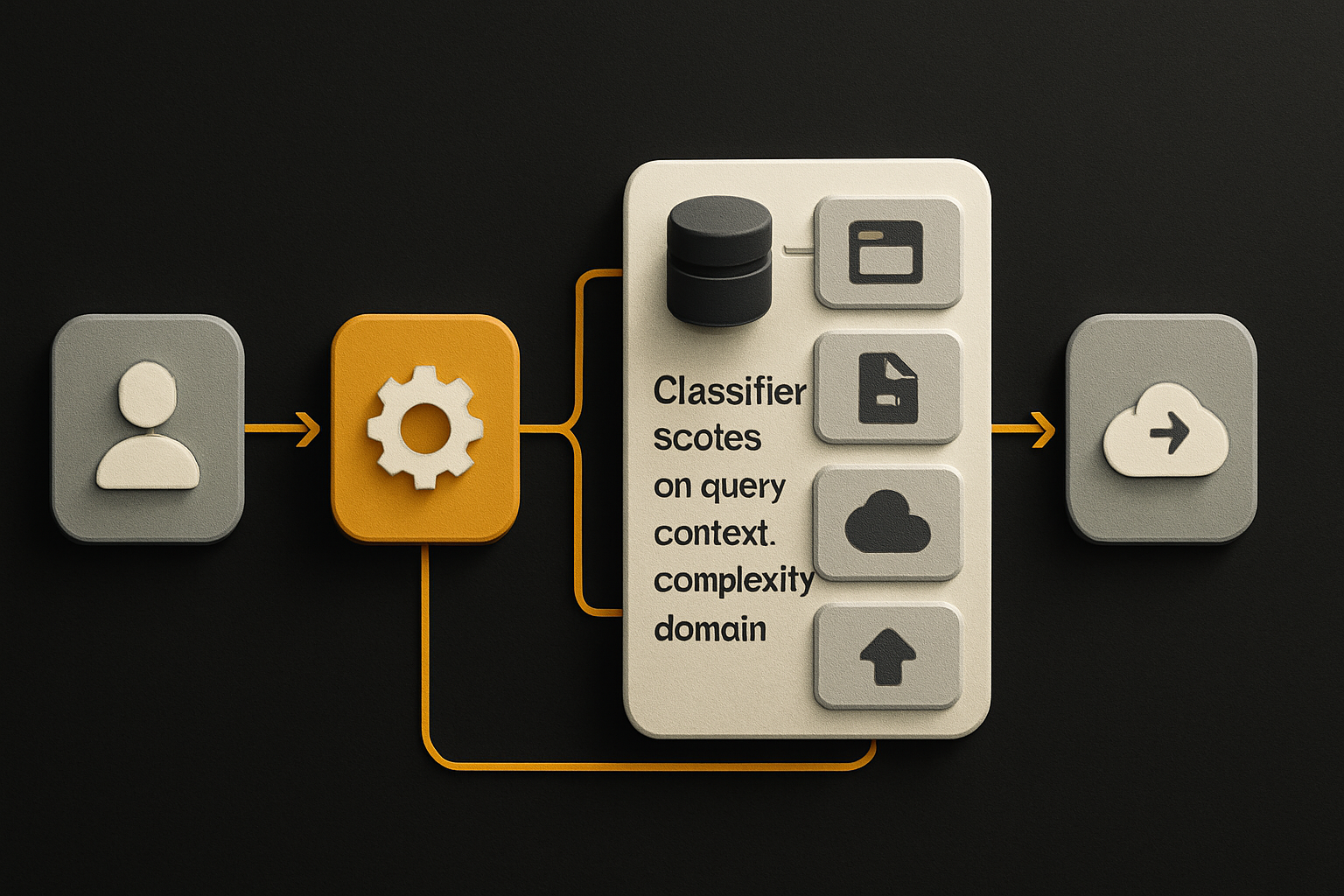
The pattern is identical. The classifier signals are nearly identical — your app has all four, just expressed in different fields. What changes between "Cursor routes IDE prompts" and "your service routes user prompts" is who owns the policy and where it runs. Cursor's router runs in Cursor's infra, gated on your Teams dashboard. Yours has to run in your gateway, gated on whatever auth system you already use.
That's also where the durable layer underneath the model churn shows up. When the next frontier model drops and shifts the cost frontier, or when a new provider undercuts everyone, the model selection logic in Cursor Router will get rewritten. The classifier signals won't. Your app's surface — the UI the user sees, the form that captures the prompt, the panel that displays the response — those don't move when the model does. Building that surface once, with the same component running on web, iOS, and Android, is what stops your "AI cost optimization" sprint from also being a "rewrite the mobile app" sprint.
OTF sits at that layer. Cursor Router solves the model side. Together, that's a complete picture: cheap models picked intelligently, and a UI that doesn't care which model won.
The takeaway
Cursor Router is a real product decision, not a press-release feature. A classifier routing prompts on four signals is exactly the lever teams have been asking for, and per-team policy plus a visibility toggle is the right control surface. The gap is empirical evidence — Cursor hasn't published independent benchmarks, and any procurement conversation needs a pilot before signing.
For everyone else: turn on the router, pick a visibility setting deliberately, and pilot it on one team for two weeks with cost telemetry. The first number to look at isn't average cost per prompt — it's variance. A good router reduces variance (cheap prompts go cheap, hard prompts go frontier) more than it reduces the mean. If your variance doesn't move, the classifier is gaming itself on one end of the distribution.
And once you've cut the IDE cost, look at the rest of your stack. The same pattern applies to every model call your service makes. Build the surface once. Standardize the model routing separately. Then the next model release is a config change instead of a rewrite.
Ship the product, not the setup.
- 11 production screens — auth, billing, team, analytics, settings
- Real database, payments, and login — all wired on day 1
- AI configs pre-tuned so your agent extends instead of regenerates