
GitHub Copilot's Mobile Coding Agent: change Bug Fixes on the Go

How GitHub Copilot's mobile coding agent actually works
The workflow is real and it's a genuine step forward. A Slack alert fires while you're waiting for coffee. You pull out your phone, open GitHub Mobile, describe the bug, assign it to Copilot. By the time you're back at your desk, a draft pull request is waiting. That is no longer a thought experiment — it's the documented behaviour of the GitHub Copilot coding agent, and the phone is now a first-class entry point alongside the web, VS Code, GitHub CLI, and GitHub Issues.
What GitHub actually shipped is a delegating surface, not a mobile IDE. The coding agent runs asynchronously on GitHub's servers; your phone is just a way to kick it off and watch the work. When the agent finishes, it opens a draft pull request, sends a notification, and logs the task on an Agents dashboard alongside any active jobs. The same agent runs everywhere — the phone doesn't get a stripped-down version, it gets the same underlying engine with a smaller input box.
# The four interfaces that hand work to the same coding agent
github.com           # web: assign via the Agents panel
vscode               # inline: Copilot Chat -> "assign to coding agent"
gh agent-task create # CLI: create a task from any terminal
github mobile        # phone: Home tab or repo page -> describe task
That last line is the new one. It matters because the practical limit on delegation has always been friction — how many taps until you can file a task? The phone collapses that to one screen.
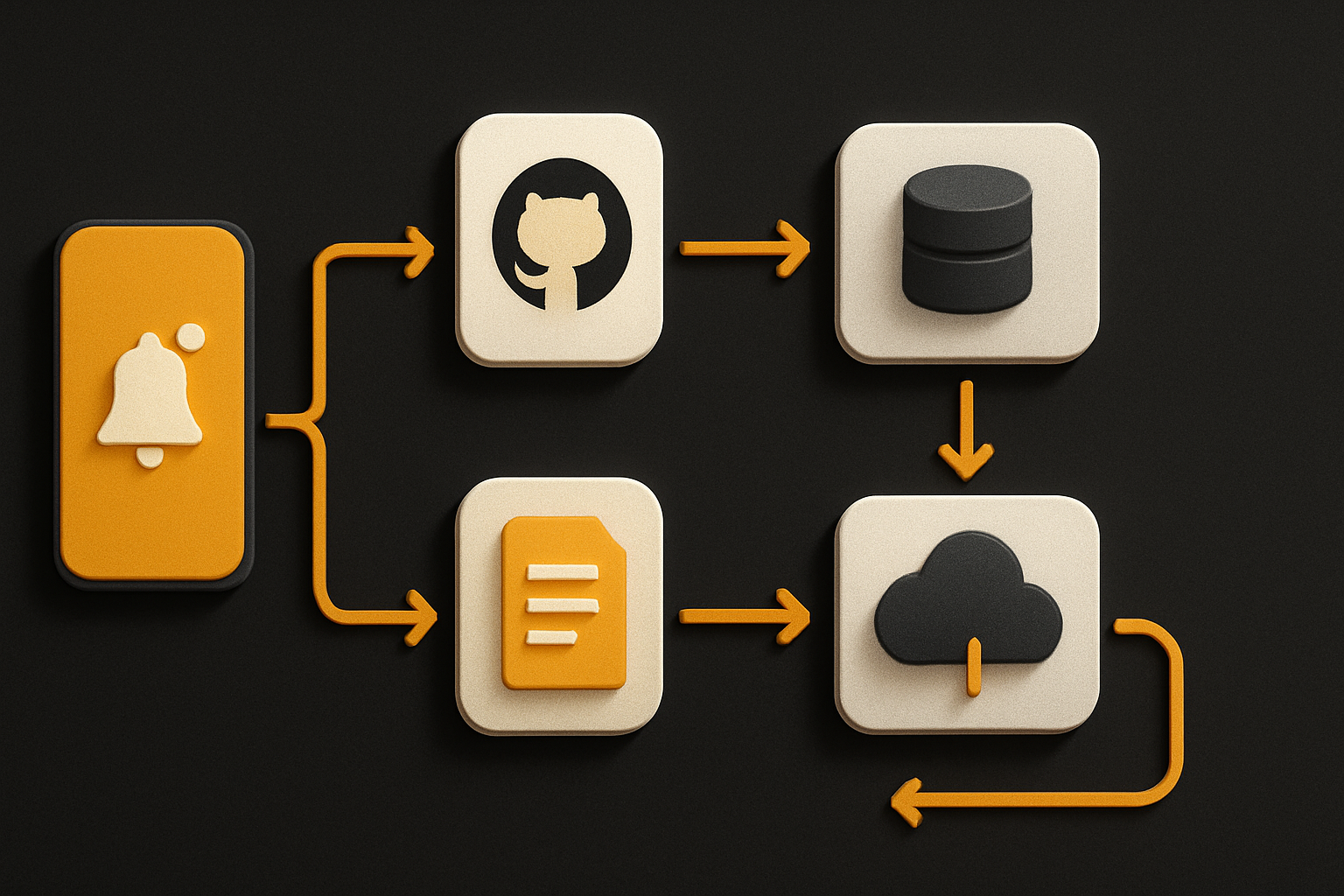
You're delegating, not coding on a phone
A smartphone is a great place to describe a bug. It's a terrible place to debug one. Holding the two ideas at once is the whole point of the feature, and it changes what "phone coding" means in 2026.
What the phone is good for:
- Filing a bug with enough context to act on
- Assigning a self-contained task (rename this, refactor that, add a feature flag)
- Watching the Agents dashboard for progress
- Reviewing a small, focused pull request on the train
- Approving, merging, or sending a draft PR back for another pass
What the phone is still bad for:
- Tracing a stack trace in a 200-line crash log
- Stepping through a debugger session
- Navigating a multi-file diff with 60+ files changed
- Anything that needs you to read code, not skim it
The framing matters. If you treat the phone as a delegation surface, the workflow is tight. If you try to use it as a replacement for an editor, you'll bounce off the input method in five minutes. The same coding agent is doing the work in both cases — the difference is what you are doing at each end.
11 production screens. Login, database, payments — all wired.
The SaaS Dashboard Kit ships everything already connected. Nothing to set up. Live demo at saas.otf-kit.dev.
How to actually use it today
The path is short. Four steps, all in the GitHub Mobile app, no separate install.
- Open GitHub Mobile and pick the repository from the Home tab or jump straight into it from the repo page.
- Tap into the Copilot coding agent entry point and write the task in plain text. Be specific about the file, the desired behaviour, and any constraints. The agent responds to the same prompt shape it gets from VS Code.
- Send the task. The agent picks it up asynchronously and you'll see it appear on the Agents dashboard with a status.
- When the draft PR is ready, GitHub pushes a notification. Open the PR, read the diff, request changes, or approve.
A task description that actually works looks like this:
In `packages/api/src/routes/billing.ts`, the `/invoices` endpoint
emits the wrong currency when the org has a multi-currency contract.

Expected:
- Use the contract's base currency, not the org default
- Add a Vitest case under `billing.test.ts` covering the multi-currency path

Out of scope:
- Don't touch the legacy `legacyInvoices` module
- Don't change the response envelope
The shape — scope, expected behaviour, out of scope — is what you should already be writing for any senior engineer you're handing work to. The agent doesn't get a pass on prompt quality. The clearer the task, the fewer round-trips you spend editing the PR it generates.
Two practical tips that come from how the agent actually behaves:
- Assign small, bounded tasks. The agent performs better on a single file or a single feature than on a sweeping refactor.
- Treat the draft PR as the first output, not the final one. Most tasks will need at least one "fix this, tighten that, add a test for the edge case" round.
What human review still has to catch
The draft PR is the output, not the deliverable. Reviewing it well is the part that has not changed, and it is the part that decides whether using the agent made you faster or just shifted your work to a worse interface.
Five things the agent will reliably get wrong on a first pass, from experience across nontrivial codebases:
- Boundary conditions. Empty inputs, unicode, timezones, null vs undefined. The agent will write the happy path and miss two of the three.
- Naming collisions. It will invent a helper that shadows an existing one three files over. The diff looks clean in isolation; the merge hides the conflict.
- Implicit conventions. Repo-specific patterns — how errors are thrown, how logging is structured, how feature flags are wired — don't make it into the task description, and the agent will guess.
- Test coverage. It will write the test that proves the change works, not the tests that prove the surrounding code still works.
- Migration risk. A "rename this" PR that doesn't update the JSON parse site, the metric label, or the dashboard tile is a PR that ships a partial migration.
The review checklist is the same one you'd run on a junior engineer's PR. Read the diff. Run the tests locally. Read the tests they wrote. Check the call sites. None of that is new — what is new is that the PR can arrive while you're still on the bus.
What this enables, and what doesn't change
The unlocked part is real. Theaders of small teams get a triage lane: a bug comes in, an agent picks it up before the developer has even opened a laptop, and a reviewable PR is sitting in the queue by the time the developer is. The cost of filing a task has dropped to a screen tap. The cost of finishing one has not.
The part that doesn't change is the surface the agent is writing against. It still has to understand your project's conventions, the same component has to render correctly on the web build and the mobile build, and the PR still has to pass review against a shared standard. Tool churn — which model, which agent, which IDE — does not change that. The durable layer underneath is the part that decides whether a draft PR is one keystroke away from merging or three hours away from a rewrite.
That is also the part worth investing in. A repo with a clear component contract — where the same Card, the same Form, the same Avatar is the only thing that exists on web and native, with one API surface — gives the agent very little to ruin. A repo where the web layer and the native layer each have their own conventions, their own types, and their own idioms gives the agent dozens of places to invent one. The narrower the surface, the safer the delegation.

The pitch to the agent is simple: here is the file, here is the contract, here is the test, don't touch the rest. The more you can say that out of the box, the less the phone matters — and the more the phone becomes the only thing you need to start.
Ship the product, not the setup.
- 11 production screens — auth, billing, team, analytics, settings
- Real database, payments, and login — all wired on day 1
- AI configs pre-tuned so your agent extends instead of regenerates