
WyberAi Launches AI App Builder with Pre-Deployment Data Leak Testing

Most AI app builders ship you a finished-looking app and call it done. The data leak is your problem. WyberAi just decided that's its problem. The SignalPulse Technologies team announced general availability today of an AI app builder that doesn't stop at "looks ready" — it connects to the freshly-provisioned database using the same anonymous key an outside attacker would use, probes what that key can reach, and refuses to publish the app until the holes are closed. That is a real, and rare, advance in the AI app-builder category.
What WyberAi actually does
You describe the app in plain English. WyberAi generates production-ready React and Tailwind code, provisions a Supabase database with authentication, and deploys to a live URL — often within minutes. That's the web path. The interesting move is that the same prompt also generates native mobile apps as React Native projects for iOS and Android, with a live interactive preview, and you can pick web or native from the same description.
The build isn't a sandboxed toy. Every project ships with one-click deployment, GitHub sync, custom domains, full source-code export, and more than 27 integrations — Supabase, Stripe, and OpenAI named explicitly — so the app you generate is a real, ownable codebase rather than a locked-in throwaway.
Why most AI-generated apps quietly leak
The article puts it bluntly: AI-generated software frequently ships with misconfigured database permissions that quietly expose user data. The pattern is the same one security engineers have warned about for a decade — the developer ships the feature, the database rules default to "anyone with the public key can read this row," and nobody notices until the data is already on a pastebin. Web-only AI builders, the announcement notes, leave that safeguard entirely to the developer. WyberAi treats it as a build-time failure.
11 production screens. Login, database, payments — all wired.
The SaaS Dashboard Kit ships everything already connected. Nothing to set up. Live demo at saas.otf-kit.dev.
How the live database security scan works
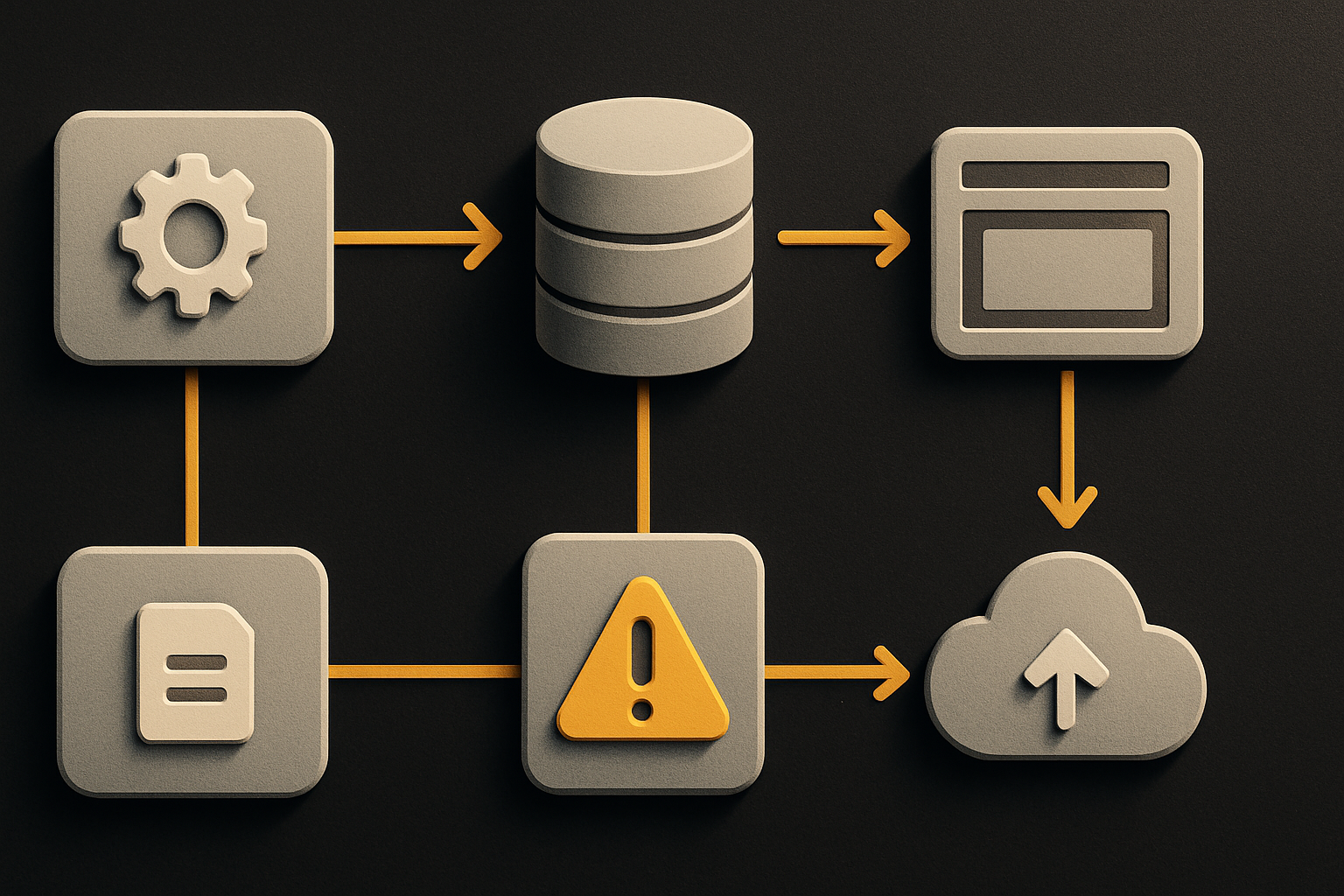
The mechanism is the part worth understanding. Rather than only reading the generated source for console.log and obvious mistakes, WyberAi connects to the application's own database with the same anonymous key an outside attacker would have. Then it asks the question an attacker would ask: what rows, what tables, what files can this key reach?
Exposed data gets flagged before the application is published. That is the actual product claim — the AI doesn't just generate; it audits its own output against the running database. For a class of tools that has spent two years promising "anyone can ship an app," this is the first time one has taken responsibility for what ships.
# What happens on every WyberAi build
# (described in the announcement; no public CLI flag set yet)

# 1. The platform generates the app and provisions Supabase
# 2. It obtains the public anonymous key on the running database
# 3. It runs the same queries an anonymous attacker would run
# 4. Anything the key can read that shouldn't be readable -> flagged
# 5. The publish step blocks until the flag is resolved
The scan runs on every build. That matters because the failure mode for AI-generated codebases isn't a single bad deploy — it's a slow drift as the prompt changes and the database schema regenerates. A scan that runs once and ships forever is a checkbox. A scan that runs every build is a guardrail.
How to actually use WyberAi today
You don't need a security background. The flow described in the announcement is five steps, and three of them are reading.
1. Describe your app in plain English.
   "A two-sided marketplace for dog walkers where walkers
   set their own hourly rate and owners book by the hour."

2. Choose your target platform.
   - Web (React + Tailwind, deployed to a live URL)
   - Native mobile (React Native, iOS + Android, with live preview)

3. Review the generated code and the Supabase schema.
   The repo is real, not a sandbox. You can read it.

4. Let the build run. The live database security scan is automatic.
   It uses the public anonymous key against your provisioned
   database and reports what that key can read.

5. Resolve any flagged exposures, then publish.
   One-click deploy, custom domain, GitHub sync, full source export.
If you're already a Supabase user, the part worth noting is that WyberAi provisions the database for you and runs the scan against it before you ever see the live URL. You don't bolt security on after.
WyberAi vs the typical web-only AI builder
The signal in the announcement isn't just "we added security." It's that the scan is positioned as the answer to a specific gap — web-only AI builders leave that responsibility to the developer. The quote from Sumeet Sutar, Founder and CEO of SignalPulse Technologies, captures it: "Most AI builders hand you an app that looks finished but quietly leaks data. We flipped that. WyberAi attacks the app it just built."
For a builder choosing between AI app generators, the comparison is straightforward:
| What ships | Typical web-only AI builder | WyberAi |
|---|---|---|
| Web app from prompt | yes | yes |
| Native iOS + Android from same prompt | no | yes |
| Database provisioned with auth | varies | Supabase, every build |
| Pre-deploy security scan against live DB | no | yes, every build |
| Ownable codebase + GitHub sync | often locked sandbox | yes, full source export |
| Integrations out of the box | varies | 27+, incl. Stripe, OpenAI |
The native mobile row is the one most people will underweight. Generating React + React Native from a single prompt — with the live preview on both — is a separate technical bet that most web-only competitors haven't taken.
Where OTF fits alongside this
Use WyberAi for what it does well: turn a prompt into a deployed app, with the security scan catching the database mistakes that would otherwise leak your users. Then the runtime question — does the same component actually behave the same on the web URL, the iOS build, and the Android build once users start tapping — is a different problem. The build-time layer generated the code; the durable layer is what keeps web and native in lockstep without two implementations drifting apart.
That's the part a generated app still has to solve on its own. WyberAi handles the build, the schema, and the audit. The cross-platform consistency layer underneath it is what makes the app feel like one product to the person using it on three devices.
The interesting next move
The announcement doesn't claim any specific vulnerability-detection rate or quote benchmark numbers, and that restraint is worth respecting — a tool that audited itself and quietly shared false precision would lose trust fast. The thing to watch is whether the scan grows beyond database access: API keys left in client bundles, missing auth on Edge Functions, leaked storage buckets. The mechanism — probe the running artifact the same way an attacker would — generalises. Whether WyberAi goes there next will say a lot about whether this is a one-feature differentiator or the start of a security-first default for AI builders.
For teams that have been burned by AI-generated apps that looked done and shipped leaking, the answer today is straightforward: try WyberAi, describe your app in plain English, and watch the database scan run before the URL goes live. The build-time safety net is finally a first-class feature, not an afterthought.
Ship the product, not the setup.
- 11 production screens — auth, billing, team, analytics, settings
- Real database, payments, and login — all wired on day 1
- AI configs pre-tuned so your agent extends instead of regenerates