GitHub Actions triggers EAS builds when EXPO_TOKEN and non-interactive flags are set
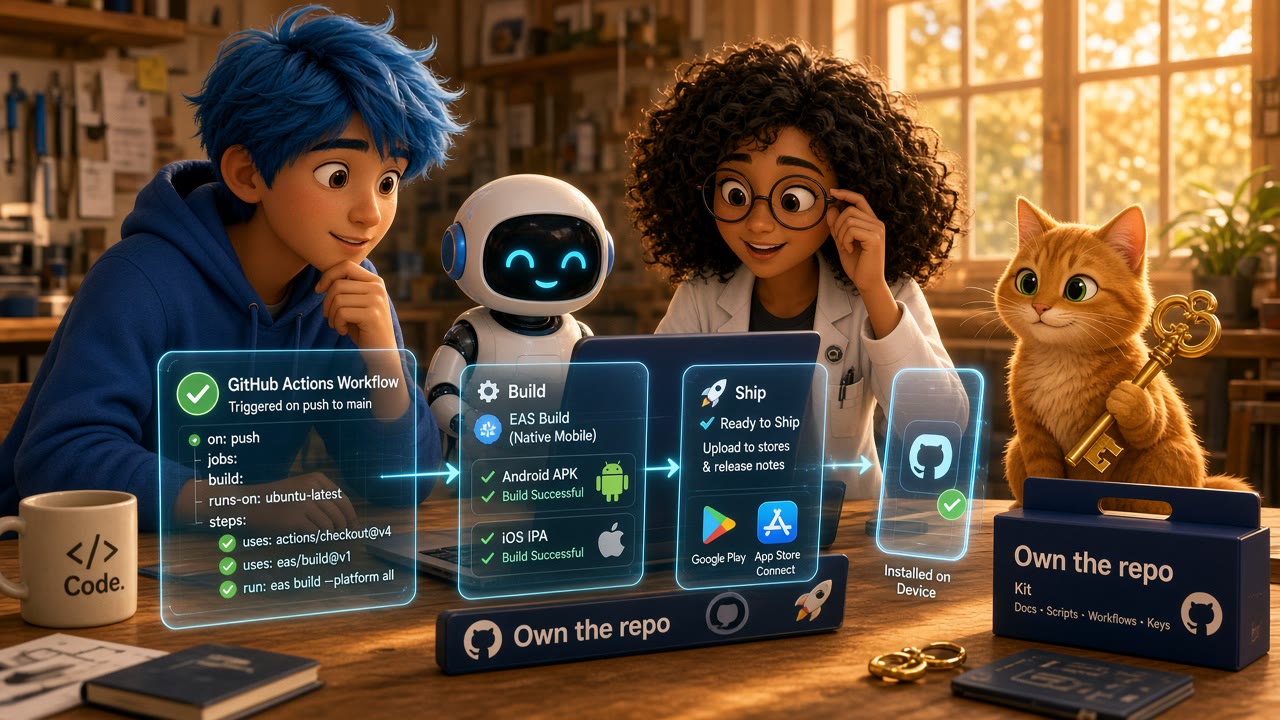
Local builds must succeed before CI can be honest
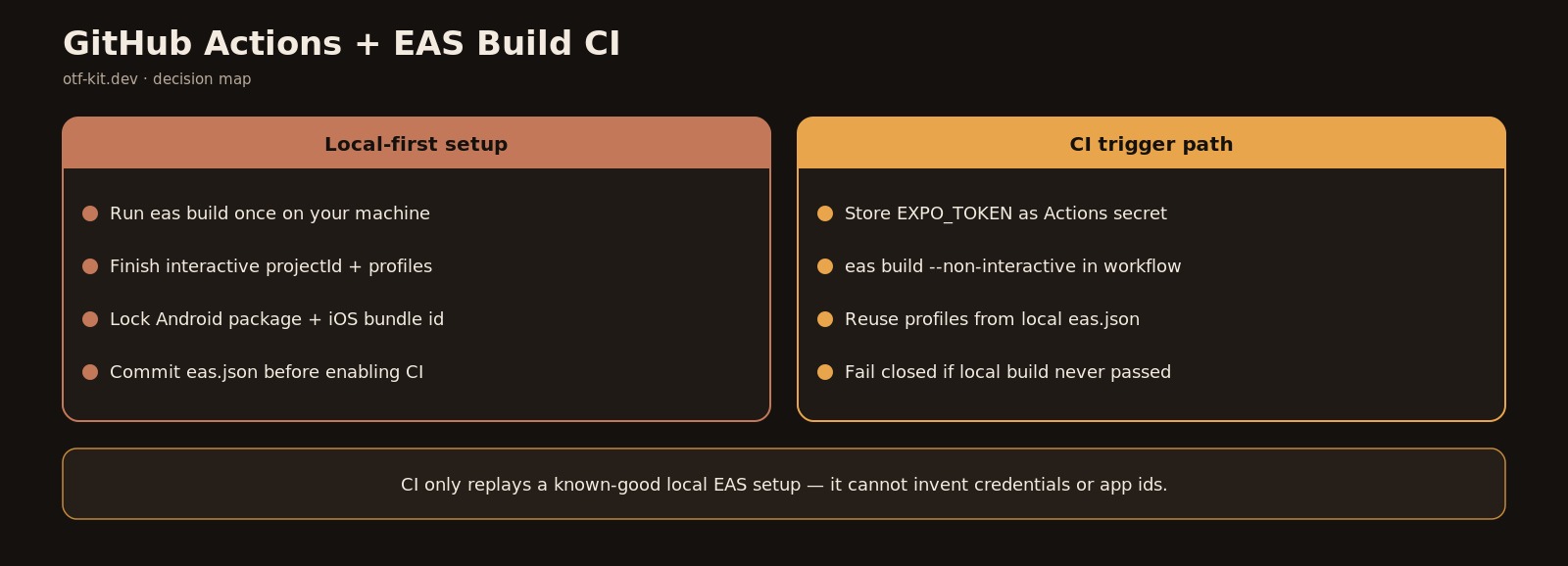
Local eas build must succeed once before CI can honestly replay EXPO_TOKEN non-interactive builds.
GitHub Actions cannot invent EAS credentials, bundle identifiers, or build profiles for you. Expo's own CI guide starts with a blunt prerequisite: run a successful eas build from your machine for every platform you want CI to support, so the CLI can finish interactive setup once. That local run creates the EAS projectId, writes eas.json profiles, fills critical app config fields such as the Android package and iOS bundle identifier, and creates the Android keystore plus iOS distribution certs and provisioning profiles that later non-interactive jobs expect to find.
If you skip that step and paste a workflow into .github/workflows/eas-build.yml first, CI fails in ways that look like Actions problems. The real failure is missing project linkage or missing credentials that only the interactive CLI flow would have created. Fix it locally with a real build, then return to automation.
Teams that already keep secrets disciplined in EAS profiles should keep that boundary. Build-time environment variables belong on EAS servers, not as a pile of GitHub Actions env: entries that never reach the remote builder. That split is documented in Expo's environment-variable FAQ, and it is the same discipline covered in EAS build secrets stay out of bundles when env profiles and eas.json split right.
Authenticate CI with EXPO_TOKEN, not eas login
CI must authenticate as an account that owns the project. Create a personal access token in your Expo account settings, store it as the repository secret EXPO_TOKEN, and never commit it. Expo's programmatic-access docs show the pattern: set EXPO_TOKEN before any EAS CLI command so the token path takes precedence over username and password login. On GitHub Actions, pass that secret into expo/expo-github-action so every subsequent step inherits auth without calling eas login.
Token-authenticated commands also require the project to already be linked. If extra.eas.projectId is missing from the app config, builds fail with an EAS project not configured error. The documented recovery is to run EXPO_TOKEN=... eas init --force --non-interactive once against the linked project, then keep CI on the normal build command.
For iOS credential repair on CI, Expo documents an optional Apple App Store Connect API key path. When a provisioning profile needs re-signing and nobody is present to click through Apple prompts, provide:
EXPO_ASC_API_KEY_PATHpointing at the.p8key fileEXPO_ASC_KEY_IDEXPO_ASC_ISSUER_IDEXPO_APPLE_TEAM_IDEXPO_APPLE_TEAM_TYPEset toIN_HOUSE,COMPANY_OR_ORGANIZATION, orINDIVIDUAL
Those values are only for credential repair paths. They do not replace EXPO_TOKEN, and they do not belong in the client bundle.
One codebase. iOS, Android, and web.
The Fitness Kit is a mobile starter with its own API, with sign-in and a database. Live demo at fitness-preview.otf-kit.dev.
A minimal GitHub Actions workflow that matches Expo's docs
Expo's current GitHub Actions example lives at .github/workflows/eas-build.yml and uses Actions checkout v5, Node setup v6 with Node 24, expo/expo-github-action@v8, npm ci, then a non-interactive EAS build. Copied from the official trigger-builds-from-CI page:
name: EAS Build
on:
  workflow_dispatch:
  push:
    branches:
      - main
jobs:
  build:
    name: Install and build
    runs-on: ubuntu-latest
    steps:
      - uses: actions/checkout@v5
      - uses: actions/setup-node@v6
        with:
          node-version: 24
          cache: npm
      - name: Setup Expo and EAS
        uses: expo/expo-github-action@v8
        with:
          eas-version: latest
          token: ${{ secrets.EXPO_TOKEN }}
      - name: Install dependencies
        run: npm ci
      - name: Build on EAS
        run: eas build --platform all --non-interactive --no-wait
Two flags matter more than the rest of the YAML. --non-interactive refuses to prompt, which is mandatory on CI. --no-wait exits as soon as EAS accepts the build, so you are not billed for GitHub runner minutes while the remote builders compile native code. Expo notes that with --no-wait, the Actions job reports success when triggering succeeds, not when the store binary finishes. If a later step must run only after the binary exists, drop --no-wait and accept the longer runner time.
Start narrower than --platform all if you are still proving the pipeline. Trigger Android alone first, confirm the dashboard build turns green, then widen the matrix. Keep workflow_dispatch so a human can fire a build without merging junk to main.
Gate merges without leaking secrets into logs
A CI green check that only means "EAS accepted the job" is still useful if you treat it as a trigger gate, not a store-readiness gate. Add an explicit secret check before checkout noise fills the log:
- name: Require EXPO_TOKEN
  run: |
    if [ -z "${{ secrets.EXPO_TOKEN }}" ]; then
      echo "Missing EXPO_TOKEN repository secret"
      exit 1
    fi
Do not echo the token. Do not print env dumps after the Expo action runs. Prefer profile-scoped secrets inside EAS for API keys your app needs at build time. GitHub Actions should hold the Expo access token and, when required, Apple ASC material for credential repair. Application secrets such as Supabase service roles belong in EAS environments tied to the development, preview, or production profiles in eas.json.
Pin action majors deliberately. The documented example uses actions/checkout@v5, actions/setup-node@v6, and expo/expo-github-action@v8. When you upgrade those pins, change one at a time and keep a known-good workflow file in git history so a broken Actions release is a revert, not an archaeology project.
Separate PR preview updates from store builds
Native EAS Build and EAS Update solve different release risks. For pull-request previews, Expo documents a separate GitHub Action flow that publishes an update and comments on the PR using expo/expo-github-action/preview@v8 with eas update --auto. That path needs contents: read and pull-requests: write permissions, and it still requires EXPO_TOKEN.
Do not conflate the two pipelines. A JS-only update that ships through EAS Update can be rolled back with the patterns in EAS Update rollback plan keeps one bad bundle from stranding your users. A store binary from eas build cannot. Keep production binary builds on protected branches, require a human workflow_dispatch or a tag for store profiles, and let PR workflows publish preview updates instead of production binaries.
If you prefer not to maintain Actions YAML at all, Expo also supports triggering builds from the Expo GitHub App and from EAS Workflows with a .eas/workflows/build.yml that declares type: build jobs per platform. Those options still need a project that already builds successfully once. Actions remains the right choice when you already gate merges with GitHub checks and want EAS inside that same status graph.
Failure modes that look like CI but are project setup
When the workflow fails, read the EAS dashboard URL printed by the CLI before rewriting YAML. Common root causes:
- No successful interactive build yet for that platform, so credentials or identifiers are incomplete.
- Missing
EXPO_TOKENor a token from the wrong Expo account. - Missing
extra.eas.projectIdafter a fresh clone or template copy. - Build profile name in the command does not match
eas.json. - App environment variables set only in GitHub Actions and therefore invisible to the EAS builder.
For ad hoc internal distribution on CI, Expo documents --refresh-ad-hoc-provisioning-profile with --non-interactive so newly registered devices are included. Without that refresh, the Actions job can succeed while the install fails on a device added after the last profile sync.
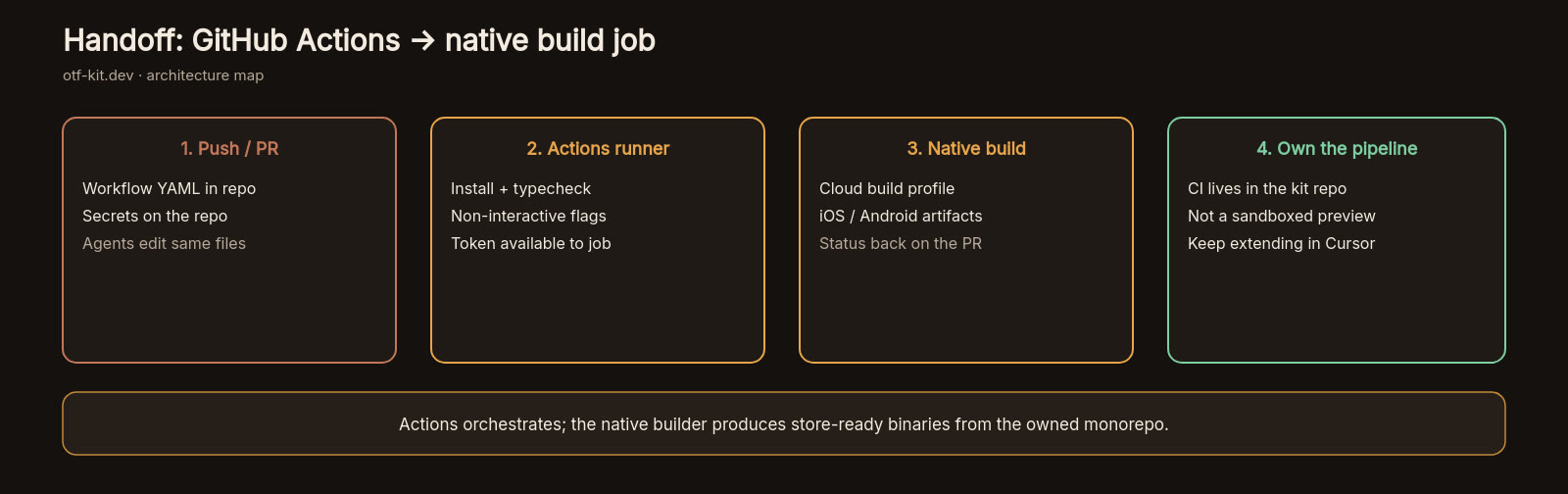
Treat the workflow as a thin trigger. The durable configuration lives in eas.json, app config, EAS credentials, and EAS-hosted environment variables. GitHub Actions should check out the repo, authenticate, install dependencies with a lockfile (npm ci), and call eas build --non-interactive. Everything else is noise that makes secret leaks and flaky prompts more likely.
Ship the pipeline only when you can answer four questions from the last green run: which git SHA triggered it, which EAS build URL it created, which profile it used, and whether success meant "triggered" or "binary finished." If those answers are ambiguous, the automation is not ready for a release branch.
Sources
Expo — Trigger builds from CI (GitHub Actions example with expo/expo-github-action@v8, Node 24, eas build --non-interactive --no-wait): https://docs.expo.dev/build/building-on-ci/
Stop wiring. Start shipping.
- Sign-in and a database wired in, with its own API
- iOS + Android + web from one codebase
- AI configs pre-tuned + 20+ task prompts per kit included
Ship your first screen tonight — free starter in your inbox
The quickstart, the SDK repo and the live kit demos, on this screen and in your inbox.
No spam. Unsubscribe any time.