
Anthropic launches self-hosted Claude Code beta for enhanced control

Anthropic moved self-hosted environments for Claude Code into public beta, and the headline is real: Team and Enterprise customers can now run Claude Code sessions on infrastructure they provision. Repository checkouts, build artifacts, secrets, and every file the agent touches stay inside the customer's perimeter. The agent sits next to your package registry, your internal Git, your security stack — without any of it crossing onto the public internet. (EdTech Innovation Hub)
That's a genuine enable for teams that have been told "no" by their own security review every time an AI coding assistant came up in procurement. The conversation was always "the vendor sees our code" — and the answer was always no. Self-hosted Claude Code changes the shape of that conversation. Whether it's enough depends on what your threat model actually worries about, and the launch reporting has been unusually clear about where the boundary sits.
What's on your side of the wall, and what isn't
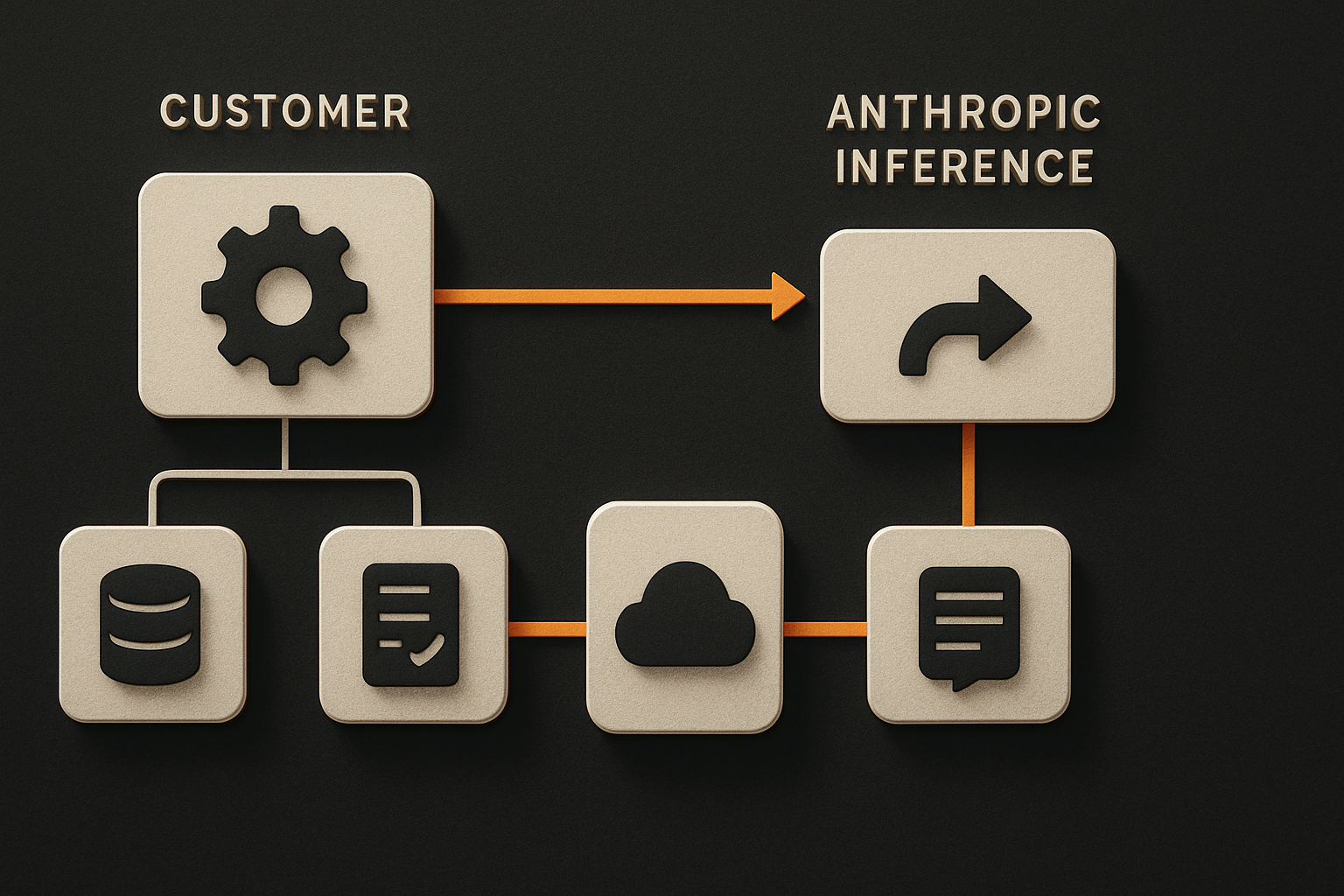
Self-hosting is not the same as "everything runs locally." The split is precise, and the launch coverage spelled it out plainly:
What stays on your infrastructure:
- Repository checkouts
- Build artifacts
- Secrets and any files Claude creates or modifies
- Pre-installed compilers, SDKs, and internal CLI tools you choose to make available
What leaves your network:
- The conversation itself — prompts, responses, and tool results, including any code snippets Claude read during inference
- Session transcripts (stored so you can resume a session across web, mobile, or desktop)
That distinction is the honest shape of the product, and it's worth taking seriously. If your threat model assumes code, secrets, and build pipelines cannot be exposed to the public internet, self-hosted Claude Code is a clean fit. If your threat model assumes the model provider must never see a slice of your source — full stop — self-hosting does not solve that. You'd need an offline model and a different conversation. Before you sign off, run the decision through an AI app security checklist — the data-split above is exactly the kind of boundary it exists to audit.
Runners are the unit of deployment
The piece that does the work is the runner — a long-running process that collects queued sessions and starts a separate Claude Code process for each one. Anthropic ships two runner models, and the choice between them is mostly a capacity-planning call. (EdTech Innovation Hub)
Fixed deployments keep a set number of runners running at all times and distribute sessions across them. Predictable, easy to capacity-plan, costs compute even when the queue is empty.
On-demand deployments use an orchestrator that starts runners when sessions enter the queue and stops them when the work completes. Cheaper when load is bursty, more moving parts in the control plane.
Either way, a single runner can handle multiple sessions concurrently, but each session gets its own repository checkout. That's deliberate — Anthropic frames it as the mechanism that keeps work isolated between developers and accounts. If you're writing the network policy, assume per-session filesystem and network namespaces; don't share working trees.
11 production screens. Login, database, payments — all wired.
The SaaS Dashboard Kit ships everything already connected. Nothing to set up. Live demo at saas.otf-kit.dev.
The session model — and how resume actually works
Sessions started through any supported interface — the web app, the mobile app, the desktop app, or an automated routine — land on the same self-hosted environment. A developer can start a session on their laptop, hand off to a teammate on a desktop, and the resume state travels with them while the actual work stays behind your firewall. That's the part that changes how teams will use this day-to-day. (EdTech Innovation Hub)
The "routine" entry point is the easiest one to miss. A routine is a scheduled or triggered invocation of Claude Code — a code-review automation, a nightly cleanup job, a CI-triggered refactor. With self-hosting, that routine runs on your infrastructure, against your repositories, with your secrets. The conversation still travels to Anthropic for inference, but the working tree, the artifacts, and the credentials it touched don't.
This is not the same as Claude Code Remote Control
Worth distinguishing because the two get conflated. Claude Code Remote Control lets a developer continue a session running on their own machine from another device — a phone, a different laptop, a web tab. The session itself is anchored on the developer's workstation. Remote Control sessions remain tied to the person who started Claude Code and end when the original machine stops running the session. (EdTech Innovation Hub)
Self-hosted Claude Code is the opposite shape: the session runs on shared infrastructure managed by the organization's platform team and can be used by multiple users, with any supported device connecting to it. Remote Control is a developer convenience. Self-hosting is a procurement answer. Both are useful; they answer different questions, and the architectures don't share a runtime.
The operational price — and who pays it
Anthropic recommends its hosted service for most enterprises, precisely because self-hosting shifts operations to the customer. Their guidance: assign a platform, developer-experience, or developer-productivity team to set up and run the environment — building and maintaining the runner image, updating runners, operating the orchestrator for on-demand deployments — and plan for ongoing engineering support rather than treating setup as a one-off. (EdTech Innovation Hub)
Two more facts that belong in the rollout plan: the feature is disabled by default and must be enabled by an administrator in the organization's settings, and organizations using zero data retention (ZDR) cannot access it. If your compliance posture depends on ZDR, that exclusion decides the question before the architecture does.
If you're taking this to production, our ship-AI-MVP-to-production checklist covers the surrounding discipline — staging, observability, rollback — that a self-hosted runner fleet needs from day one.
How to actually use this today
If you're on a Team or Enterprise plan and your security team has signed off, the path is concrete. Anthropic ships the runner image and the orchestration primitives; you bring the host.
The shape of a minimal deployment:
# runners.yaml — illustrative shape; consult Anthropic docs for exact values
runner:
  mode: fixed                   # or: on-demand
  replicas: 3
  sessionIsolation: per-checkout
network:
  egressAllowlist:
    - api.anthropic.com:443
secrets:
  fromExistingSecret: claude-code-credentials
Three network decisions you make on day one:
- Egress allowlist. Inference traffic must reach Anthropic's API. Nothing else needs to leave. Lock the egress down at the cluster or VPC level and review the allowlist every quarter.
- Ingress surface. None, if the design holds. Runners poll for queued sessions; they don't accept inbound connections from the public internet. Don't punch a hole inbound "just in case."
- Internal service mesh. The runner sits next to your package registry, your artifact store, your internal Git. Treat it like any other internal service: mTLS, service identity, scoped RBAC. If your data layer is Supabase, our RLS production checklist is the same instinct applied to row-level access.
Pre-install whatever your developers actually need. The whole point of self-hosting is that the agent can run your build, hit your registry, and use your toolchain. A session that has to apt install something mid-task is a session that has lost the plot.
For the routine side, wire it into your existing scheduler and start with one narrow job — a security audit of a single repo, a weekly dependency-upgrade PR. Don't bolt it onto your main CI pipeline on day one. You'll want to observe the egress pattern, the queue depth, and the failure modes before you trust it with a deploy path.
The two trade-offs worth naming
First, prompts still leave. Tool results that include code snippets Claude read from your repo during inference also leave. If your compliance regime treats "the model provider saw a slice of our source" as a non-event, you're fine. If it's a reportable event, self-hosting is not the answer — an offline model is.
Second, you now own the runtime. A runner is a process. Processes need patching, observability, capacity planning, and the occasional 3am page when queue-depth alarms fire. The fixed-vs-on-demand decision looks simple in a Helm chart and less simple in your on-call rotation. Budget for it.
What this gets us, and what stays the same
Self-hosted Claude Code doesn't change what the agent can do. It changes where the work happens. For most teams that's the enable — the same session, the same Claude, just running against your repositories and your registries instead of a vendor-hosted clone. As Anthropic's George Jacob put it, the setup means "Claude can generate PRs, help fix CI issues, and respond to developer workflow events, with compute that can scale based on demand." (EdTech Innovation Hub)
The pieces that don't change when you flip the deploy model are the ones worth investing in. The contract your app exposes to the agent, the shape of the components the agent edits, the CI surface it has to keep green — those are durable.
OTF is the substrate underneath the agent churn: one component definition for web and mobile, a typed contract an agent can read, a CI surface the agent can drive. Use Claude Code self-hosted for the session boundary. Use a stable component layer underneath so the next model swap, the next runner change, the next compliance review doesn't rip your app apart. Start from a production-ready template and that layer is already built.
That's the shape that ages well — fast agent on top, stable primitives underneath, and the boundary between them drawn where it actually matters.
Sources
- EdTech Innovation Hub — Anthropic opens self-hosted Claude Code beta — public beta status, Team/Enterprise scope, web/mobile/desktop/routine entry points, the stays-vs-leaves data split, runner models, per-session checkout isolation, Remote Control distinction, George Jacob quote, ops-burden guidance, admin-enable default, and the ZDR exclusion.
- Anthropic newsroom — the authoritative source to check for Anthropic's own announcement post and any updated self-hosting terms.
Ship the product, not the setup.
- 11 production screens — auth, billing, team, analytics, settings
- Real database, payments, and login — all wired on day 1
- AI configs pre-tuned so your agent extends instead of regenerates