GitHub Copilot joins AI SDK HarnessAgent: swap runtimes without rewriting your agent UI

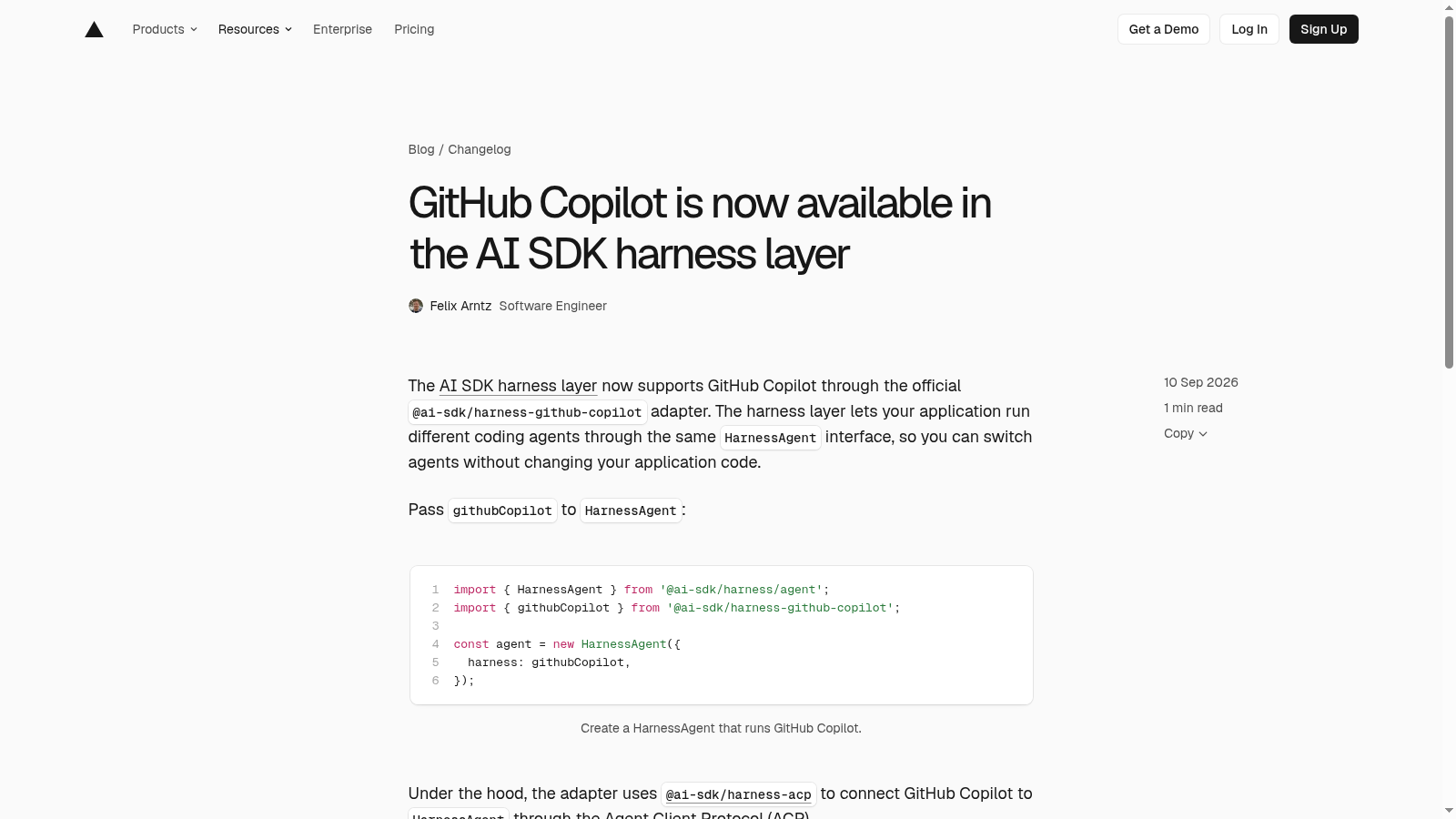
On September 10, 2026, Vercel added GitHub Copilot to the AI SDK harness layer through @ai-sdk/harness-github-copilot. If your product already runs coding agents behind HarnessAgent, that adapter is the missing swap: same session API, same stream shapes, Copilot as one more runtime you can select without rewriting the chat UI.
This post is for builders who ship agent products (or internal agent routes) and need Copilot in the same control plane as Claude Code, Codex, Cursor, and the other listed harnesses — not for people hunting a generic Copilot desktop tip.
What actually shipped
Vercel's changelog is short and precise: pass githubCopilot into HarnessAgent, and the adapter uses @ai-sdk/harness-acp to talk to GitHub Copilot over the Agent Client Protocol (ACP). Copilot joins the documented adapter set beside Claude Code, Cline, Codex, Cursor, Deep Agents, fx, Grok Build, OpenCode, and Pi.
The GitHub Copilot harness docs add the operational detail that matters in production:
- The ACP harness installs a pinned GitHub Copilot CLI inside the sandbox on first session start.
- It never reuses a host or globally installed Copilot CLI.
- Automatic CLI updates are disabled for that bootstrap so the installed version stays fixed.
- Runtime location for Copilot is sandbox via ACP, same class as Cursor, fx, and Grok Build in the adapter capability table.
Harness packages are still experimental. Expect breaking changes. Treat the adapter as a product seam you version and test, not as a forever-stable public API.
Why the harness layer is the right place for Copilot
A harness is larger than a model call. Per the AI SDK harnesses overview, a harness owns workspace access, built-in coding tools, native session state, compaction, permission flows, and runtime-specific configuration. Providers expose models to generateText / streamText. Harnesses expose agent runtimes to HarnessAgent.
That split is the product win. Your UI and route handlers stay on AI SDK stream primitives (text, stream, steps, usage, responseMessages). The runtime behind the session can change when a new adapter lands. Copilot joining that list means you can A/B or tenant-select runtimes without forking the product shell.


Same component names. Web and mobile. One SDK.
The free, open-source SDK gives you web and React Native components with shared names and design tokens, from one SDK. github.com/otf-kit/sdk
How do I wire Copilot into HarnessAgent today?
Install the harness core, the Copilot adapter, and a sandbox provider:
pnpm add @ai-sdk/harness @ai-sdk/harness-github-copilot @ai-sdk/sandbox-vercelMinimal server-side shape from the official docs:
import { HarnessAgent } from '@ai-sdk/harness/agent';
import { githubCopilot } from '@ai-sdk/harness-github-copilot';
import { createVercelSandbox } from '@ai-sdk/sandbox-vercel';

const agent = new HarnessAgent({
  harness: githubCopilot,
  model: 'gpt-5.5',
  sandbox: createVercelSandbox({
    runtime: 'node24',
    ports: [4000],
  }),
});

const session = await agent.createSession();

try {
  const result = await agent.stream({
    session,
    prompt: 'Check the test failures and fix the production code.',
  });

  for await (const part of result.stream) {
    if (part.type === 'text-delta') {
      process.stdout.write(part.text);
    }
  }
} finally {
  await session.destroy();
}
githubCopilot is equivalent to createGitHubCopilot() with defaults. For Vercel Sandbox, provide VERCEL_OIDC_TOKEN plus the auth variables your chosen path needs (see below). Copilot requires a network sandbox with at least one exposed port because the first session installs the CLI over the network, and later model / GitHub / MCP traffic also needs egress.
Authentication choices you should make on purpose
The adapter supports direct GitHub auth and AI Gateway auth. Relevant environment variables from the docs:
COPILOT_GITHUB_TOKEN,GH_TOKEN,GITHUB_TOKENVERCEL_OIDC_TOKEN,AI_GATEWAY_API_KEY,AI_GATEWAY_BASE_URL
Defaults matter. auth: 'auto' selects AI Gateway when Gateway credentials are present, otherwise direct GitHub Copilot authentication. Fine-grained personal access tokens need the Copilot Requests permission; classic PATs are unsupported. Force a route when both credential kinds exist:
import { createGitHubCopilot } from '@ai-sdk/harness-github-copilot';

const directHarness = createGitHubCopilot({ auth: 'direct' });
const gatewayHarness = createGitHubCopilot({ auth: 'ai-gateway' });
AI Gateway model requests do not require GitHub authentication, but built-in GitHub MCP capabilities do. Keep credentials at the host boundary; the adapter can broker them into the sandbox for matching outbound requests when the sandbox supports request transforms. That pairs cleanly with the native-subscription harness auth story already covered in AI SDK harness auth: keep native subscriptions on the host boundary.

Permissions, tools, and limits that change your product design
Shared ACP permission modes still apply when Copilot asks for permission: allow-reads, allow-edits, and allow-all. Shell execution still needs approval under allow-edits. The adapter maps bash, grep, and glob to common harness tools; other Copilot tools stay under native names (view, create, edit, web_fetch, skill, sql, agent tools, task, and dynamic GitHub / MCP tools).
Read the known limitations before you promise a feature in your product:
- GitHub Copilot does not currently support built-in tool approval requests — use
permissionMode: 'allow-all'with this adapter (host-executed AI SDK tool approvals still work). - Schema-backed structured output is unsupported over Copilot ACP.
askUserQuestionsis unsupported.- Reasoning content is not surfaced over ACP;
reasoningEffortcontrols depth, not visibility. - Built-in Copilot tool filtering throws an unsupported-capability error (host tool filtering still works).
- ACP v1 gaps remain: no portable mid-turn steering, no stable name for every native tool event, inferred step boundaries when usage totals are missing.
Those limits are product requirements, not footnotes. If your UX depends on structured output or mid-turn steering, keep another harness on the menu and route Copilot only where those gaps are acceptable.
What stays yours when Copilot is just another adapter
Swapping runtimes is not the same as owning the product loop. Your repo still owns session policy, which harness each tenant may use, which tools are host-executed versus harness-native, budget and audit hooks, and the acceptance checks an agent must pass before merge. Paid full-stack kits on OTF templates ship owned application code plus CLAUDE.md, .cursorrules, and task prompts so agents extend a known product instead of regenerating a sandbox demo — use that spine whether the harness behind HarnessAgent is Copilot, Codex, or Cursor.
If you already route coding agents through AI Gateway for spend and failover, keep reading Gemini 3.8 Live on AI Gateway for the realtime lane and OpenAI Agents on Vercel for the Queue + Sandbox hosting seam. Copilot-in-harness is the runtime-selection piece; those posts cover adjacent production seams.
Ship the adapter behind a feature flag. Pin package versions. Add a smoke session that creates, streams one prompt, and destroys. Then decide which tenants get Copilot based on the limitation list above — not based on launch-day excitement alone.
Sources
- GitHub Copilot is now available in the AI SDK harness layer (Vercel changelog, Sep 10, 2026)
- AI SDK Harnesses: GitHub Copilot
- AI SDK Harnesses: Overview
- AI SDK Harnesses: Harness Adapters

Buy once, own the code. Ship with the agent you already use.
- Free, open-source SDK — same component, web and mobile
- Paid kits include AI configs + 20+ task prompts per kit — your agent reads the whole project
- $99/kit or $149 for everything. No subscription, no sandbox limit.
Ship your first screen tonight — free starter in your inbox
The quickstart, the SDK repo and the live kit demos, on this screen and in your inbox.
No spam. Unsubscribe any time.