
Atlassian Unveils AI-Powered Jira Tools for simplified Development Workflows

Atlassian just turned Jira into the brain your AI coding agents have been missing
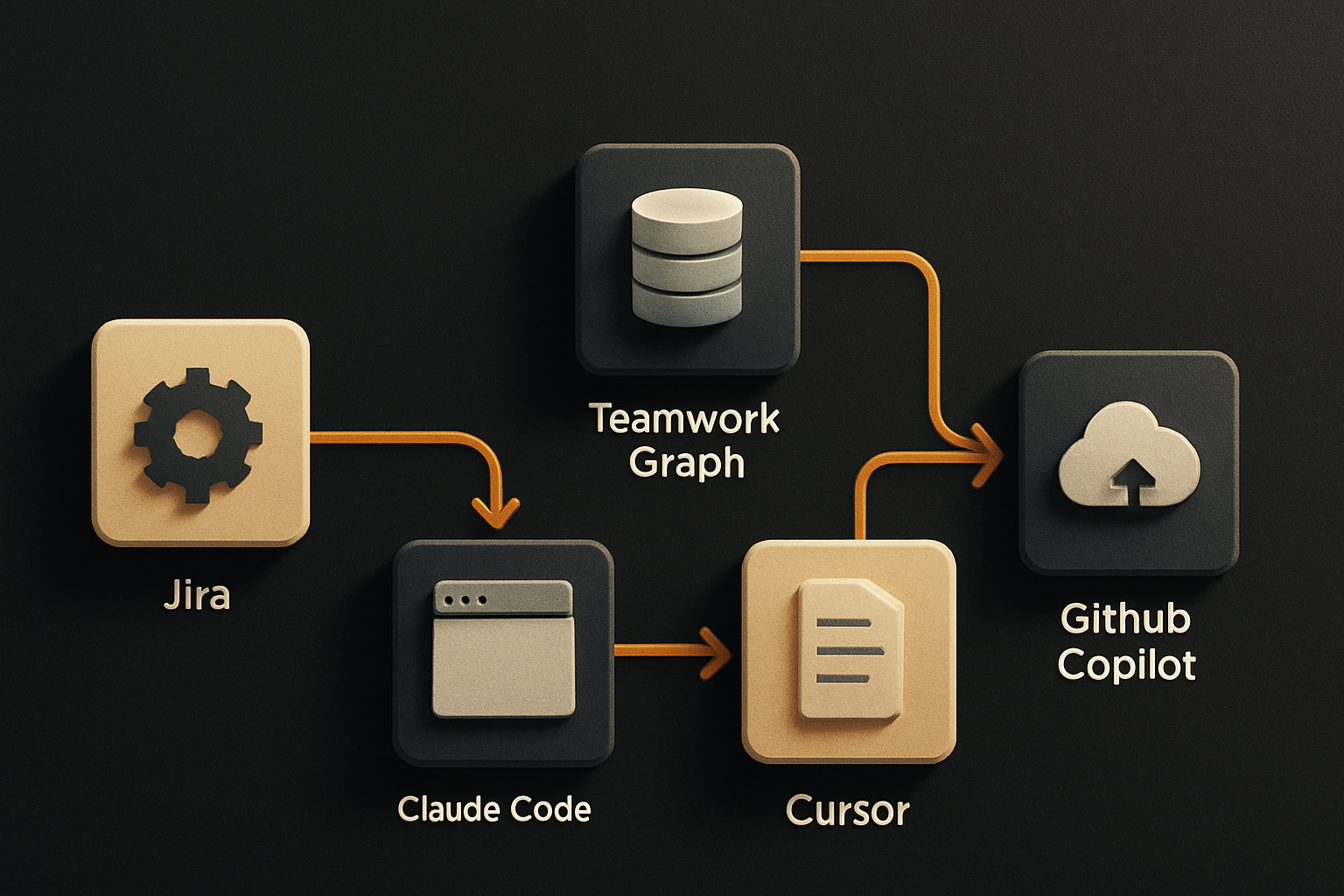
Jira has spent two decades as the system of record for engineering work. With this week's release, Atlassian is repositioning it as something more interesting: the coordination layer for AI-assisted engineering. Teamwork Graph now feeds context directly into Claude Code, Cursor, and GitHub Copilot. Slack and Loom are wired into the same loop. For Jira Cloud customers, the AI features ship at no additional cost.
That last sentence is the real story. Most teams right now are paying for the model twice — once at the API, once at the workflow glue around it. Atlassian is collapsing the glue cost to zero. That's not a small thing. (Yahoo Finance — Atlassian launches AI native Jira tools)
What Atlassian actually shipped
Three pieces, all centered on Jira:
-
Teamwork Graph powered agent workflows. Teamwork Graph is Atlassian's internal model of how work connects — issues, projects, Confluence docs, Slack threads, Loom recordings, PRs, deployments. Exposing it as context for AI agents is the new part. An agent pulling "the work behind ticket PROJ-4821" now gets the linked Slack discussion, the Loom walkthrough, the related PRs, and the deploy history — not just the ticket title.
-
Integrations with Claude Code, Cursor, and GitHub Copilot. Each integration lets the coding assistant see Jira context and push status back. Open Claude Code on a branch tied to PROJ-4821 and the agent now knows the acceptance criteria, the discussion, and the linked Loom. Close the PR and the ticket updates automatically.
-
Jira for Slack and Loom updates. Tighter hooks between Slack threads, Loom recordings, and Jira issues. The point isn't the chat features — it's that the AI agent now sees the human conversation that produced the work, not just the artifacts.
Together this positions Jira as a coordination hub rather than a ticketing tool. Engineering work has been fragmented across chat, docs, and repos for years; Atlassian is wiring the graph of those fragments to the agents that consume them.
11 production screens. Login, database, payments — all wired.
The SaaS Dashboard Kit ships everything already connected. Nothing to set up. Live demo at saas.otf-kit.dev.
Why this is genuinely hard
The thing that looks easy in a press release is the hard part: getting three different AI coding vendors to share a context contract. Claude Code, Cursor, and GitHub Copilot each have their own internal representation of "what is the user working on." Atlassian's bet is that the cross-tool context — the Jira ticket, the Slack thread, the Loom — is more durable than any one of those representations.
That's the right bet. The model behind Cursor will change. The contract for "what is a Jira ticket, what is its acceptance criteria, what threads discuss it" is the thing that survives.
How to turn this on today
For Jira Cloud customers, the rollout is in your instance now. The setup is boring on purpose — that's a feature.
1. Enable the AI features
In your Jira Cloud admin panel:
# Settings → System → AI features → Enable Atlassian Intelligence
# Settings → Apps → Teamwork Graph → confirm scope includes your projects
No additional license, no separate SKU. The AI features are bundled into existing Jira Cloud subscriptions per the announcement.
2. Wire up Slack and Loom
# /jira in any Slack channel
# /jira subscribe PROJ-4821  →  follow ticket updates in Slack
# Loom: paste a Loom URL into a Jira issue comment → it embeds and indexes
The Slack integration has existed for years; the new piece is that AI agents now read those threads as part of the ticket's context graph.
3. Connect Claude Code
In your project root, drop an MCP config:
{
  "mcpServers": {
    "jira": {
      "command": "npx",
      "args": ["-y", "@atlassian/jira-mcp"],
      "env": {
        "JIRA_HOST": "yourcompany.atlassian.net",
        "JIRA_EMAIL": "you@company.com",
        "JIRA_API_TOKEN": "${JIRA_API_TOKEN}"
      }
    }
  }
}
With that wired, Claude Code can pull ticket context, link PRs to issues, and transition ticket states from the command line.
4. Connect Cursor
Cursor reads the same MCP config. Add the Jira server in ~/.cursor/mcp.json and the agent panel now shows Jira context alongside your code.
5. Connect GitHub Copilot
# Install the Atlassian for VS Code extension
# Sign in with your Atlassian account
# Copilot Chat references Jira issues when you @-mention them
Each tool gets the same underlying Teamwork Graph context. That's the whole point.
What this actually enables for engineering teams
Three workflows change immediately:
Ticket-aware code review. Open a PR tied to a Jira issue. The agent now knows the acceptance criteria before you write a comment. Reviews stop being "this variable name is wrong" and start being "this doesn't satisfy the third bullet."
Auto-transitioning tickets. When the PR merges and the deploy ships, the ticket can move itself. Agents that can read Jira state can write Jira state. The handoff between "shipped" and "ticket closed" stops being a manual step.
Onboarding from a ticket, not a wiki. A new engineer opens a Loom linked to a Jira issue and the AI agent walks them through the work. Wiki rot doesn't go away — but the agent now has a richer source.
Where the workflow still breaks
The AI context layer is now wired. The code generation step is now wired. What's not wired is the surface those agents produce code for — the UI.
When Cursor or Claude Code generates a component, it generates it for the platform the user is sitting in. Web engineers get web components. iOS engineers get SwiftUI. Android engineers get Compose. Three outputs for one ticket. That's the fragmentation Atlassian's graph is supposed to fix at the planning layer, and it's the same fragmentation that reappears at the UI layer.
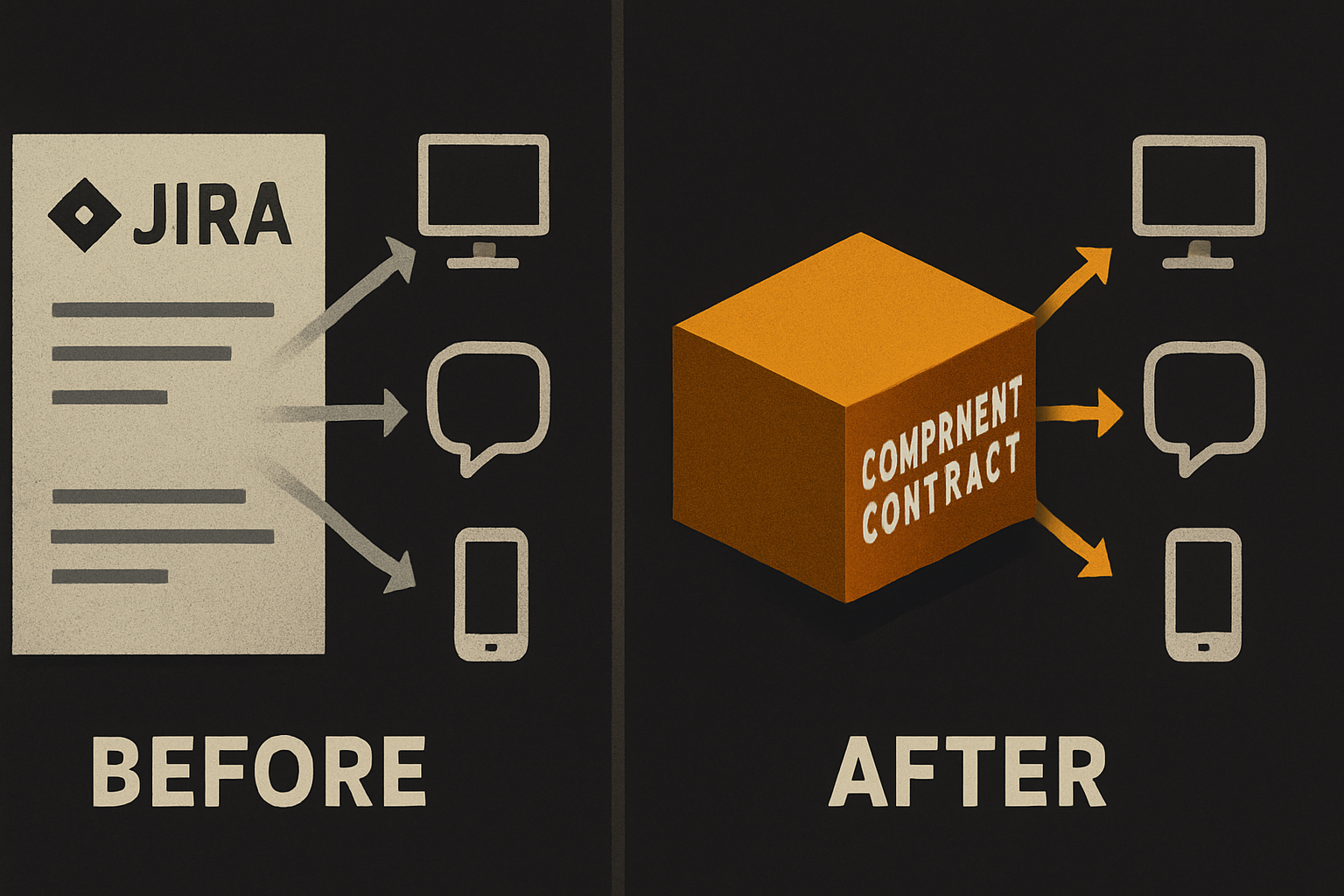
This is where the durable stuff lives. The model behind Cursor will change in two quarters. The Jira integration will evolve. The Slack contract will get reworked. The thing that doesn't churn is the component contract — the API a developer (or an agent) writes to once and ships across web, iOS, and Android from a single source.
OTF's angle here is small and specific: when your AI coding agent generates UI from a Jira ticket, it needs a target that produces the same component on web, iOS, and Android from one API. Use Atlassian's graph to feed the agent. Use Claude Code or Cursor to generate the code. Pair it with a cross-platform component system — the same <Card> on web, iOS, and Android — so the AI's output isn't three different implementations of the same thing.
The cost line is the part to watch
Atlassian is shipping this at no additional cost for Jira Cloud. That's a defensive move — it locks teams into Jira before a competitor owns the agent context layer. It also collapses the ROI math for "should we adopt these AI features" to zero on the tooling side.
The remaining cost is the AI model itself — Claude, Cursor, Copilot. The DX AI cost management report the announcement references links AI spend directly to engineering output. That's the line item to watch as adoption rolls out. If Atlassian's free coordination layer drives more AI coding tool usage, the spend shifts from seat licenses to inference. Different budget conversation, different buyer.
What to do this week
- Turn on Atlassian Intelligence in your Jira Cloud instance. It's a settings toggle; no procurement step.
- Wire one coding agent — Claude Code is the fastest MCP setup. Confirm the agent can read a ticket, link a PR, and transition a state end-to-end.
- Pick one workflow to retire. Find a Slack thread where engineers manually update Jira when their PR lands. Replace it with the agent transition.
- Map the UI surface. For each ticket type that generates UI work, ask: does this produce one component across platforms or three? If three, that's the gap the AI agents won't close for you.
The Jira context graph is real and it ships free. The AI coding tool integrations are real and they work today. The durable layer — the UI surface that doesn't churn with the model — is the part you build once and stop rebuilding every time Cursor ships a new release.
Ship the product, not the setup.
- 11 production screens — auth, billing, team, analytics, settings
- Real database, payments, and login — all wired on day 1
- AI configs pre-tuned so your agent extends instead of regenerates