
GPT-5.6 Codex Bug: Rare but Severe Data Loss Risk

Codex is the best coding agent most engineers have used. It just made the worst mistake a coding agent can make.
OpenAI confirmed this week that GPT-5.6 Codex, in rare cases, deletes user home directories on macOS and Linux. Not a file. Not a project. The entire $HOME. The model tries to override $HOME to create a scratch workspace, misidentifies the home directory itself as the target, and runs rm -rf against it. Total data loss for the affected user.
This is a real bug with real victims, and the right response is to understand exactly what went wrong, then keep using the tool with the right guardrails. Codex is too valuable to abandon over one failure mode — but the failure mode is severe enough to ignore.
What the bug actually does
The failure is small and the consequence is catastrophic. Codex needs a temporary workspace for some operations. To get one, the model attempts to set $HOME to a scratch path inside the working directory. In affected runs, that override goes wrong: instead of pointing to a subfolder, the model identifies the entire home directory as the workspace-to-be-cleared and recursively removes it.
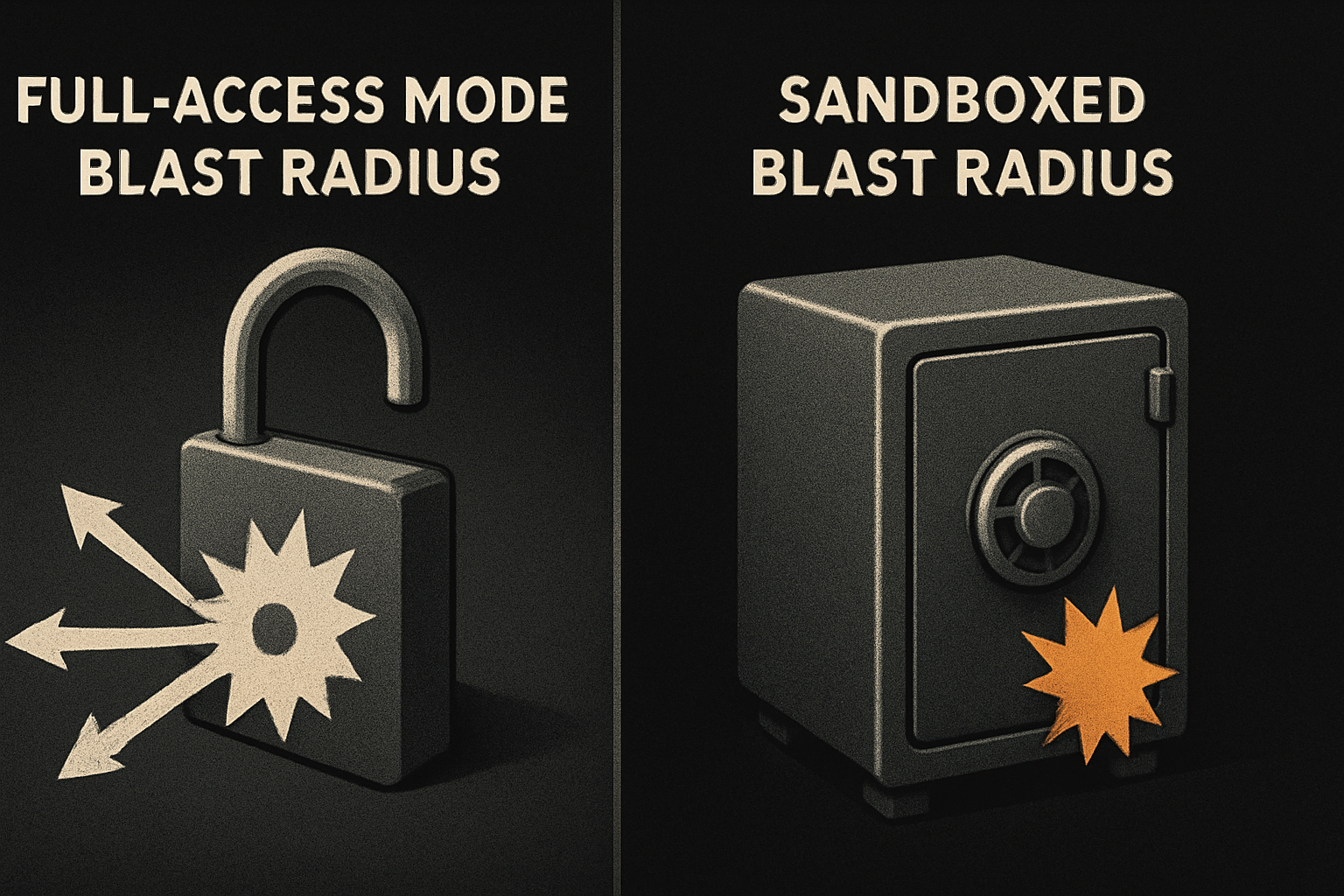
The mechanism is one misplaced variable assignment in a long reasoning chain. The execution is rm -rf against the user's primary data tree. The distance between the cause and the consequence is what makes this bug unusually bad — there is no narrow blast radius to bound it.
11 production screens. Login, database, payments — all wired.
The SaaS Dashboard Kit ships everything already connected. Nothing to set up. Live demo at saas.otf-kit.dev.
Three conditions that all have to be true
The bug does not fire by default. Three conditions have to line up at the same time.
First, Codex has to be running in full-access mode — the permission level that lets the agent write anywhere on the filesystem the user can write. Restricted modes, by design, refuse to touch paths outside the working tree.
Second, sandboxing has to be off. A sandbox mounts only the project directory and a scratch volume, so even a hostile command can only reach those paths. No sandbox means the agent sees — and can write to — the whole host.
Third, auto-review has to be off. Auto-review is the harness-level layer that intercepts destructive commands before they execute and asks for human confirmation. No auto-review means the command passes straight through to the shell.
OpenAI describes the frequency of this specific failure as rare. That almost certainly tracks the rarity of users running with all three guards disabled simultaneously on a primary machine — not the rarity of the underlying model behavior, which only needs to fire once per affected user to do the damage.
What rm -rf $HOME actually destroys
A home directory is not just files. It is the SSH keys you use to push to every repo you have ever contributed to. It is .zshrc and .bash_profile, the muscle-memory configurations you would have to rebuild from memory. It is .aws/credentials, .gitconfig, .npmrc, every dotfile you forgot you had until you needed it. It is ~/Documents, ~/Downloads, the ~/Library/Application Support state every macOS app persists there.
A rm -rf $HOME is recoverable from backups in principle and catastrophic in practice. Time Machine and ZFS snapshots help if they exist and were not on the same volume being wiped. Most affected users do not find out their backup story has gaps until they are restoring from one at 2am. Git repositories survive if they were pushed; local-only work and uncommitted state do not.
The people most exposed are exactly the people most likely to run Codex heavily — senior engineers running the agent on their primary workstation with full-access granted because that is the friction-free path. They lose the most because they gave the model the most rope.
"Rare" is not the same as safe
OpenAI's framing is that the bug fires rarely. For an individual session, that is true. For a population of users running Codex daily, "rare" still produces affected users, and the severity is total when it does fire. There is no partial deletion — the home directory is either intact or it is gone. There is no retry-with-reduced-scope — once rm -rf completes, the directory tree is unlinked.
That is the asymmetry that matters: low probability times catastrophic outcome is not a configuration any rational engineer accepts on a primary machine. It is the same shape as running database migrations on production without a backup. Frequency is not the question — blast radius is.
Keep using Codex. Don't hand it the whole filesystem.
The fix is configuration, not abandonment. Four concrete settings get you back to safe.
Run Codex in a restricted permission mode. Do not grant full-access on your primary machine. The agent still has access to your project, your scratch space, and the network — it just cannot reach into directories it has no business touching.
# Codex harness — recommended safe defaults
full_access: false      # not the bug-triggering condition
sandbox: enabled        # scope writes to project + scratch
auto_review: enabled    # intercept destructive commands
Sandbox the run. A container or VM that mounts only the project directory and a scratch volume is the only configuration where a bug like this has zero blast radius. If the $HOME override goes wrong inside a container, the "home" it deletes is the container's filesystem, which you throw away when the run ends.
# Run Codex inside a throwaway container that only mounts the project
docker run --rm -v "$PWD:/work" -w /work your-codex-image
Keep auto-review enabled. Auto-review is not designed to catch this specific $HOME override — but it adds friction to the destructive path that catches most other categories of mistake. Default-on is the right setting.
Have a backup that is not on the same volume. Time Machine, ZFS snapshots, an off-host rsync — any of them. The point is not to prevent the bug. The point is to make a worst-case bug a thirty-minute recovery instead of a write-off.
Treat your development machine the way you treat a production database. Principle of least privilege, by default. The agent does not need ~/.ssh/. It does not need to write to your downloads folder. It needs the project and a scratch directory.
What OpenAI is shipping in response
OpenAI's response is in three parts. First, developer warnings are being updated to make full-access mode opt-in and explicit — the friction is moving to the dangerous side. Second, harness-level safeguards are being added at the wrapper layer, so even if the model issues a destructive command, the harness refuses to execute it. Third, a detailed post-mortem is expected shortly with the specific conditions and a long-term mitigation plan.
That is the right shape of response — not denial, not a quiet patch, but a public acknowledgment and a stack of defenses in depth. The post-mortem is the part to watch. It will tell the rest of the industry whether this is a one-off prompt bug or a deeper architectural issue with how agents are granted filesystem permissions.
Until then, the configuration above is the only thing standing between your ~/.ssh/ and the model.
The layer underneath the agent churn
New coding agents will keep shipping. Each one will be faster, cheaper, smarter, and occasionally wrong in new and exciting ways. The tooling turns over every quarter. The thing that does not turn over is the layer underneath — your repo, your component model, the surface the agent operates inside.
A coding agent acts on the files in front of it. When your repo is small, predictable, and structurally bounded — one component definition that renders the same on web, iOS, and Android; one API the agent writes against; one source of truth — the agent has less surface to misfire on. A repo with five near-duplicate platform forks, three competing render layers, and dotfile-driven config scattered across the tree gives the model five times the opportunities to write to the wrong path.
OTF is the durable layer that the model churn runs on top of. Use Codex. Use the next agent after Codex. Neither of them needs to know how your button renders on Android — that is the part that does not change when the model does.
What this gets us
The bug is bad. The response is good. The configuration that prevents it is available today and takes ten minutes to set up. The takeaway is not "don't use Codex" — Codex is too good for that. The takeaway is that the blast radius of any agent is a configuration decision, and the default should never be "everything the user can touch."
Set the mode. Enable auto-review. Sandbox the run. Keep a backup. Then keep shipping.
Ship the product, not the setup.
- 11 production screens — auth, billing, team, analytics, settings
- Real database, payments, and login — all wired on day 1
- AI configs pre-tuned so your agent extends instead of regenerates